Limitorque MX Maintenance and Spare Parts FCD LMENIM2314-00 – 07/08
24
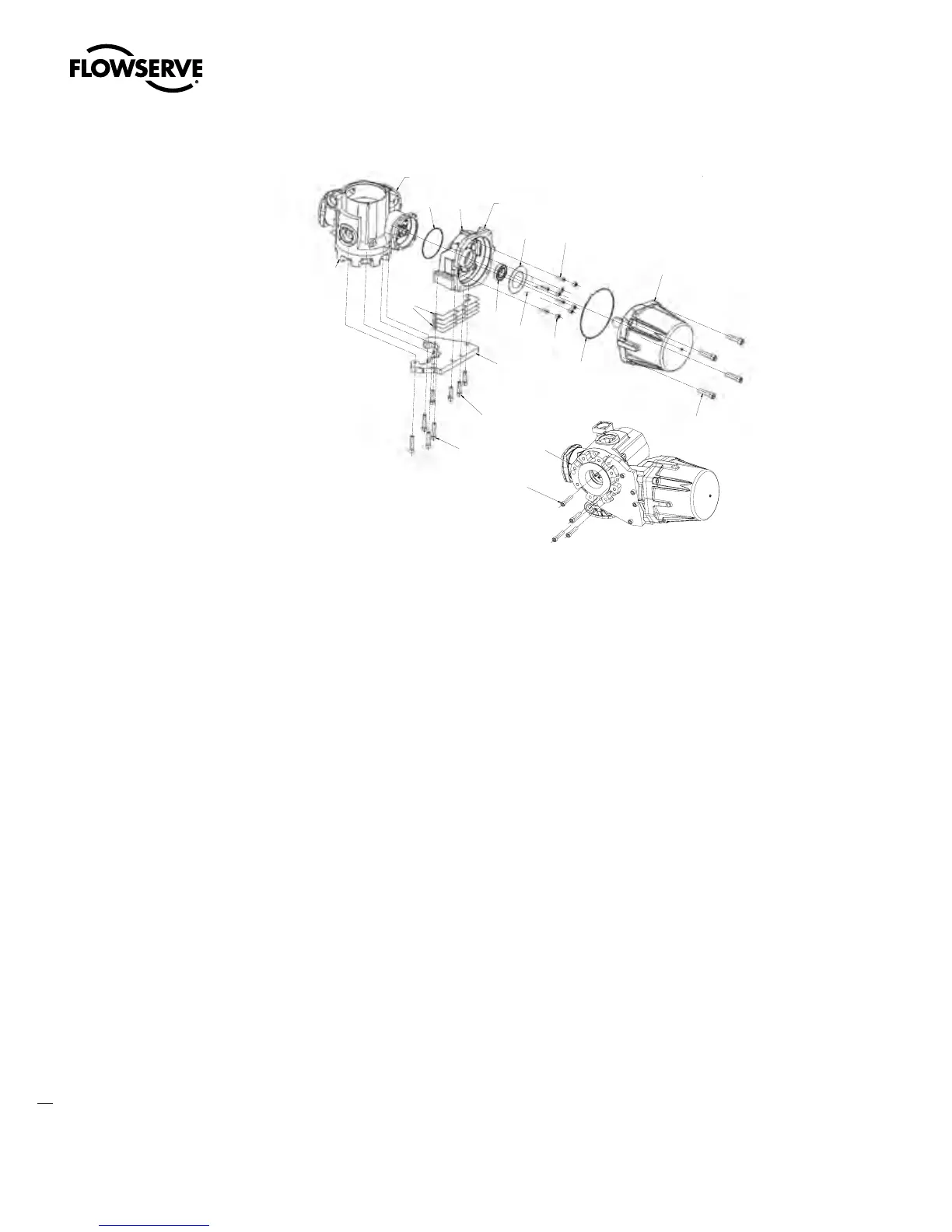
Figure 4.3 – Motor, Support Plate and Adapter (MX-150)
UNIT HOUSING
1-15
4-8
4-13
4-15
4-7
4-9
4-16
4-10
4-14
4-11
4-18
4-17
4-19
4-20
4-20
UNIT BASEPLATE
UNIT BASEPLATE
MOUNT ADAPTER (PC-4-8) TO UNIT HOUSING
BEFORE MOUNTING MOTOR (PC-4-7)
STEP 1
Install support plate (4-17) to unit base plate using socket head cap screws (#4-20).
STEP 2
Place the lead seal connector through the slot in the adapter (#4-8). Install the adapter loosely to unit
housing using screws (#4-15). Rotate adapter until gap is uniform with plate (#4-17). Tighten screws
(#4-15).
STEP 3
Measure gap and select the shim (#4-18) total thickness to be at least the gap plus up to .1mm (.004
inch). Shims are .1mm (.004 inch) each.
STEP 4
Remove plate (#4-17), install shims (#4-18), reinstall plate to base of unit, tighten screws (#4-20). Then
install and tighten screws (#4-19) with shims in place.
NOTES:
1. Pipe plugs (#4-16) must be installed with tape or pipe sealant over the four (4) mounting screws
(#4-15) and the two (2) jacking tap holes.
2. When mounting motor (#4-7) leads must be placed behind plate (#4-13).
Swanson Flo | 800-288-7926 | www.swansonflo.com









 To Next Page