1672/1673 FC/1674 FC
Users Manual
52
IMD
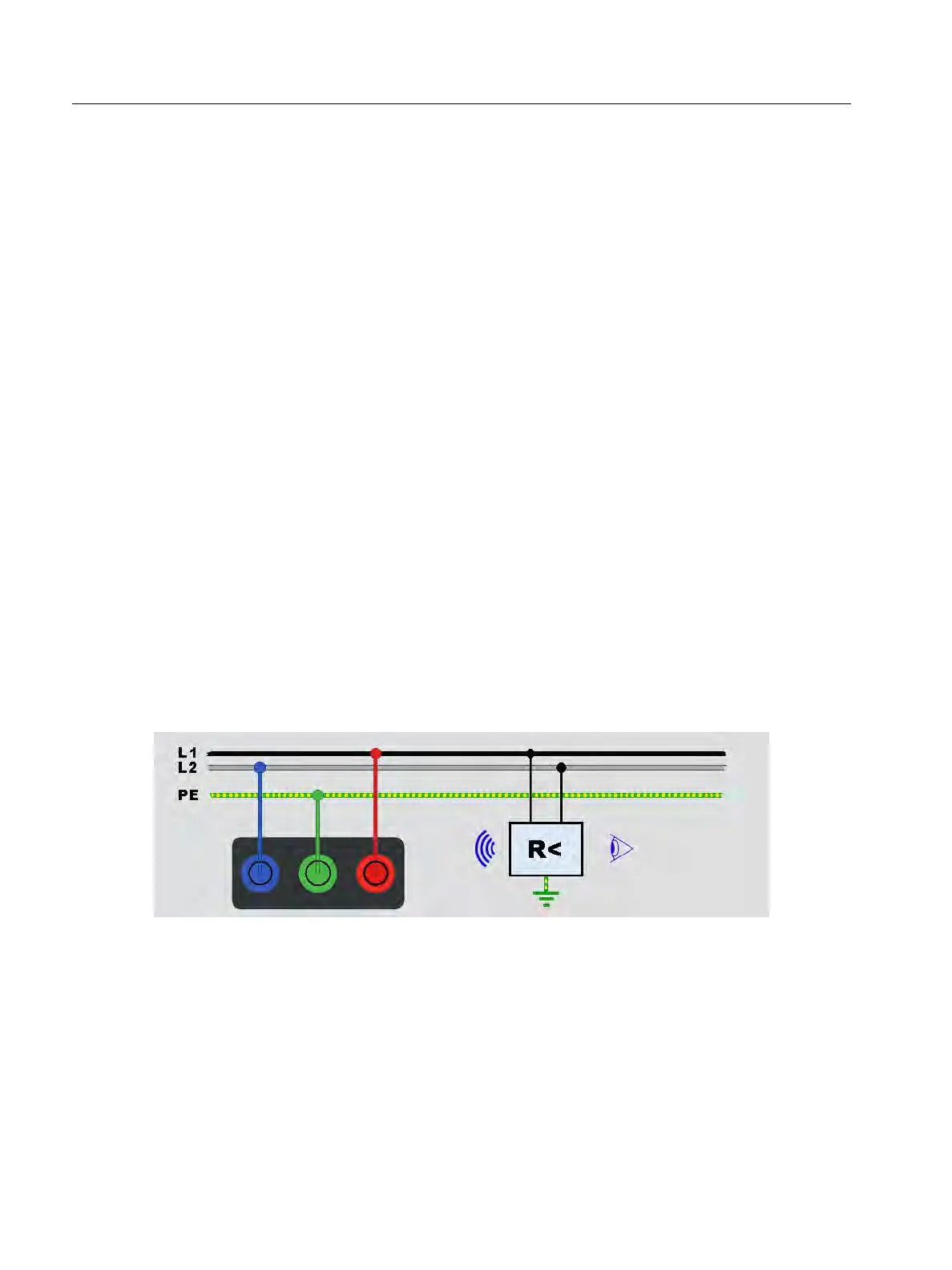
Insulation monitoring devices (IMD) continuously monitor the insulation resistance of IT
systems (unearthed systems that are meant to have no built-in ground reference) and issue an
alarm if the value falls below a response value. To make a measurement, the Tester has to be
connected between the IT system and the (local) protective earth conductor (PE). Best
practice is to disconnect all appliances from the tested supply to receive normal test results.
Any connected appliance will influence the insulation resistance threshold test.
To d o a n I M D t e s t :
1. Select the IMD mode.
2. Select the system response resistance from the table: supported values are 1 kΩ, 2 kΩ,
5kΩ, 7 kΩ, 10 kΩ, 12 kΩ, 20 kΩ, 50 kΩ, 70 kΩ, 100 kΩ, 120 kΩ, 200 kΩ, and 500 kΩ.
3. Press ENTER.
4. Push
T to start the timer for the IMD measurement.
The stop watch starts.
If the IMD alarm does not indicate a failure:
a. Select FAIL to stop the stop watch.
b. Repeat steps 1 and 2 to change the response resistance until the alarm indicates an
insulation failure.
5. If the alarm indicates, press the green PASS to stop the stop watch.
Figure 24. IMD Test #1



 To Next Page