Multifunction Tester
Rotary Dial and Pushbuttons
9
Rotary Dial and Pushbuttons
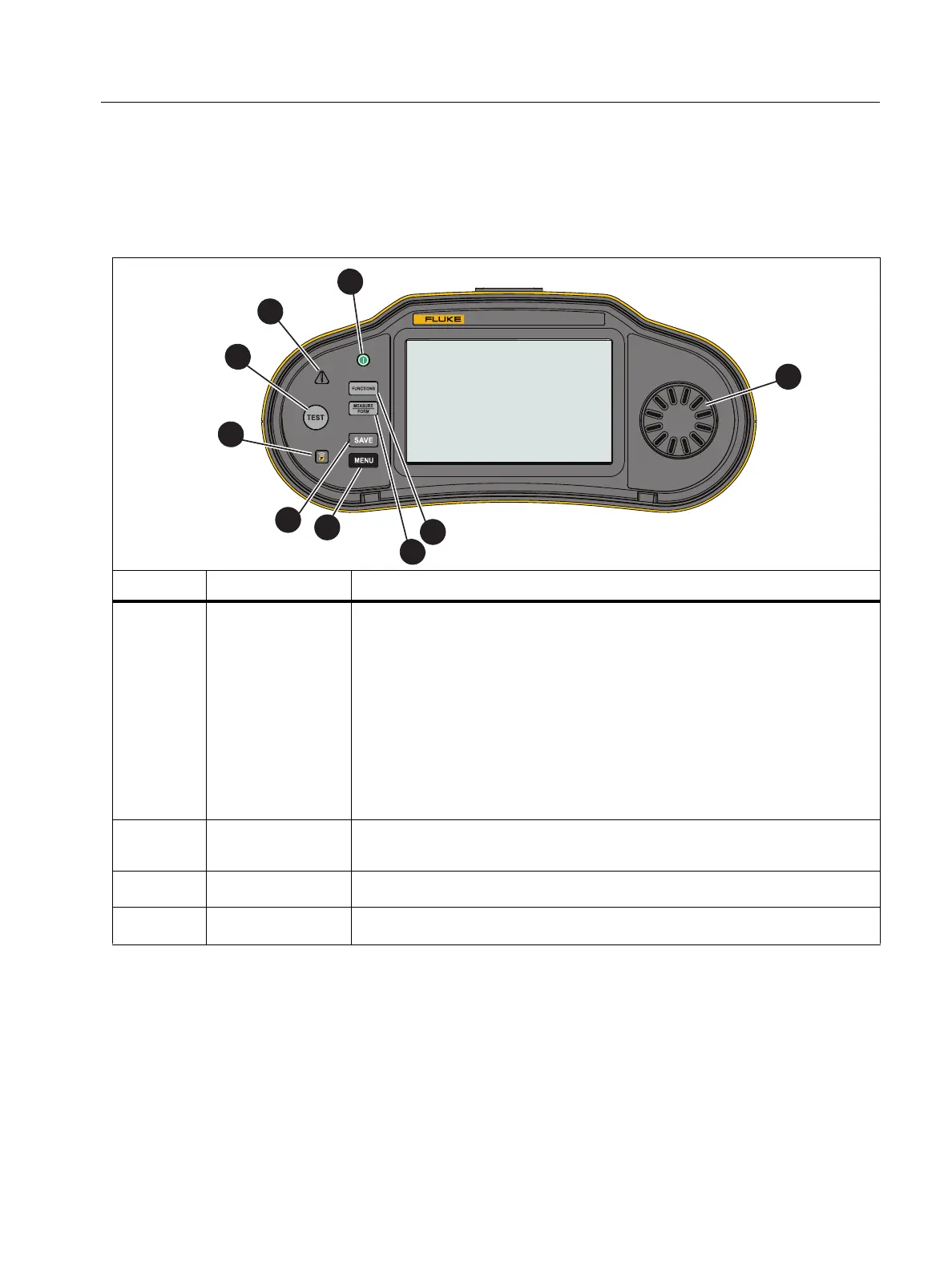
Use the rotary dial to select the test type. See Ta b l e 5 . Use the pushbuttons to control
operation of the Tester, select test results to view, and scroll through test results.
Table 5. Rotary Dial and Pushbuttons
Item Function Description
A
A
Turn on and turn off the Tester:
Green LED on and display on, Tester is ready to use
Green LED on and display off, Tester is in standby mode,
press any button to wake up
Green LED off, display off, and USB cable connected, the
Tester is charging (no indication on the Tester)
The Tester turns off automatically when inactive for the time
period set by the user-adjustable timer.
See Battery Save Options.
B
Rotary Dial
Rotate left/right to move the highlight on the display. Push the
center of the dial to make a selection.
C
I
Opens the selection screen for measurement functions.
D
K
Toggle between the measure mode and the form mode.
1674 FC
MULTIFUNCTION TESTER
2
4
5
6
7
8
9
1
3



 To Next Page