Section 3: Model 9100 Controls: Working with Front Panel Controls — Tutorials 3-33
Final Width = 215mm
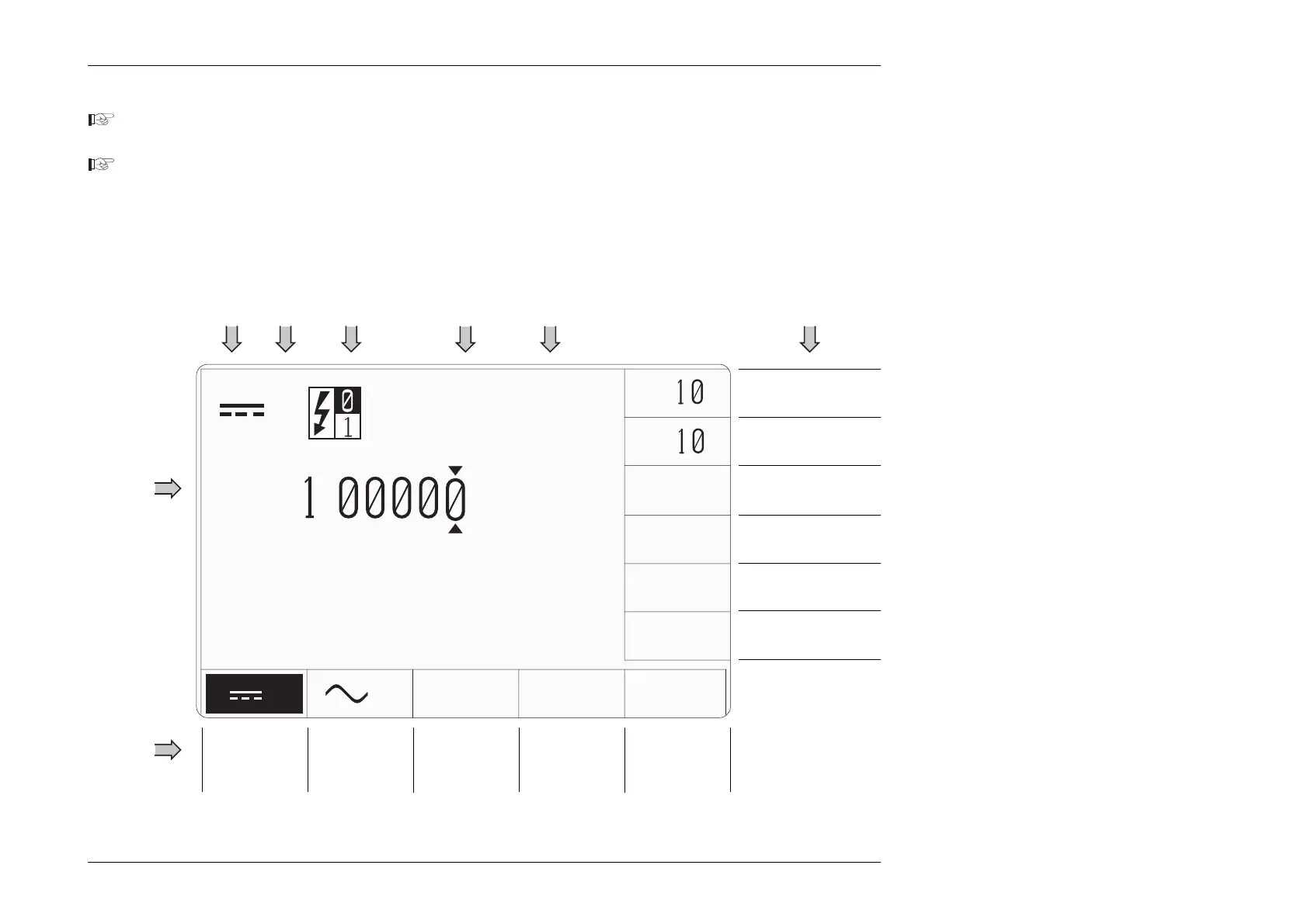
3.4.2 Manual Mode — Typical Menu Screen
Ensure that the 9100 is installed and switched on as detailed in Section 2. If, after selecting Manual mode, the display does
not correspond to Fig. 3.4.1 below, press the V key in the top right corner of the front panel.
Familiarize yourself with Fig. 3.4.1. This is the default version of the DC Voltage menu screen, which will appear when
you enter DCV Function for the first time (unless the default has been changed in Config Mode).
N.B. Inversions of symbols and fields show selected elements (DCV and Output OFF in this case)
V
time and date
+ .
∆
ZERO
±
V
x
÷
V
Divides Selected
Value by 10
Inverts Selected
Value Polarity
Accesses
Voltage
Deviation
and Offset
Not UsedSelects
DC Voltage
(DC Voltage
Selected)
Selects
AC Voltage
(AC Voltage
not Selected)
Not Used
Sets Selected
Value to Zero
Digit
Access
Cursor
Output
Off
(Ø)
/
On
(1)
StateVolts
DC
Symbol
Multiplies Selected
Value by 10
Not Used
Not Used
Screen
Key
Effects
Fig. 3.4.1 DC Voltage Default Settings
Screen Key
Effects
Numeric
Value of
Output
Units of
Output
Value
V



 To Next Page