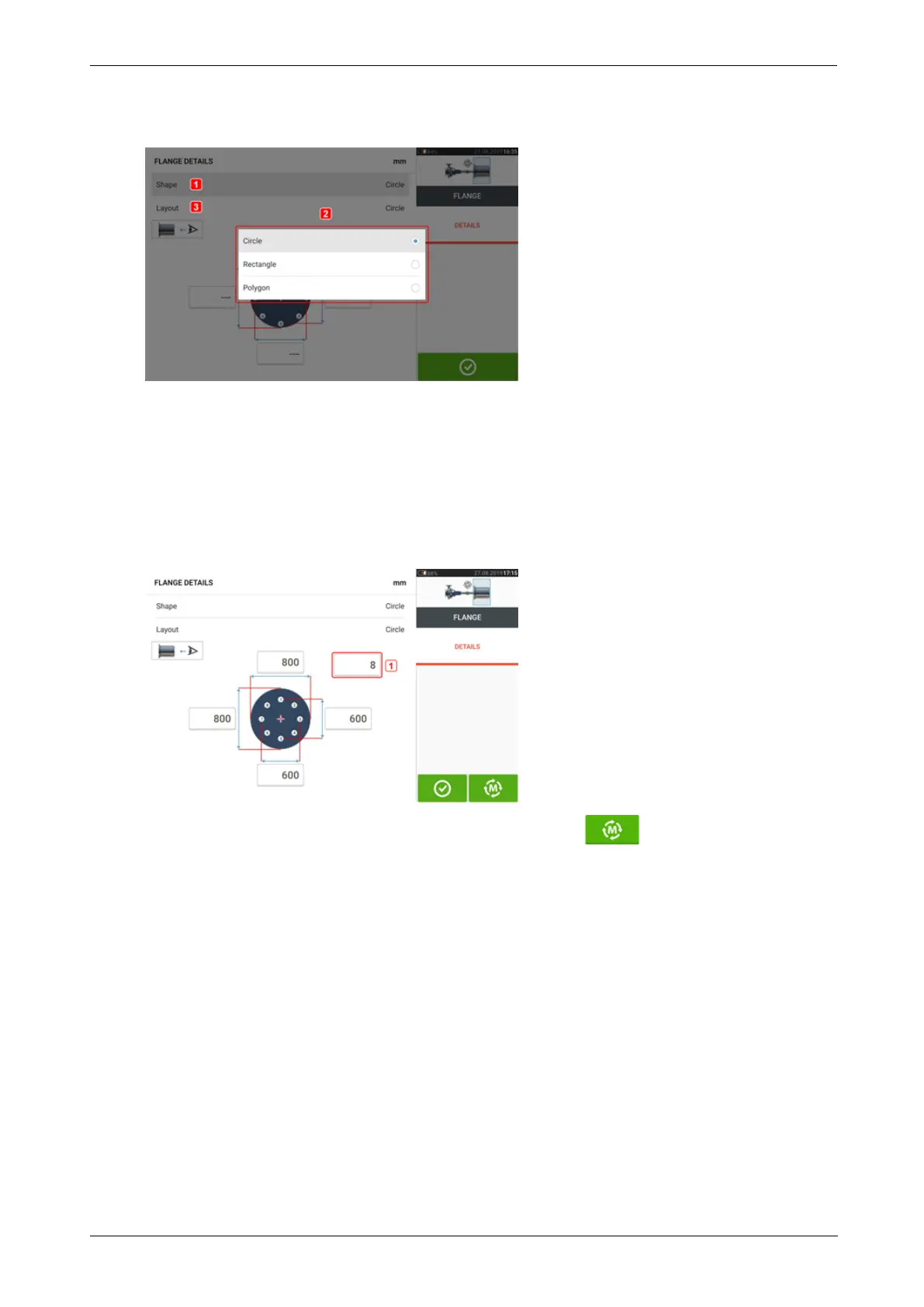
l Tap 'Flange' to access the "Flange details" screen where the flange may be edited.
l Tap the 'Shape' area [1] to select the shape of the flange from the pop-up menu [2] that
appears. In the above example, the selected shape of the flange is "Circle".
l Tap the 'Layout' area [3] to select the pattern formed by the bolts from the pop-up menu
that appears.
l Tap the respective value boxes then use the onscreen keyboard to enter flange dimen-
sions and bolt pattern lengths. The number of bolts is edited by tapping [1] then entering
the value directly. After entering the dimensions, tap the displayed flange area to close
the onscreen keyboard.
l
After all the required dimensions have been entered, tap to proceed with meas-
uring.
The following measurement procedure is used for vertical flanged machines:
"Vertical flanged machines – Static clock" on page103
102 Version:2.3
On-board help



 To Next Page