Page 104
Flymaster Live C User Manual
Tasks
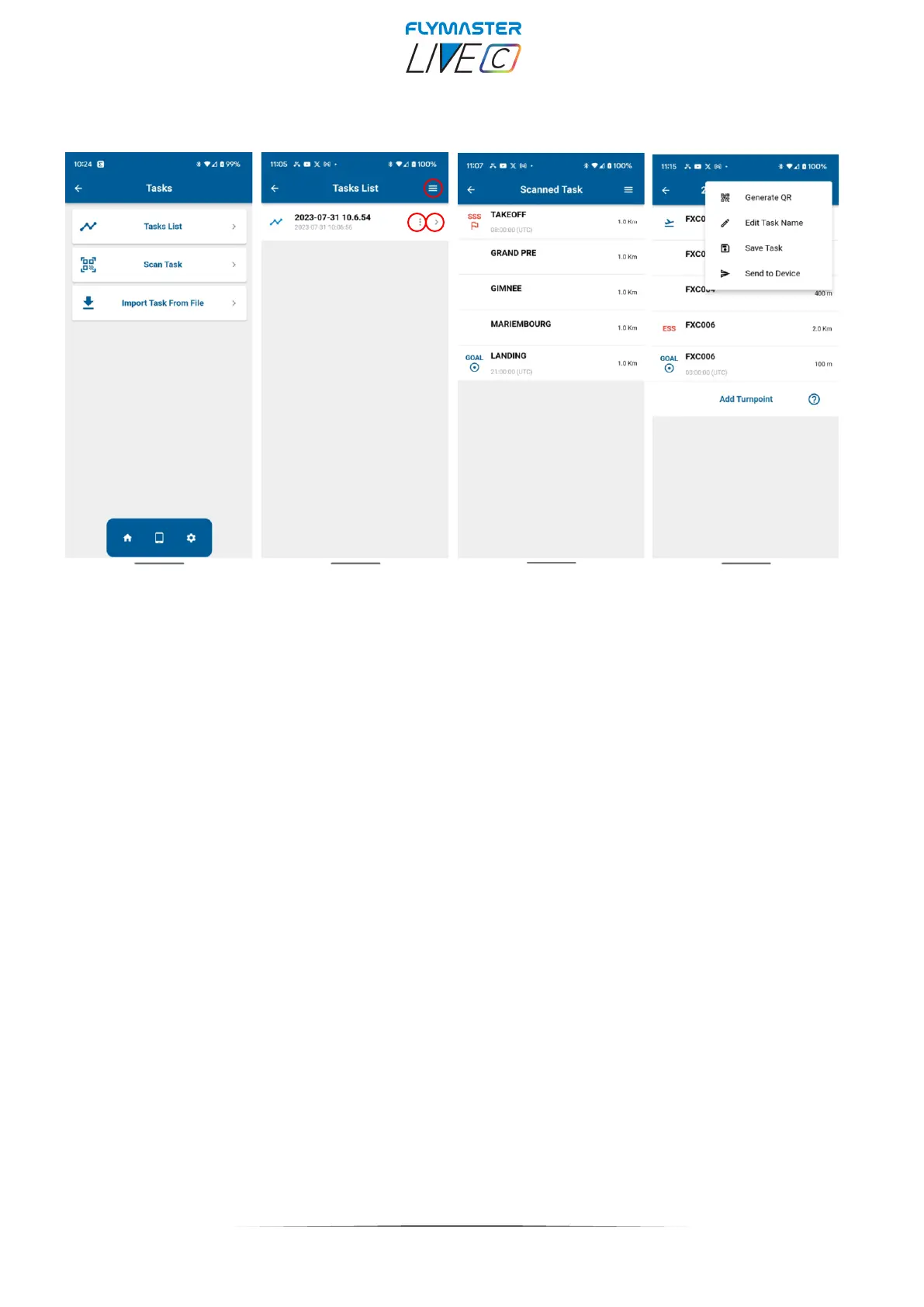
Tasks list - List of recorded tasks from the Flymaster Link app. There are tools in the tasks list. The
"three horizontal lines" allow you to create a task or delete all tasks. The small downward arrow allows you
to view task details and task configuration . Inside the task details the “three horizontal lines” will allow to
generate a QR code, Edit the task name, save the task or send it to your instrument. The three vertical dots
allow you to edit the task or delete it.
Scan Task - It allows you to scan a Task using a QR code generated by another instrument or task
planner app. After scanned you can save it to your app, so it can be added to your tasks list.
Import Tasks From File - It allows you to import a task from a file with extension .XCTSK.
(XCTRACK app)



 To Next Page