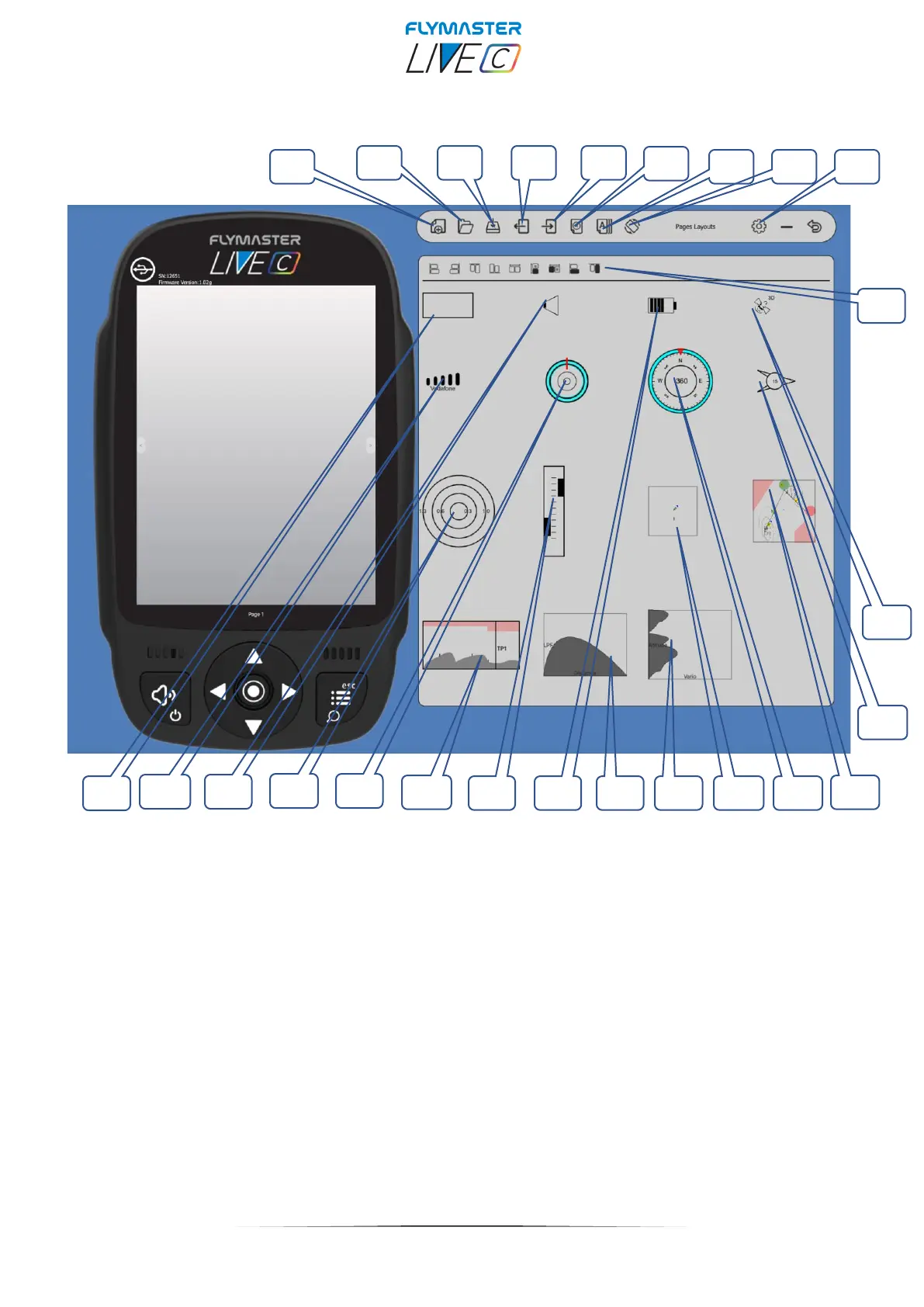
Pages Layouts data fields and objects
1 – New layput page
2 – Open layout page
3 – Save pages layout as a file
4 – Import pages layout from instrument
5 – Send pages layout to instrument
6- Delete page
7 – Page Triggers (auto page switching behaviour)
8 – Rotate display
9 – F.I.M. settings
11 – GPS Status object
8 – Cut Side view object
9 – Vario object
11 - GPS Status object
12 – Wind arrow object
13 – Multilayer Map object
14 - Compass object
15 - Thermal widget object
16 – Thermal profile object
17 – LPF Graphic object
18- Battery status object
19 – Analog Vario object
20 – Profile Map object
21 – Navigation Wheel object
22 – Flarm Aware radar object
23 - Volume indicator object
24 – Communication status object
25 – Data Field
26 – Design and alignment tools



 To Next Page