Page 60
Flymaster Live C User Manual
Task Navigator
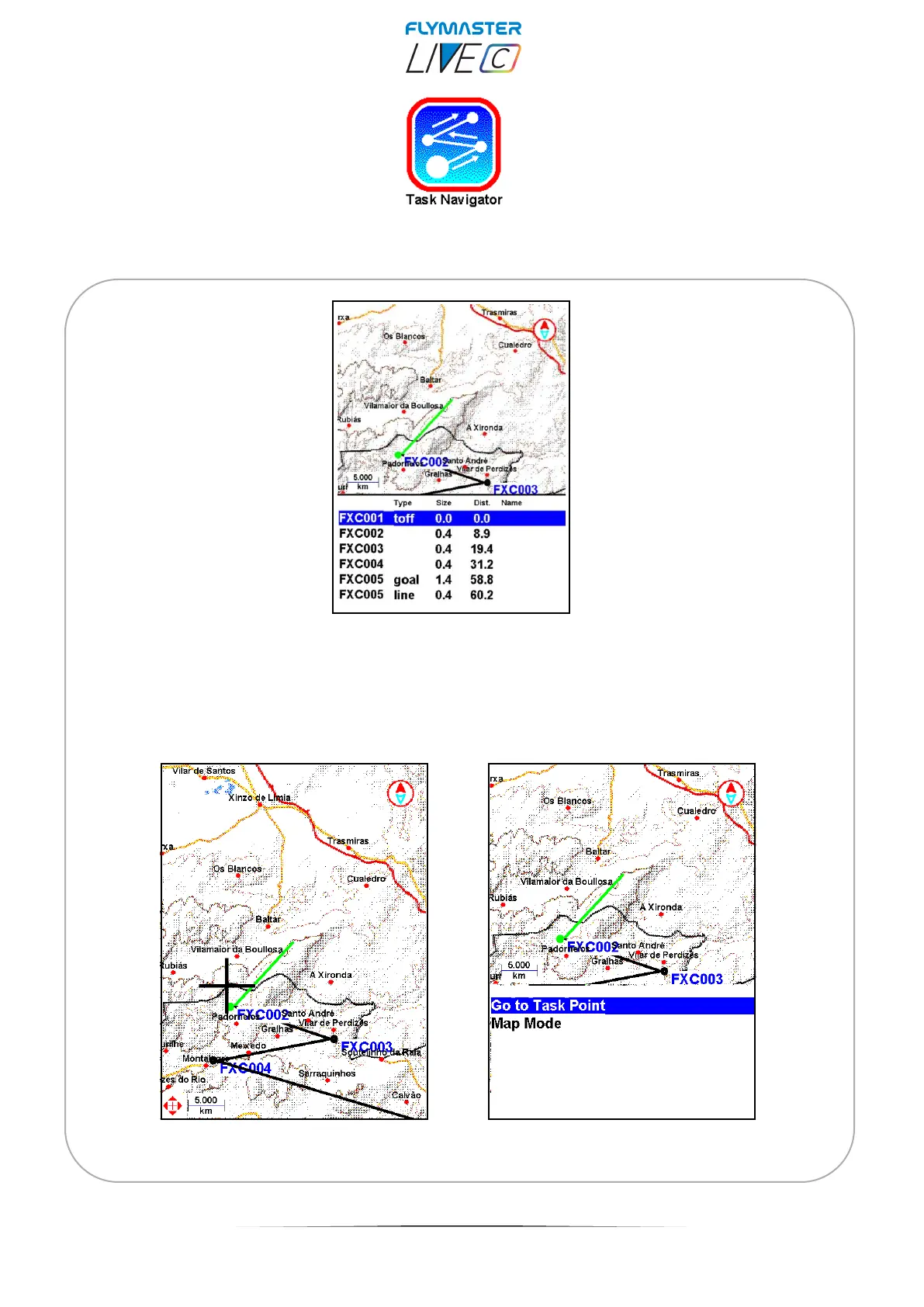
Task Navigator - This feature allows you to preview your entire task on the display.
Scrolling through the list using up and down cursor keys, the waypoints are being
highlighted. You can select and press enter to “go to Task Point” or enter in Map mode.
In map mode you can pan and zoom freely to explore the task.



 To Next Page