Page 42
Flymaster Live C User Manual
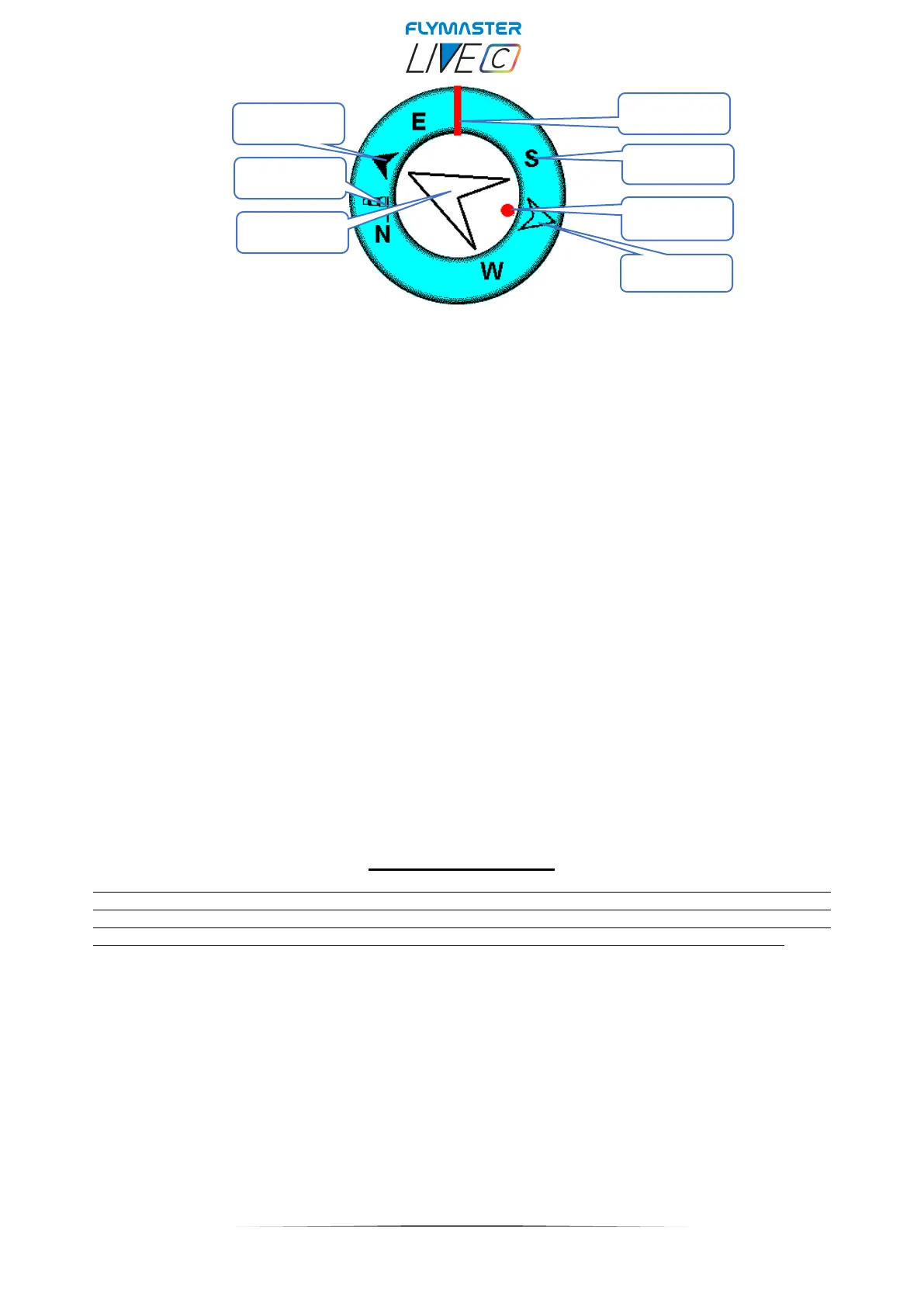
Navigation information is shown within the inner most circles. The external circle contains
the cardinal points and the Wind Flag. The current traveling direction (bearing)
corresponds to the point indicated in the top of the navigation circle. On the example
shown in Figure, the bearing is approximately 110º.
1- Flight direction
2- Cardinal Points
3- Thermal Ball
4- Waypoint after the next
5- Next Waypoint
6- Wind Flag
7- Next Waypoint center
Navigation Arrows
When a route is active the direction of next optimal point is pointed by an arrow (larger arrow 4). The
optimal point corresponds to the unique point on the waypoint cylinder which lies along the optimal route .If
no route is defined the arrow will start showing the direction to the take off˙, after the take Off˙ is detected
(Take off)˙ is the point taken when the Flight Starts)
Route Optimisation
During a competition task flight using the optimal tangent navigation saves a substantial amount of time. The
smaller arrow 7 example points to the centre of next waypoint cylinder, and the BIG arrow 4 points to the
optimized tangent of the next Waypoint. The small arrow 6 points to the Turnpoint after the next. The
combination of all three arrows provides a spatial location of the pilot relative to the next 2 waypoints.



 To Next Page