Page 78
Flymaster Live C User Manual
Calibration
The Live C include a magnetometer and accelerometer sensor. Using these sensors the LIVE C can provide
G-Force and magnetic compass heading. Even though the compass is digital there is a tilt compensation
algorithm that ensures accurate compass heading even when the LIVE C is inclined.
The Calibration menu option allows the user to calibrate the LIVE C accelerometer and magnetometer
sensors. Calibration is particularly important for the magnetometer since without it you will get inaccurate
data from the compass. Despite all Flymaster instruments being factory calibrated errors can be introduced
due to several external influences, such as the presence of strong magnetic fields or the time. In order to
eliminate these errors a proper magnetometer calibration should be made. Calibration parameters are kept
when the LIVE C is turned off, reset or when a firmware update is done. The magnetometer calibration
process is described bellow.
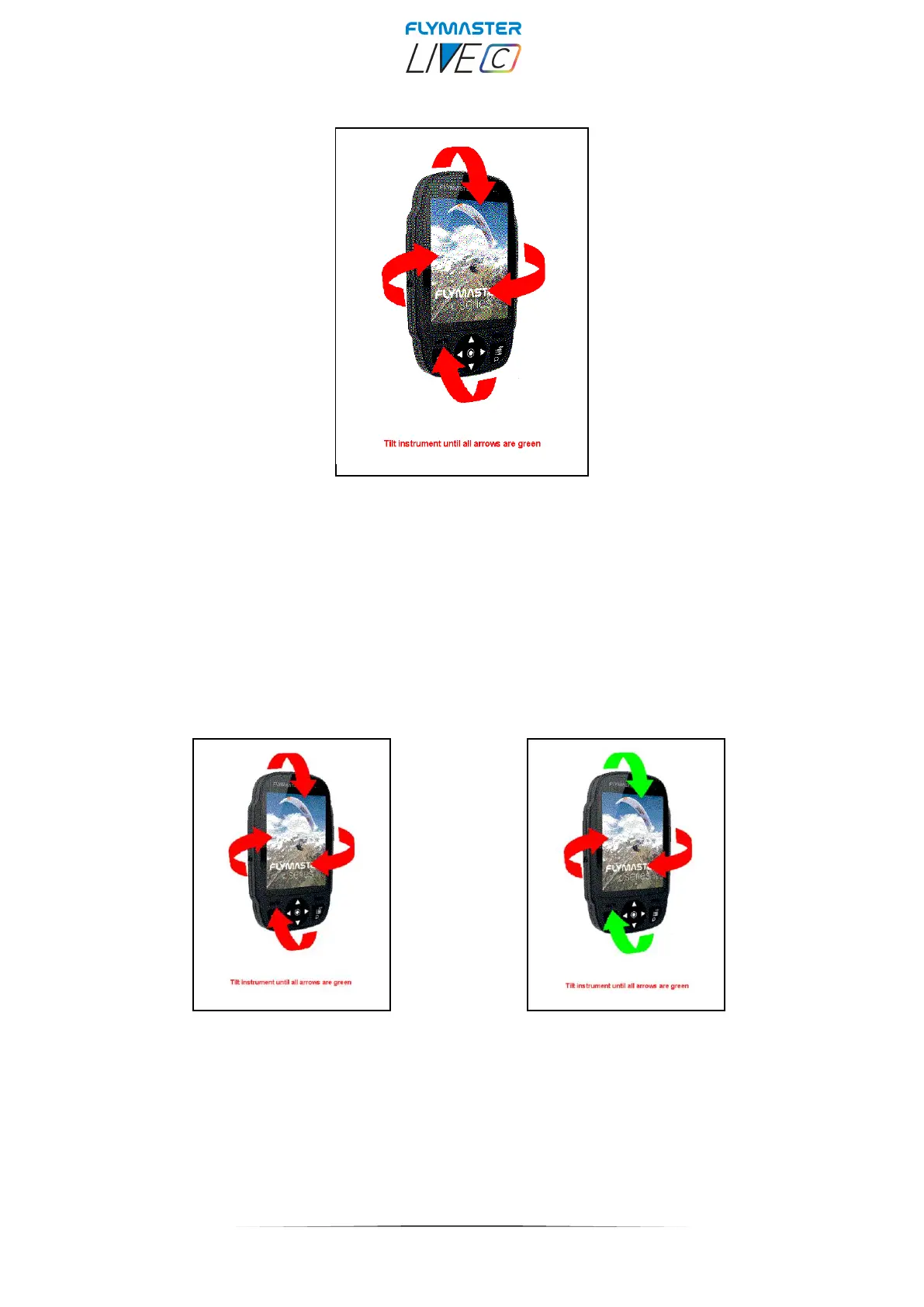
After pressing enter in the "calibration" option, the colour display shows the indications of all the axes that
the instrument must rotate. You must rotate the instrument in the 4 main axes 360 degrees or more. As each
axis is calibrated, the indicator arrows turn green. At the end of the process, if successful, there is a voice
instruction indicating "calibration done". If unsuccessful, there is a voice prompt indicating "calibration failed".
You must repeat the operation so that the magnetometer is properly calibrated.



 To Next Page