Page 27
Flymaster Live C User Manual
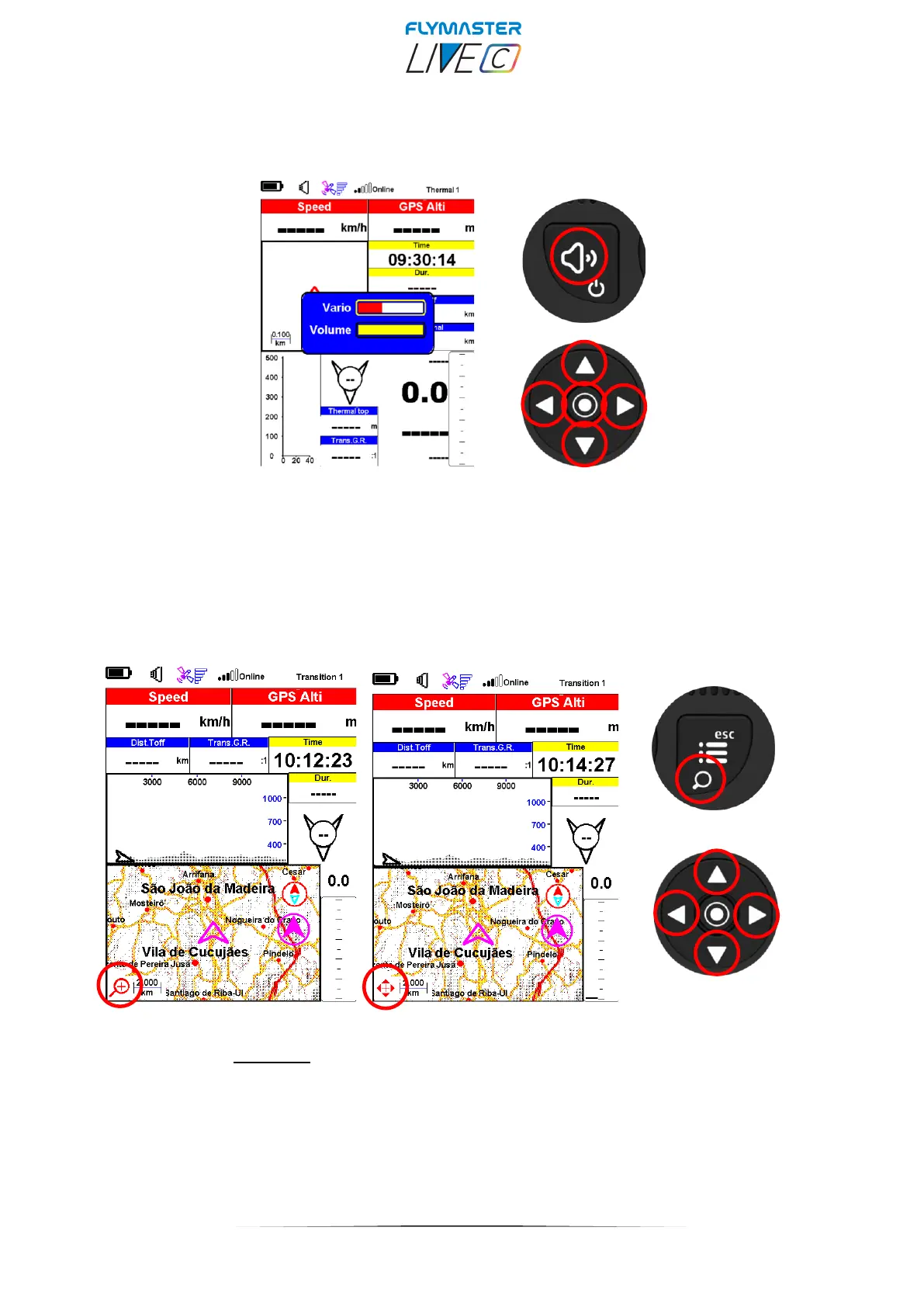
Setting the volume
1- Long press volume/power key
2 – Use Up and Down key to change between Vario and Volume (voice assistance)
3 – Use left and right keys to change setting
4 – Press Enter to accept and exit setting volume mode
Zoom and pan map object
In any layout that contains a Map object is possible to Zoom or pan.
1 – Long press Power/menu key to change between zoom and pan mode.
3 – Use up key to zoom in. Use Down key to zoom out.
In pan mode use Up/down/left/right keys to pan (move) map.



 To Next Page