Page 90
Flymaster Live C User Manual
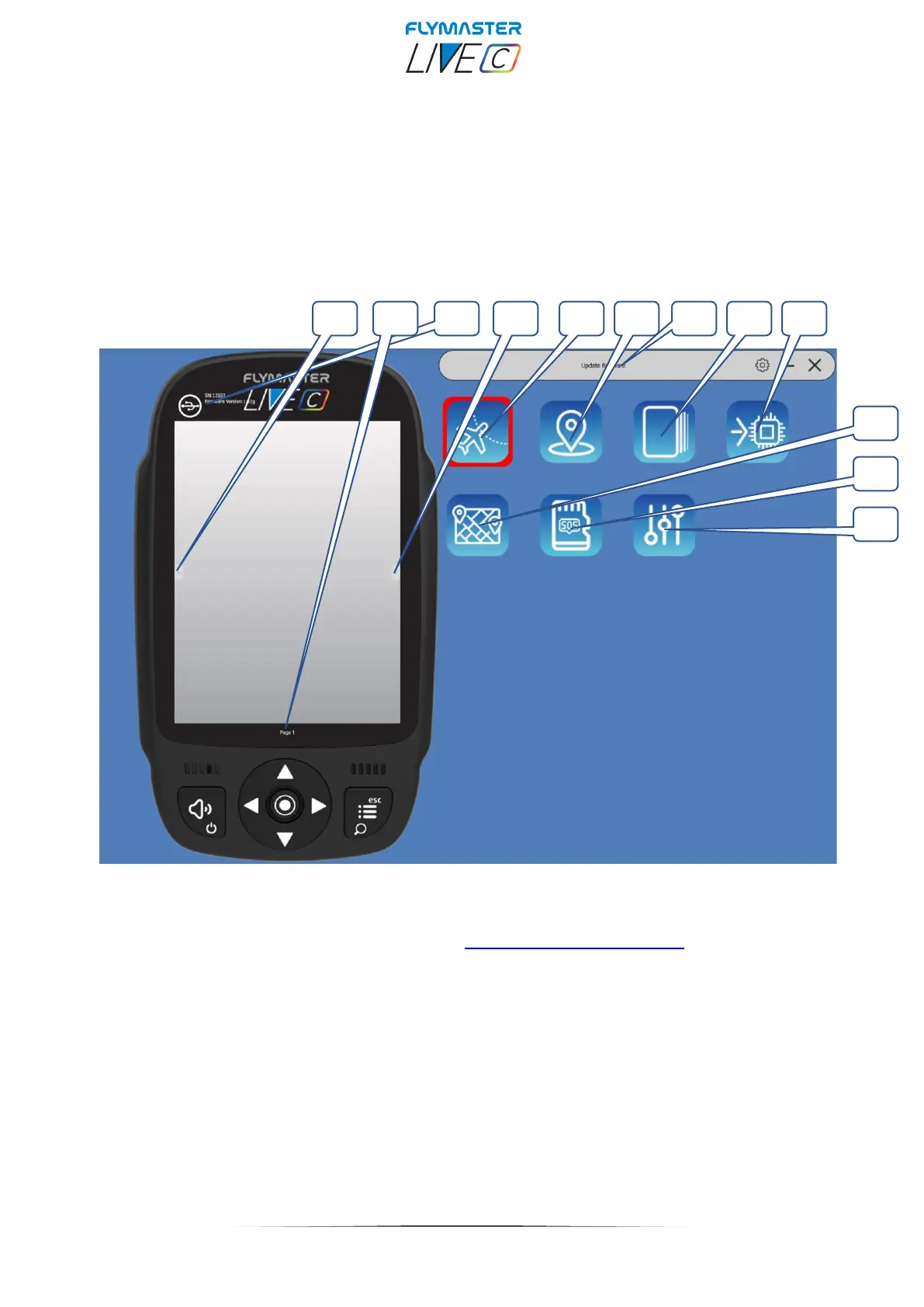
Main Screen and tools
1 – Previous Page
2 – Page name (click to edit. Can be visible in a data field)
3 – Connection state and info
4 – Next Page
5 – Copy Airspace file to instrument (open Air)
6 – Upload Waypoints file
7 – Current tool
8 - Pages Layouts
9 - Update firmware tool
10 – Maps tool (maps management)
11 – SOS SD card tool
12 – Settings



 To Next Page