Page 20
Flymaster Live C User Manual
Method 2 - Download "livec-firmware.zip" from the Flymaster website (downloads
for this instrument are available on the Flymaster website under Products -> Live C ->
Downloads tab) to your computer. Unzip this zip file, to the SD card (its contents to the
root directory of the card, extract the folder hierarchy and keep them in the SD card
root, replacing files and folders when asked). Properly eject the SD card from your
computer.
After this first step, just force installation of the Live C Firmware.
Insert the SD card into the Live C.
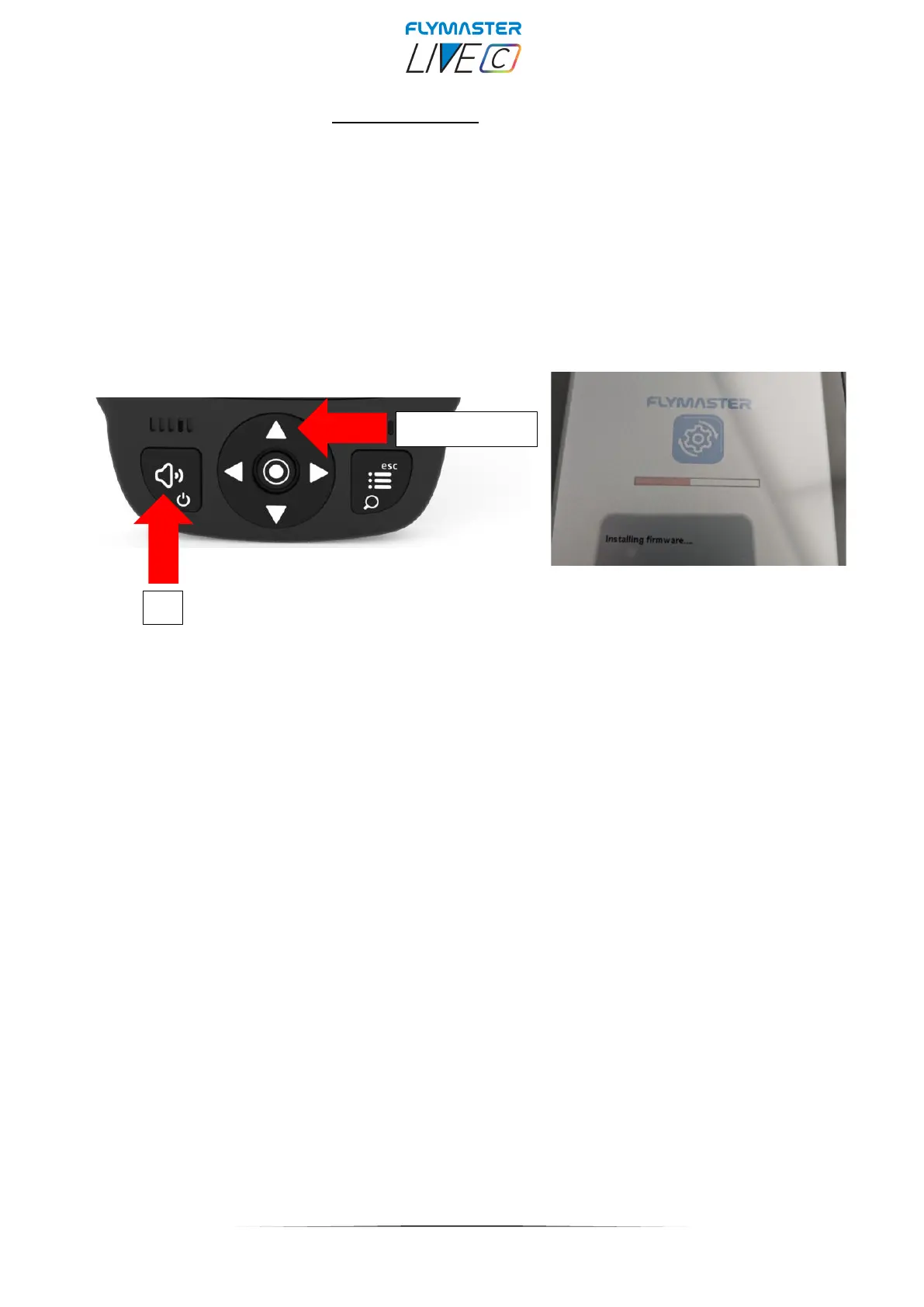
Press the UP key and keep it pressed while pressing the "power" key. Keep the UP
cursor key pressed until "installing firmware" appears on the display.



 To Next Page