7
4.4 Stick Calibration
4.5 Power O
Danger
• Make sure to disconnect the receiver power before turning o the transmitter. Failure
to do so may lead to damage or serious injury.
Follow the steps below to turn o the system:
1. Disconnect the receiver power.
2. Press and hold to turn o the transmitter.
Note: If the pop-up window indicates that the calibration has failed, it means that the control
to be calibrated has not reached the maximum and minimum travel range, the recalibration
is required.
The calibration is required in case of data oset of the transmitter due to physical wear in long-term operations. At
this time, we need to calibrate the output data and neutral angle of the stick, throttle trigger, and potentiometers.
The transmitter has been calibrated at the factory. If you need to recalibrate it, please follow the steps below to
perform the settings:
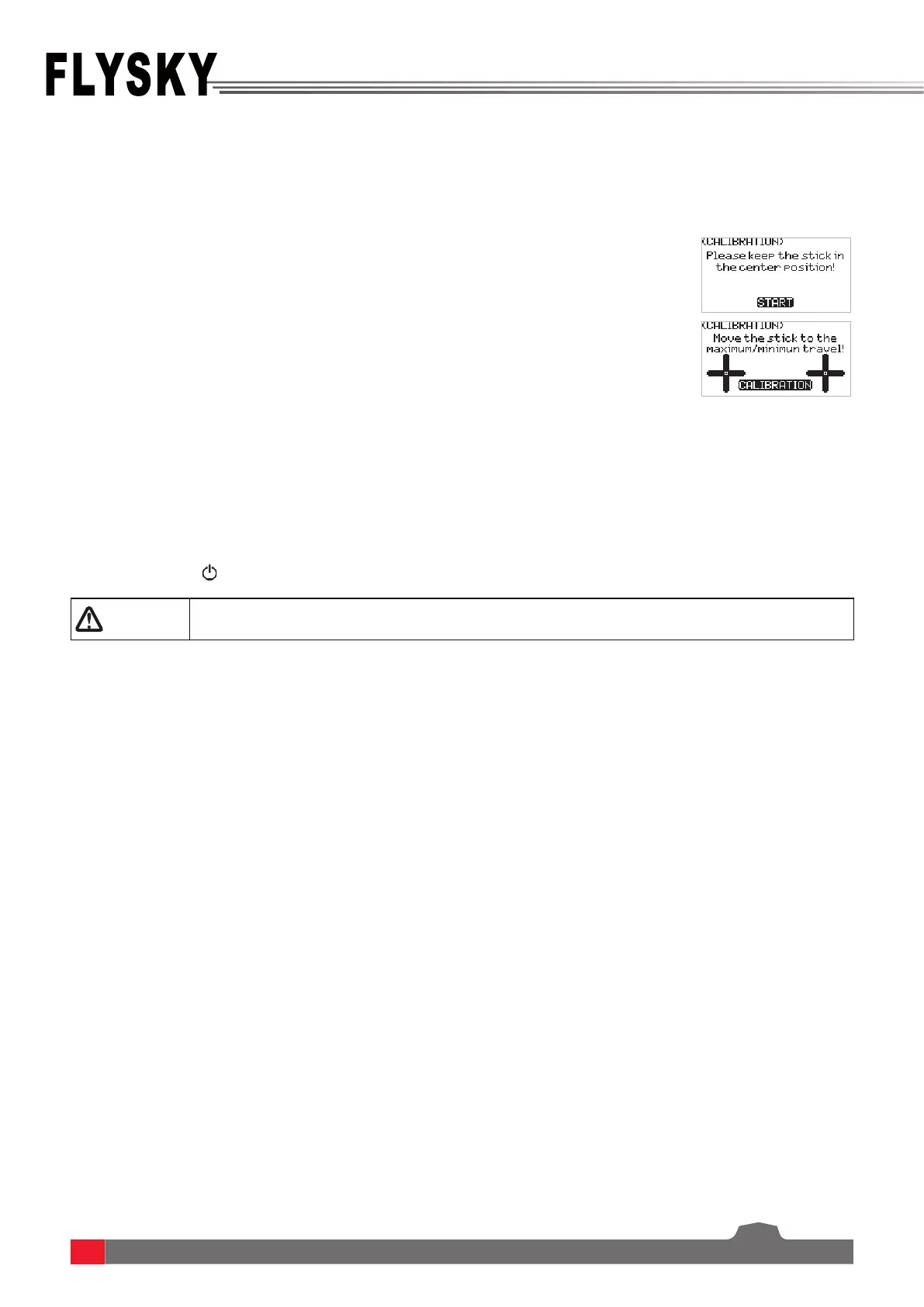
1. Poweronthetransmitter,entertheTX SETmenu,andselectthe
CALIBRATIONfunction.FollowthepromptstopresstheSTART for
calibration.
2. Swingthestickstothemaximumandminimumtravelrangeineach
directionrespectivelyandthenreleasethem.
3. TapCALIBRATION toexitthecalibrationinterface.Thecalibrationisnished.


 To Next Page