19
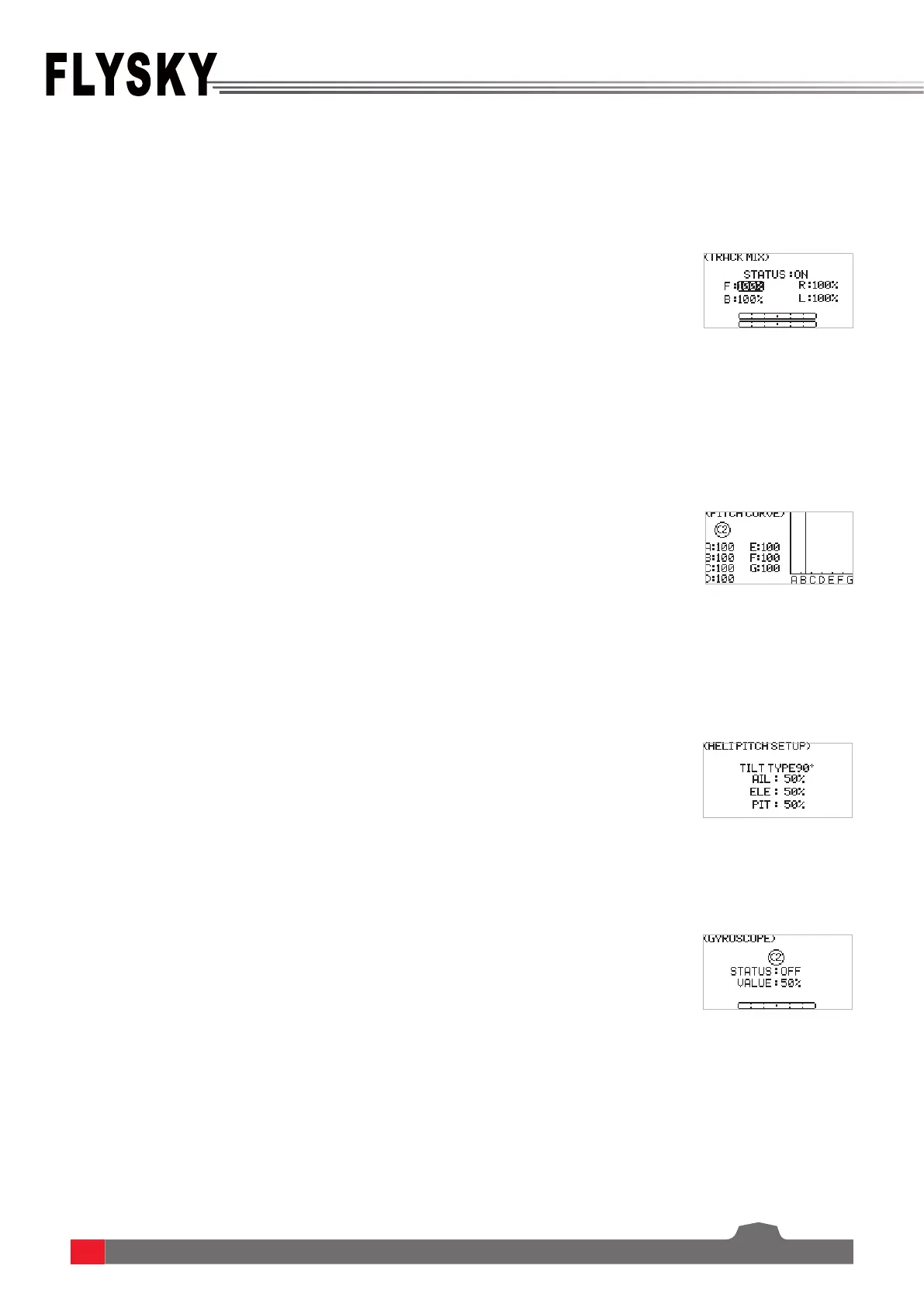
This function is set for some specic models, for example, tank models, excavator models. Two tracks can be driven
in the same direction or in the opposite direction. At this time, the track mixed control function can be used.
This function is set for some specic models, for example, helicopter models.This function is available when SWASH
set to VARIABLE, 90
0
, 120
0
, or 140
0
. Adjust the helicopter's screw pitch motion curve to match the throttle output to
achieve the best ight status of the helicopter.
This function is set for some specic models, for example, helicopter models.This function is available when SWASH
set to 90
0
, 120
0
, or 140
0
.
To set the value of the gyroscrope and whether to enable the function.
6.3.7 MDL SET - TRACK MIX
6.3.8 MDL SET - PITCH CURVE
6.3.9 MDL SET - HELI PITCH SETUP
6.3.10 MDL SET - GYROSCROPE
Function settings:
1. SelectDELTA-WING MIX andpressScroll Wheel toenter.
2. SetON orOFFtoturnonorturnousingScroll Wheel.
3. SelectanitemandselectanappropriatevaluethenpressScroll Wheel.
PressEXITtosaveandexit.
4. Carryoutatesttoconrmthatthetransmitterfunctionsnormallyafteritis
set.
Function settings:
1. SelectPITCH CURVE andpressScroll Wheel toenter.
2. Selecta point you want to set andpressScroll Wheel, thenselectan
appropriatevalueandpressScroll Wheel to conrm.PressEXITtosaveand
exit.
Function settings:
1. SelectHELI PITCH SETUP andpressScroll Wheel toenter.
2. Selectan item you want to set andpressScroll Wheel, thenselectan
appropriatevalueandpressScroll Wheel to conrm.PressEXITtosaveand
exit.
Function settings:
1. SelectGYROSCROPE andpressScroll Wheel toenter.
2. SetON orOFFtoturnonorturnousingScroll Wheel.
3. SelectanitemandselectanappropriatevaluethenpressScroll Wheel.
PressEXITtosaveandexit.


 To Next Page