13
The Timer function is used for timing in races, including count up and countdown. You can also use it to test a
tank of fuel or a full battery and conrm the usage time. The transmitter provides two timers, which can be set
independently to achieve dierent timing functions. Start, stop and reset switches can be set to enable, disable or
reset the timer by the switch. The timer alarm time can also be set. After setting the time, the system will send an
alarm for reminder 10 seconds prior to the expiration. The main interface will display it after the timer is set.
Used to set which controls can be assigned iincluding Trim, Knob and Switch, then the controls can be assigned to
some functions in controlling the output. The channel numbers can be set via CH NUM.
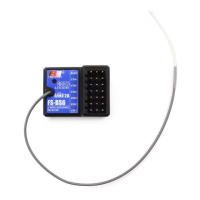
Used to update the rmware of the transmitter. When the rmware needs to be upgraded, it is need to put the
transmitter into upgraded mode using this function rst.
6.1.5 TX SET - TIMERS
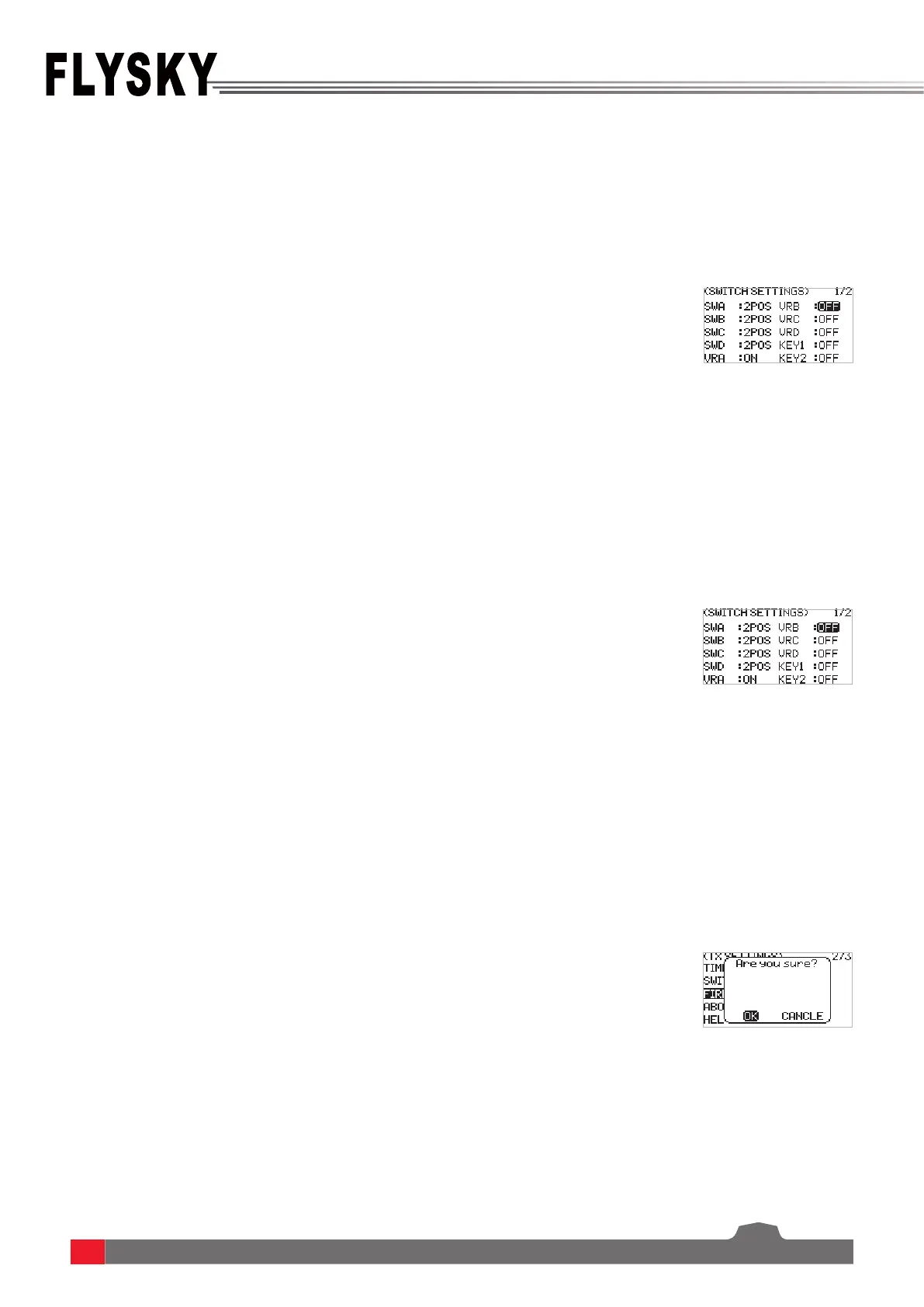
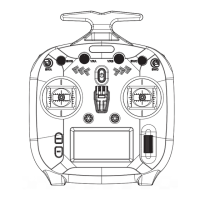
6.1.6 TX SET - SWITCHES SETTINGS
6.1.7 TX SET - FIRMWARE UPDATE
Function settings:
1. SelectTIMERS andpressScroll Wheel toenter.
2. ForTYPE, the selected box is ashing now whenselectit.SelectUP or
DOWN.IfDOWNisselected,youneedtosetthetimeusingScroll Wheel,
then pressEXITtosaveit.
3. Set switches to START, STOP and RESET using Scroll Wheel. You can also
set a throttle trigger value to start the timer to calculate the working time
of the throttle after the timer is on.
4. For ALARM, set ON or OFF using Scroll Wheel. If a alarm is set, you need to
set the alarm time using Scroll Wheel. PressEXITtosaveit.
Function settings:
1. SelectSWITCHES SETTINGS andpressScroll Wheel toenter.
2. Selecta control you want to set usingScroll Wheel.
3. SelectanappropriateitemandpressScroll Wheel to conrm. PressEXITto
saveandexit.
Function settings:
1. Downloadthelatestrmware.
2. ConnectthetransmitterandthePCviaaType-CUSBcable.Openthe
rmwareonacomputer.
3. Atthetransmitterside,selectFIRMWARE UPDATE.Thesystemwillshowa
promptmenu,selectOKandpressScroll Wheel toputthetransmitterinto
updatingmode. Click Update onthermwarescreenonthecomputer.
Notes:
1. You can set three-position switch to two-position switch via this function.
2. In addtion, you can set the position-level when the physical switch needs to be changed
here.
Notes:
1. Always ensure sucient power supply for the transmitter when using this function. To
avoid the receiver losing control, make sure to power o the receiver before starting
this function.
2. Don't disconnect the Type-C USB cable during the rmware updating, otherwise the
transmitter may occur a fault.
3. You can also upgrade the rmware through FLYSKYAssistant.



 To Next Page