FS-ST8
Digital Proportional Radio Control System
8
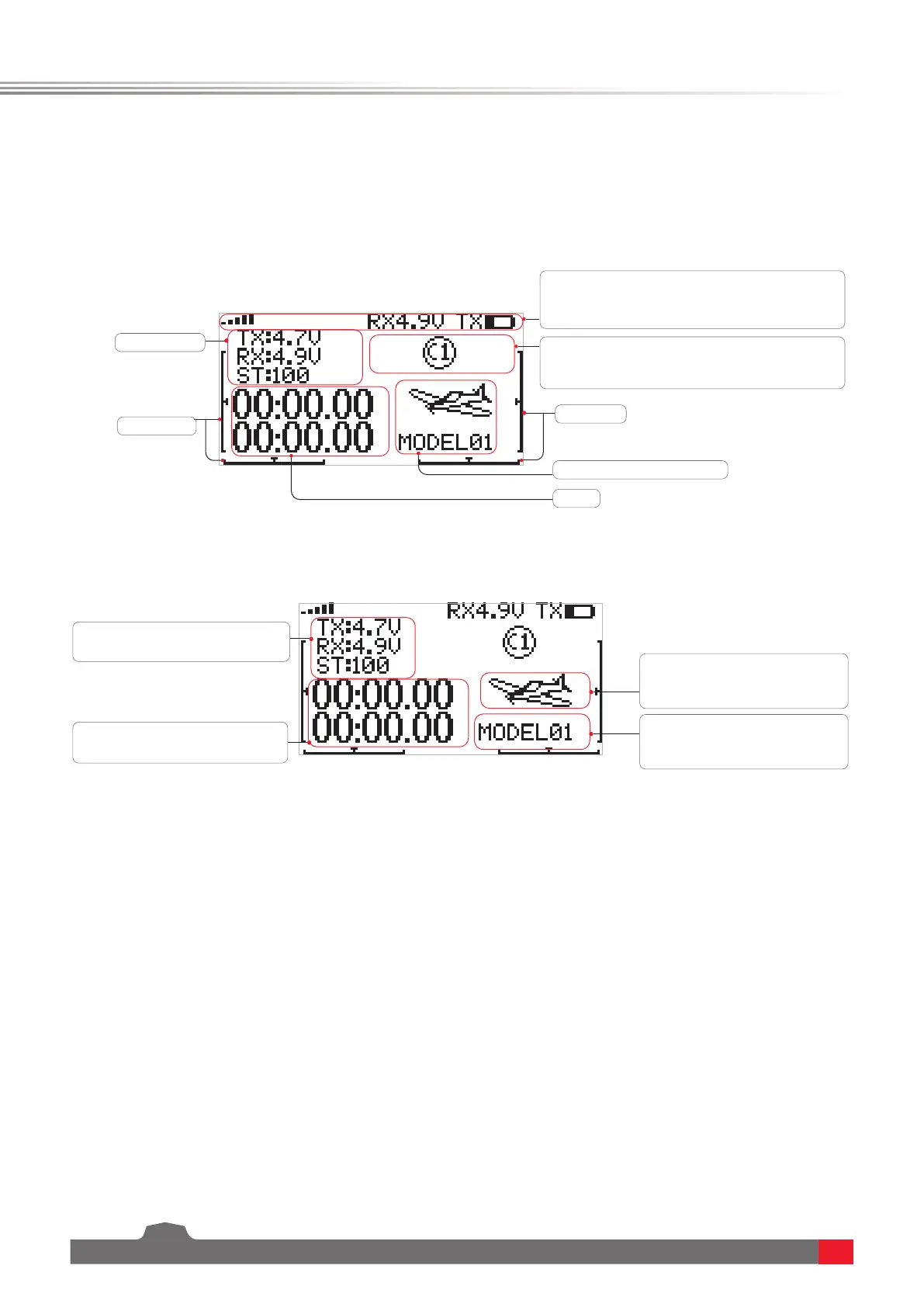
5. Main menu
Instructions are about the main menu.
Theiconsshownhereindicatethatthefunctionis
enabled,Lockicon,Flightmodeicon,Throttlehold
iconandGPSicon.
T3/T4Trim
T1/T2Trim
SENSORS
Modelnameandthenumber
Statusbar:ToshowthesignalstrengthandTX
voltage.Whenthereceiverisbound,andthevoltage
ofthereceiveris6V,thenRX6.0Vwilldisplayedhere.
Timer
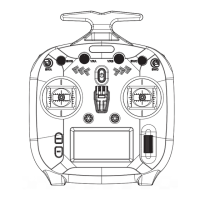
Quick access to the menu:
SelecttheareaandpressScrollWheel
toacessSENSOR menuquickly.
SelecttheareaandpressScrollWheel
toacessTIMERS menuquickly.
SelecttheareaandpressScroll
WheeltoacessSELECT TYPE menu
quickly.
SelecttheareaandpressScroll
Wheeltoacessmodel menuquickly.
Note: Up to three
sensors' information
can be displayed here.


 To Next Page