25
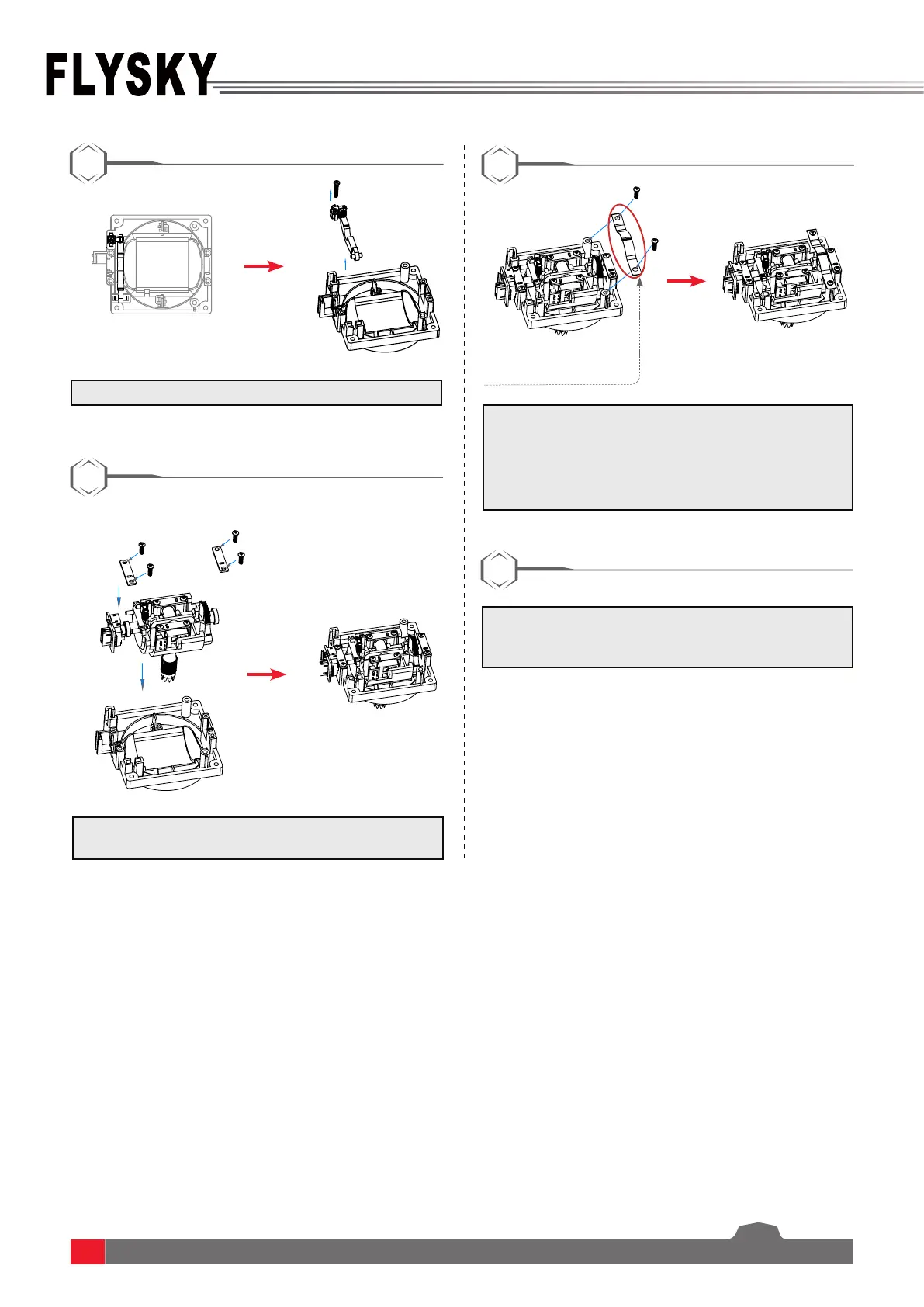
5.Removethespringhookassemblycarefully.
8.Carefullyinsertthebackcoverwiringplugintothe
motherboard,re-closethetransmitterbackcover,
andtightenthescrews.
6.Placetheplateassemblybackinitsoriginal
position,thensecureitwiththeoriginal4screws.
7.Putthebrackettothepositionwhichisshown
above,thensecrewitusingthescrews.Youcan
installthesetbackspringornon-setbackspring
here.Ifthescrewsaretootightortooloose,this
maybringdierenthandhandle.
5
6
7
8
Pay attention to the bending
direction of the bracket.



 To Next Page