Original User Guide | Impulse Evo pedelec Version 2 US-31
6. Pluck the belt so that it vibrates like a guitar string. The app converts
the sound into the natural frequency of the belt.
7. Turn the pedal crank a quarter of a revolution and repeat the
measurement.
8. Compare the frequency of the belt with the reference value to see if the
tension needs adjusting.
SpeciedTension
Values
Smaller, lighter riders Taller, heavier riders
Hub gear
50 Hz 60 Hz
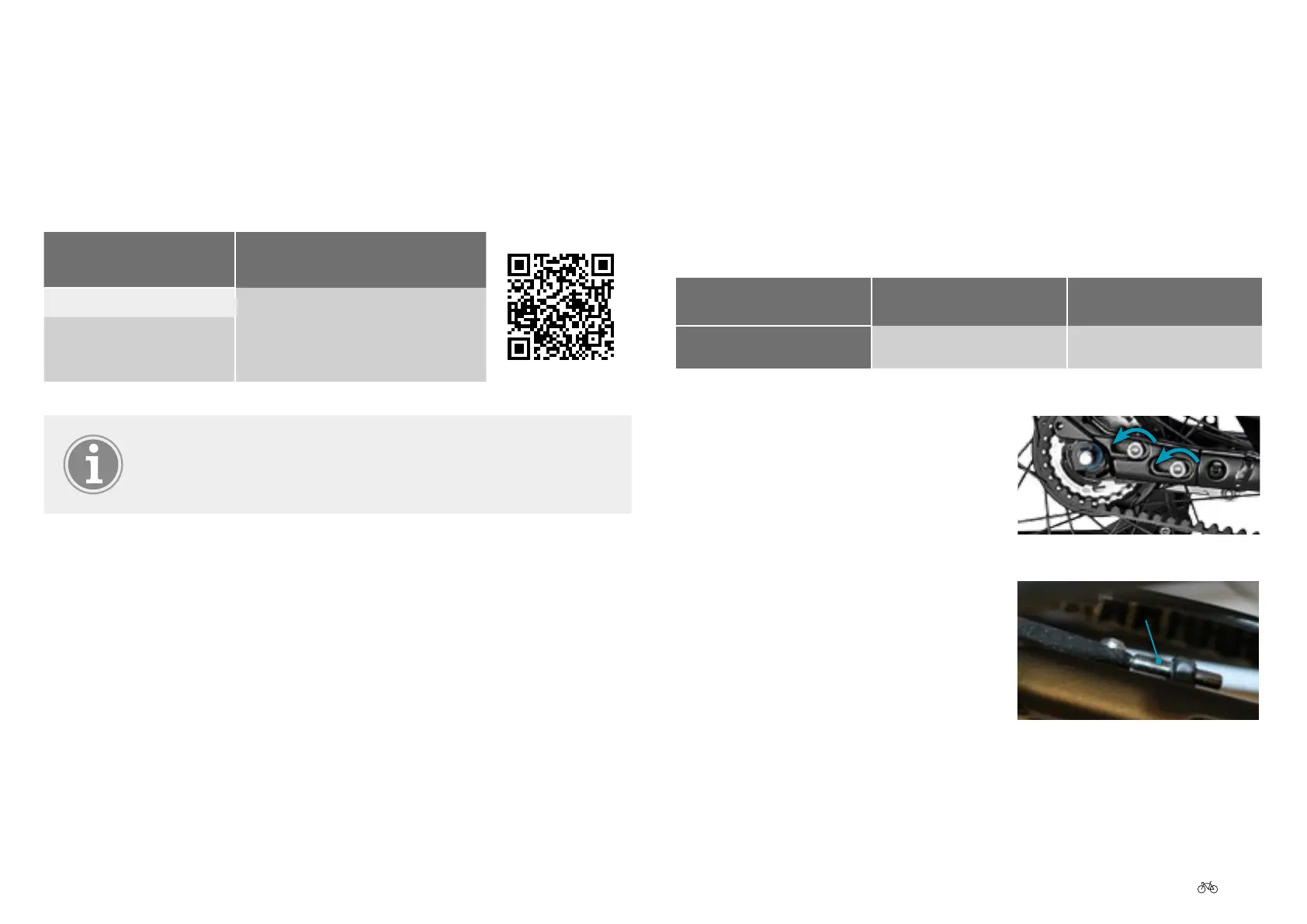
Adjusting the belt tension
1. Remove the pedelec battery.
2. Undo the bolts from the drop-out by
turning them anticlockwise.
3. Increase or reduce the tension with
the set screw. Make sure that the
wheel is put back straight.
Set screw
3.8.1 Belt tension
Measuring belt tension
There are various methods of measuring the tension of the drive belt. One
of these is the Carbon Drive app, which measures the tension based on the
natural frequency (Hz) of the belt length.
Smartphone
operating system
Download
iOS
http://de.gatescarbondrive.com/CDS/
Products/ACCESSORIESANDTOOLS
Android
The Carbon Drive app works best in a quiet environment.
1. Remove the pedelec battery.
2. Load the app on to your smartphone.
3. Start the app.
4. Select the tension icon.
5. Switch on the microphone, click on "Measure" and hold the phone over
the middle of the belt making sure that the microphone is pointing at
the belt.



 To Next Page