Original User Guide | Impulse Evo pedelec Version 2 US-65
6.4.2.17 Name
Path:Settings|Devicesettings|Personalize|Name
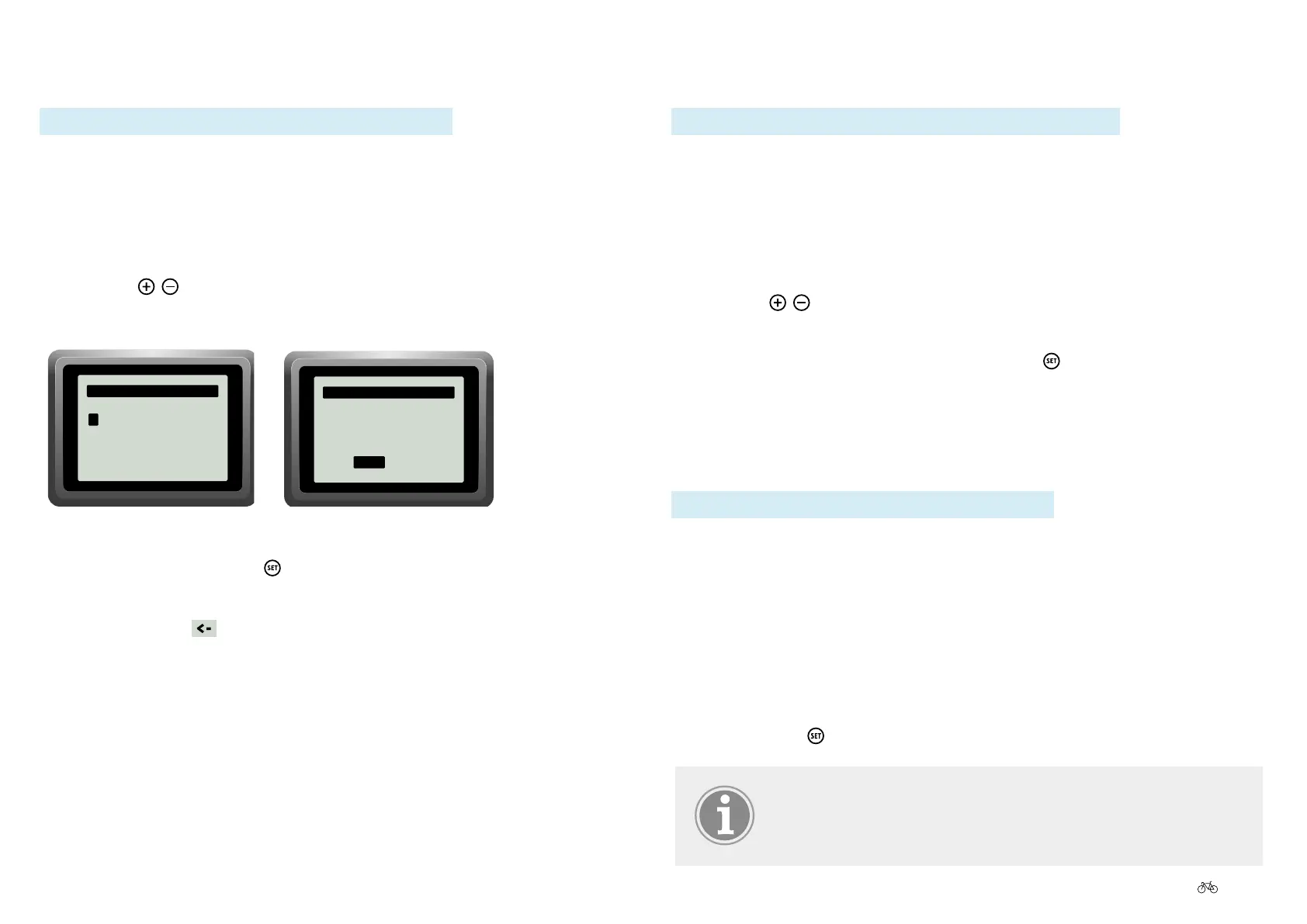
The "Name" option allows you to choose how you wish to be addressed on
the welcome screen.
1. In the main menu, navigate to the option "Name" as described under
6.4.1 Configuring settings in the main menu, Page US-55.
2. Use the
/ buttons to select the desired option. The selected letter
is displayed on a black background.
Setting name
AA
Name
—
A BCDEFGHIJKLMN
OPQRSTUVWXYZ
ÄÖÜßÂÊÎÔÛÀÈÌÒÙ
ÁÉÍÓÚ
<- ok abc...
A
abcdefghijklmnop
qrstuvwxyzäöüßâê
îôûàèìòùáéíóú
<- ok
ABC...
Name
—
9.0
mph
Push assist
Hint (1/1)
16:53
87mi.
POWER
AA
Name
—
A BCDEFGHIJKLMN
OPQRSTUVWXYZ
ÄÖÜßÂÊÎÔÛÀÈÌÒÙ
ÁÉÍÓÚ
<- ok abc...
A
abcdefghijklmnop
qrstuvwxyzäöüßâê
îôûàèìòùáéíóú
<- ok
ABC...
Name
—
9.0
mph
Push assist
Hint (1/1)
16:53
87mi.
POWER
3. Conrmbypressingthe button.
4. When you have made your selection choose "OK" in order to return to
sub-menu 2 or
to go to the start menu.
6.4.2.18 Favoritedisplaysettings
6.3.6.2 Preselecting favorite settings, Page US-54
6.4.2.19 Factorysettings
Path:Settings|DeviceSettings|Other|Factorysettings
1. In the main menu, navigate to the option "Factory settings" as
described under 6.4.1 Configuring settings in the main menu, Page
US-55.
2. Thequestion"Resetfactorysettings?"appearsabovetheoptions"No"
or "Yes".
3. Use the
/ buttons to select the desired option, which will then be
displayed on a black background.
4. Toconrmyourselection,brieypressthe
button, which will return
you to the sub-menu 2 level.
6.4.2.20 Version
Path: Settings | Device Settings | Other | Version
If you want to display the name of the current software version on your
display, proceed as follows:
Display software version
1. In the main menu, navigate to the option "Version" as described under
6.4.1 Configuring settings in the main menu, Page US-55. Here you
willndthecurrentsoftwareforthedisplay,motorandBluetoothchip.
2. Pressing the
buttons returns you to the sub-menu 2 level.
Ask if there is a software update for your pedelec in the
course of regular maintenance checks listed in the service
book.



 To Next Page