US-64 Original User Guide | Impulse Evo pedelec Version 2
6.4.2.16 Rideprole
Prole:Settings|Devicesettings|Drive|Rideprole
Therideproleallowsyoutospecifythemaximumassistlevel
to be achieved by the motor.
Selecttherideproletosuityourcyclingtrips.The
"Relax"proleisthebestassistlevelforaleisurelyweek-
end tour with friends. If you are often speeding from
one appointment to the next, "Dynamic" will deliver the
required boost.
The most recent setting remains saved.
1. Inthemainmenu,navigatetotheoption"Rideprole"asdescribed
under 6.4.1 Configuring settings in the main menu, Page US-55.
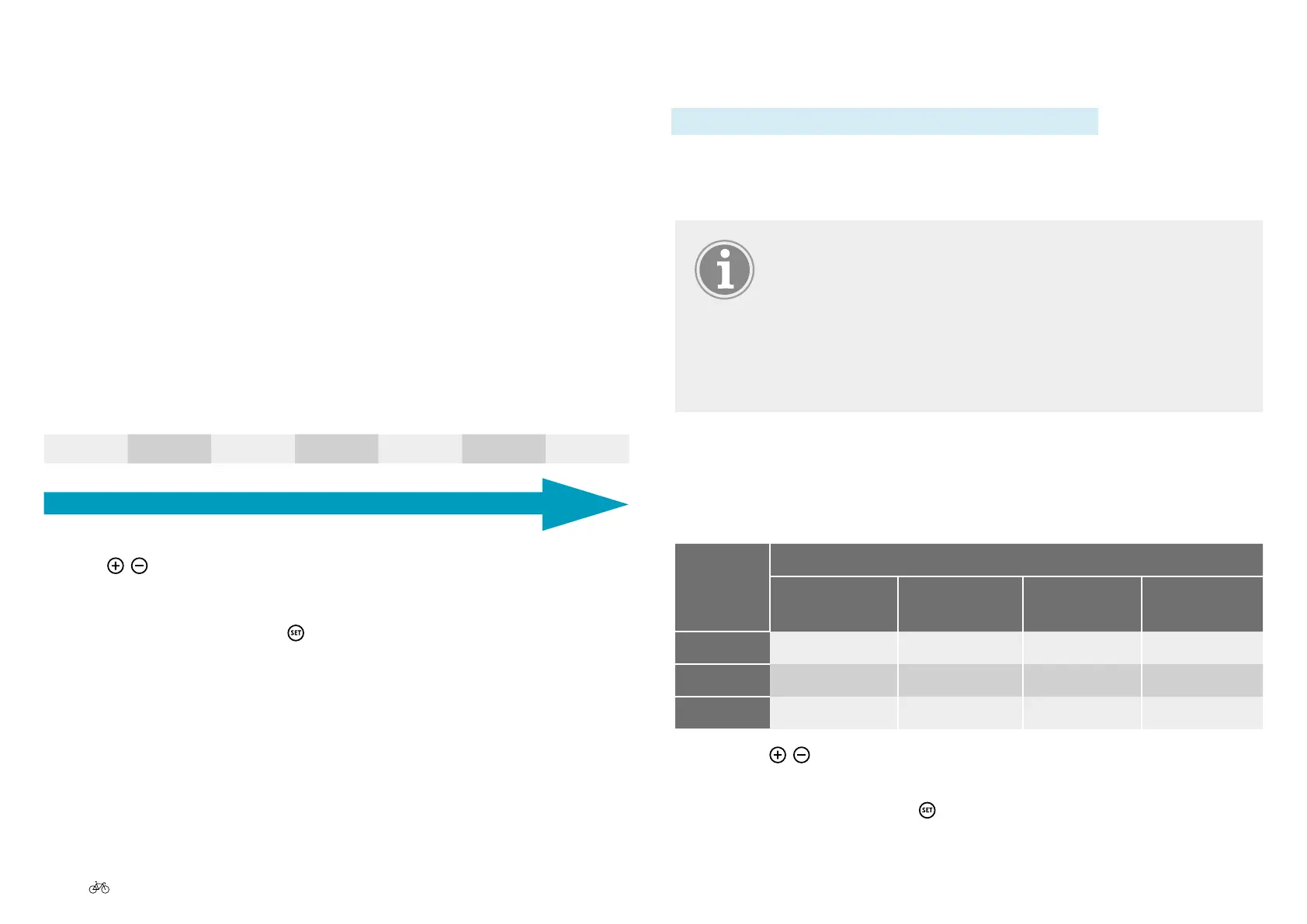
Youcanchoosebetweenthreerideproles:
Ride
prole
Properties
Power on
start-up
Power deliv-
ery
Maximum
power
Power con-
sumption
Relax
Low Low Low Low
Regular
Medium Medium Medium Medium
Dynamic
High High High High
2. Use the
/ buttons to select the desired option.
The selected option is displayed on a black background.
3. Ifyouhaveconrmedwith
, you will return to sub-menu level 2.
6.4.2.15 Climb assist
The power sensor in the motor registers your pedaling force as you ride.
The motor controller interprets the pedaling force signals and responds
according to the climb assist setting. The lower the set value (e.g. 1),
the more sluggish the reaction of the motor when assist is enabled. With
a high value (e.g. 7), the motor reacts very responsively to the pedal
force. When riding uphill it can be an advantage if the power sensor does
not react so sensitively, so as to provide the motor assist as evenly and
smoothly as possible.
1. In the main menu, navigate to the option "Climb assist" as described
under 6.4.1 Configuring settings in the main menu, Page US-55 :
You can choose between:
1 2 3 4 5 6 7
Slow comportment
Sensitive comportment
Use the
/ buttons to select the desired options,
The selected option is displayed on a black background.
2. Ifyouhaveconrmedwith
, you will return to sub-menu level 2.



 To Next Page