Original User Guide | Impulse Evo pedelec Version 2 US-51
1
2
3
4
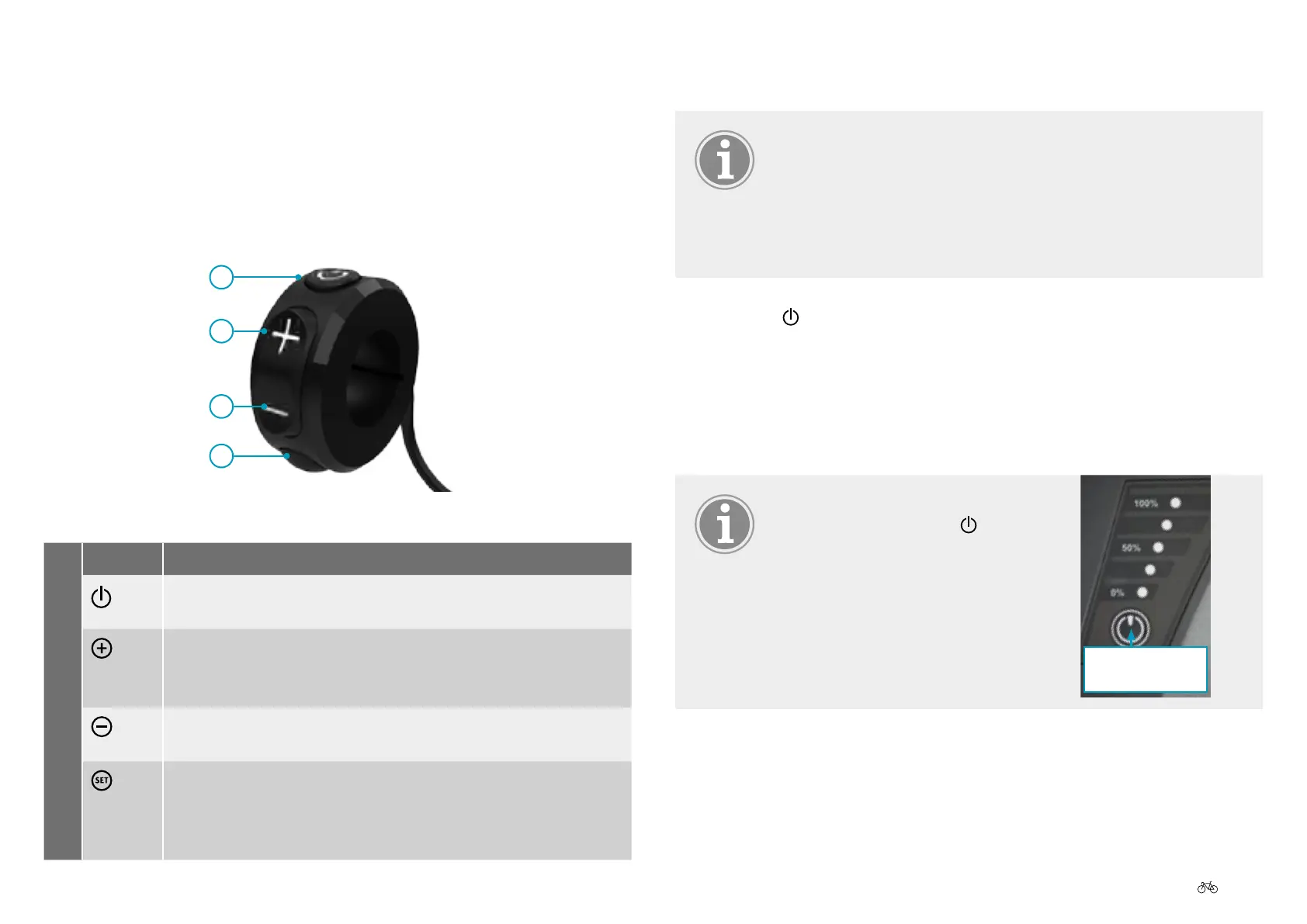
Control unit
No. Symbol Function
1
a) on 6.3.1 Switching on the pedelec, Page US-51
a)o 6.3.2 Switching off the pedelec, Page US-52
2
a) Increase value/scroll up
b) Push assist 6.3.5 Enabling push assist, Page US-53
c) Activates display lighting for 30 seconds
3
a) Decrease value/scroll down
b) Activates display lighting for 30 seconds
4
a)Congure/conrm
b) Switches between favorite display settings in main menu
6.3.6.1 Displaying favorite settings, Page US-54
c) Activates display lighting for 30 seconds
6.3.1 Switching on the pedelec
Thesystemcanonlybeactivatedifasucientlycharged
battery has been inserted.
Do not turn on the pedelec while riding it. Otherwise this
may cause the motor to stop or you won’t receive full
assistance.
1. Press the
button on the control unit for 1 second. The display
lighting comes on for about 30 seconds. The bike lighting also switches
on. After a few moments a welcome screen appears followed by the
start menu. If you have an Impulse Evo system with a back pedal brake
thescreenshows:"Pleasestartpedaling".Youcancongureother
settings from here.
If the system does not switch on
despite pressing on the
button,
press the battery button for 1
second. The pedelec will switch
on. If it still does not switch on,
check the battery
7.3.1 Display panel, Page US-73.
Battery
button



 To Next Page