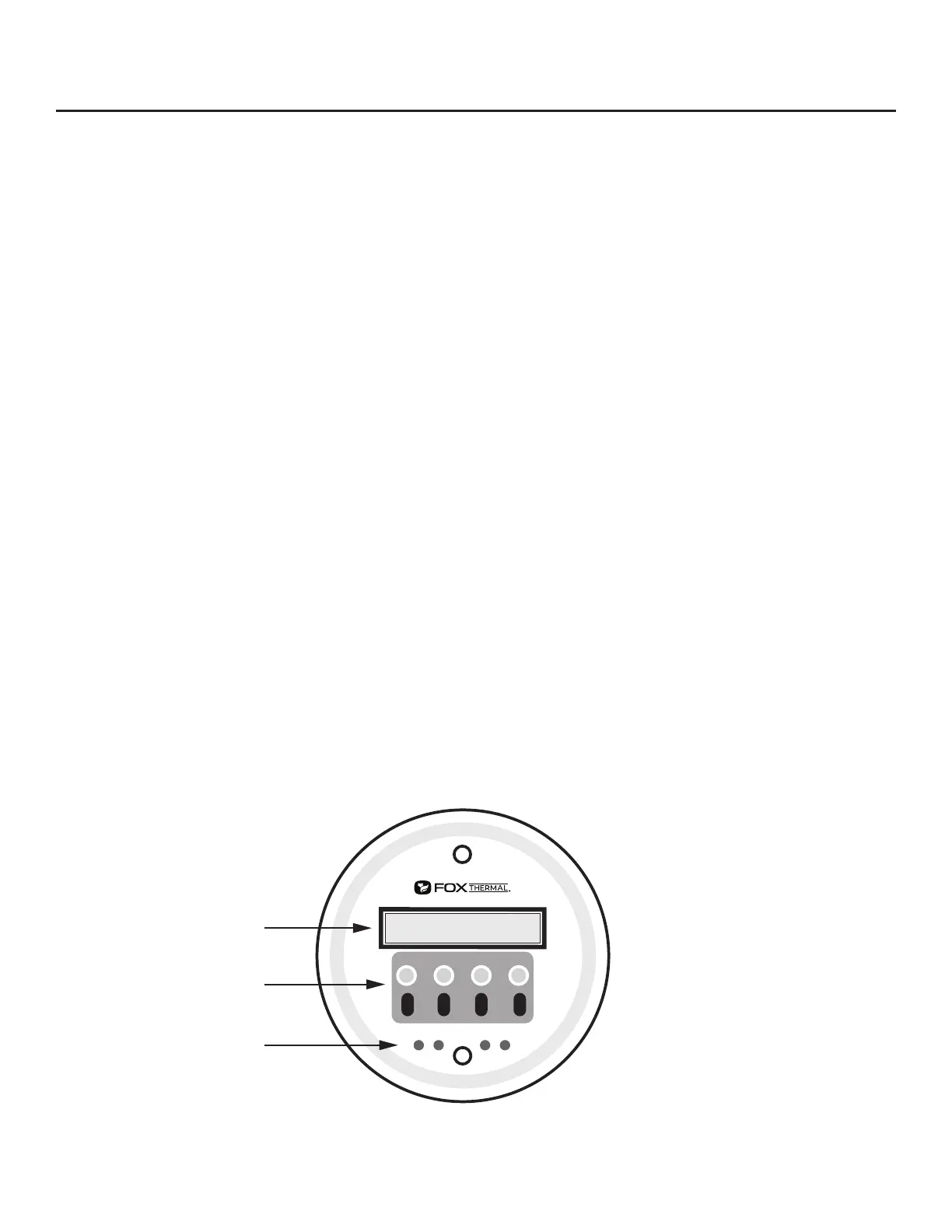
F1 F2
F3 F4
IR (infrared) Buttons
Display Window
Push Buttons
the meter is ready to use. The Fox Thermal Calibration Lab maintains instrument calibration data on
every ow meter. Calibration les include details on process conditions, customer gas, line size and
other information. All NIST-traceable equipment utilized for the calibration procedure is identied on
the Calibration Certicate, which is sent with every ow meter.
I/O Description
The FT3 features two galvanically isolated 4-20mA analog outputs, one isolated digital output that
can be used for pulse output or alarm, one programmable contact input, and a USB connection for
communication with a computer.
The rst 4-20mA output is for ow rate. The second 4-20mA output can be congured either for
ow rate or process gas temperature. Both 4-20mA outputs can be scaled by the user. The pulse
output is programmable to represent ow rate and can be scaled for maximum ow/maximum
frequency, units-per-pulse or pulse-per-units. The maximum frequency is 100 Hz. An isolated 24VDC
output power option is provided for use with these outputs. It can supply a 42mA maximum total load
(do not use for other external devices). FT3 View™ interfaces to the USB port and is a free Fox Thermal
PC-based software program available for download on the Fox Thermal website. FT3 View™ displays
ow meter readings and permits ow meter conguration. Industry standard communication options
are available including HART or Modbus RTU (RS485). Only one of these options can be provided in a
single FT3 ow meter.
FT3 Optional Display and Conguration Panel
The conguration panel allows the user to change a variety of settings in the FT3. The display is 2
lines x 16 characters with 4 mechanical and 4 IR (infrared) keys. The IR and mechanical (push) buttons
perform the same function but the IR keys can be used without opening the cover. The IR keys can
be calibrated for better operation in the eld or disabled when the meter is used in snow or ice in
order to avoid false key detection (see p. 89).
Fig. 1.11: FT3 Optional Display and Conguration Panel
Model FT3
Introduction | 18
Introduction



 To Next Page