FOXTEL Guide
18
Using the FOXTEL iQ
v TV Guide
The TV Guide provides you with a listing of all programmes
available on all channels for the next seven days, making it easy to
find the programmes you want to watch.
u To see the TV Guide, press tv guide on the FOXTEL remote
control.
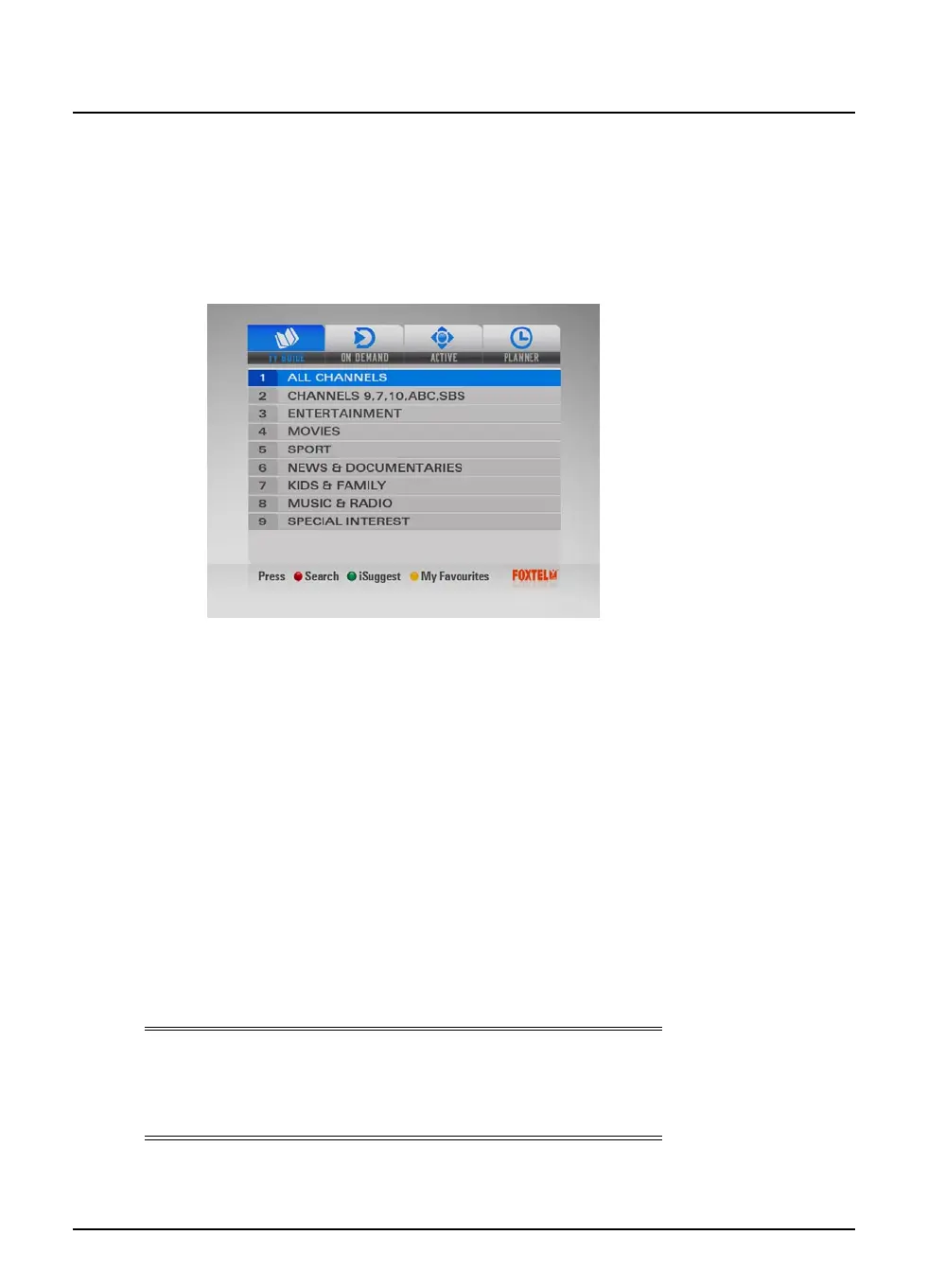
TV listings are displayed as follows:
u All Channels - all programmes on all channels for today and
the week ahead, listed by channel number.
u Channels 9, 7,10, ABC, SBS - Open Broadcaster channels.
u Entertainment, Movies, Sport, News & Documentaries,
Kids & Family, Music & Radio and Special Interest -
programmes for the next seven days, in the channel genres
shown, listed by channel number.
u Search Programmes - search programmes by time, A-Z, and
Closed Captions.
u iSuggest (accessed by the green button) – allows access to
an interactive application.
u My Favourites (accessed by the yellow button) – provides
you with a grid of your favourite channels (to set up your
favourites see page 73)
Note
Occasionally, for example if you are recording two programmes at
the same time, you will be able to view only two days listings in
the tv guide.



 To Next Page