FOXTEL GUIDE
19
FOXTEL Guide
Finding a programme
There are a number of ways to search for a programme. You can
search by full listings, channel genre by channel, or programme
genre by time, A-Z, and Closed Captions.
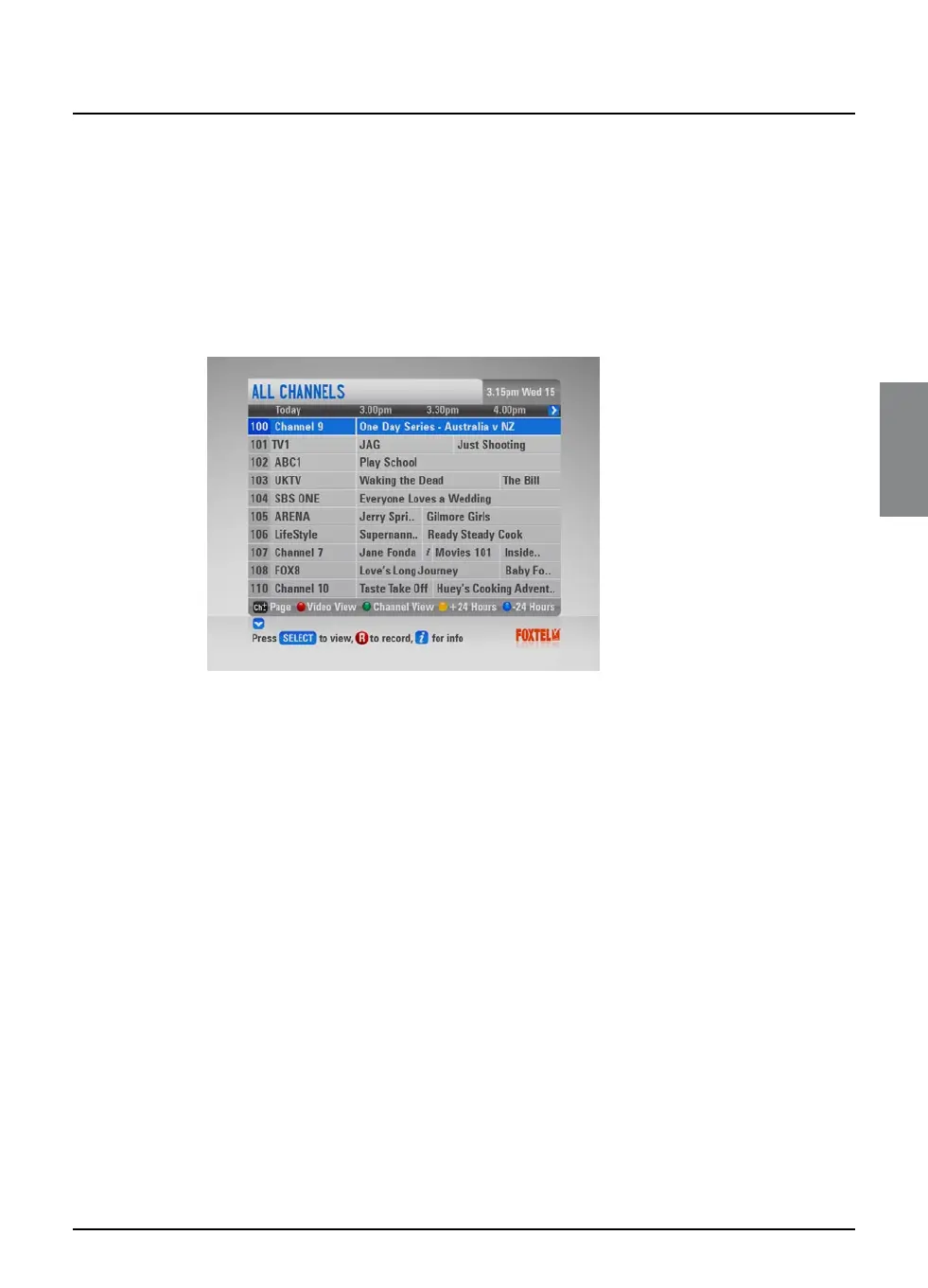
Searching by All Channels
To choose a programme from the full listings, press tv guide on
the FOXTEL remote control, highlight ‘All Channels’ then press
select. The All Channels screen displays.
The start times and the day are shown at the top of the listings.
u To see what programmes are on at different times, press
L or R.
u To move through the list of channels, press U or D.
u You can use the ch + and ch – on the remote control to see
the previous or next section of the channel listing.
u Use the yellow (+24 hours) and blue (-24 hours) buttons on
the remote control to move forward and backwards by 24
hours through the listings.
u Use the red button on the remote control to access the video
view (displays the last viewed channel in the top right hand
corner). If the red button is pressed again it will remove the
video view and return to a full page of listings (see page 62 for
default settings).
u Use the green button on your remote control to access
Channel View (displays a single channel’s listings vertically).
Press L or R to scroll through the channels.
u To display the i-box (see page 13), press i.
u To remove the All Channels listing, press back or FOXTEL.



 To Next Page