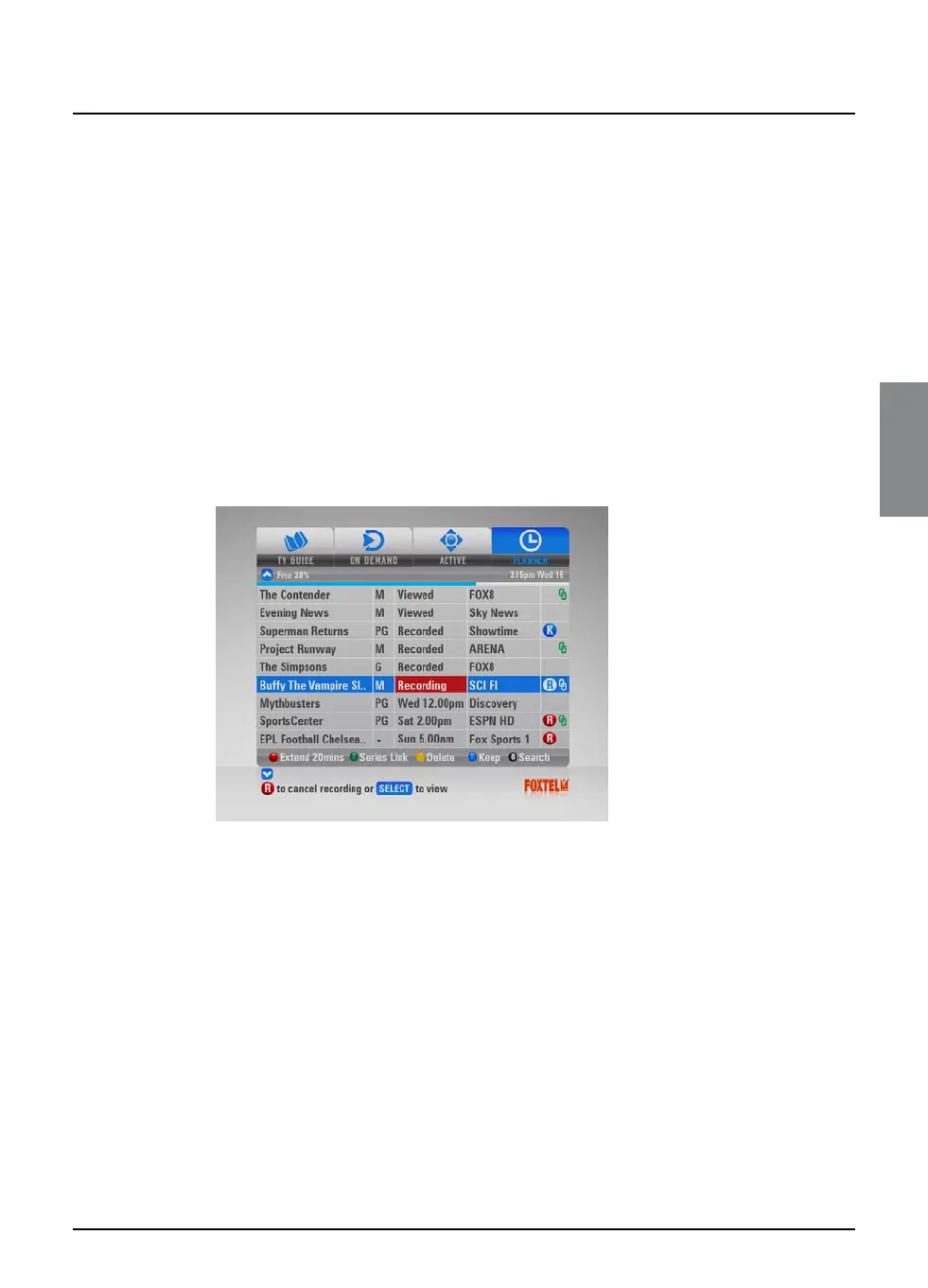
v Personal Planner
The Personal Planner helps you plan all your TV viewing. It shows:
u all the programmes you have recorded, and tells you whether
or not you have watched them;
u all the programmes you have set the FOXTEL iQ to record in the
future;
u all the programmes for which you have set a reminder.
It also allows you to select programmes to ‘Keep’, and to create a
Playlist so you can playback a sequence of recorded programmes.
Whenever you record a programme, choose a programme to record
later, or set a reminder, the programme is automatically added to the
Personal Planner (unless there is a clash – see page 37 and page 40).
u To view the Personal Planner, press planner on the remote
control.
The Personal Planner provides the following information about the
listed programmes:
u The name of the programme and the channel it is on;
u The day and start time for future programmes;
u The classification code (if available);
u Programme attributes such Closed Captions, Widescreen,
Subtitles, Dolby;
u If the programme has been recorded, information about the
recording is shown, as follows:
Recording
- the programme is currently being recorded.
Recorded
- the programme has been recorded in full (but has
not been watched).
Part recorded
- part of the programme was recorded (but
has not yet been watched). To find out why only part of the
programme was recorded, highlight the programme, then press
i to display the programme’s i-box.
FOXTEL GUIDE
31
Personal Planner



 To Next Page