The FOXTEL iQ
80
Using the FOXTEL iQ
Connecting to your TV and video recorder
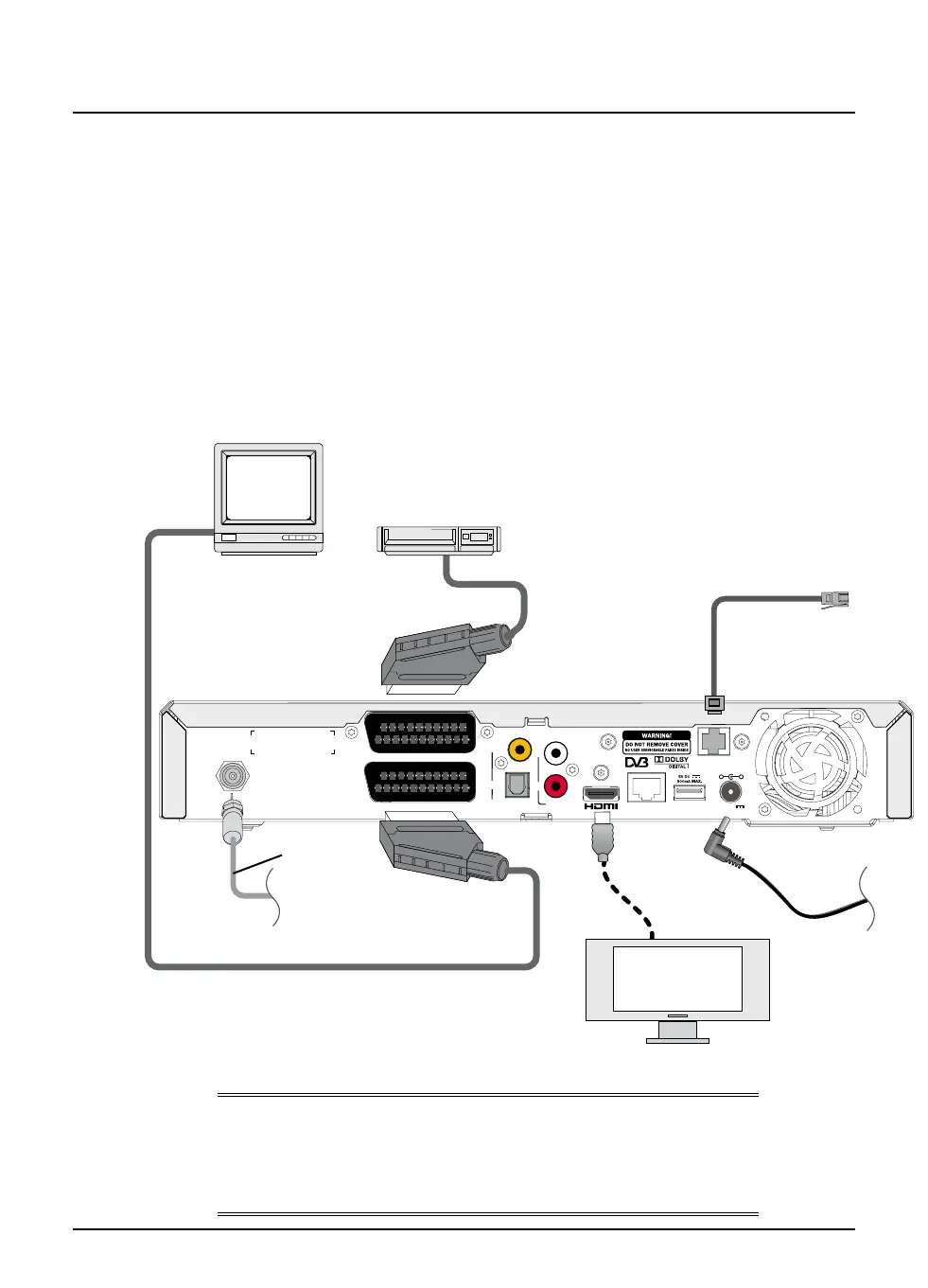
The connection diagram below shows how the FOXTEL iQ may be connected
up to a standard-definition TV (SDTV), or a high-definition TV (HDTV) and
video recorder. Other connection set-ups are possible.
The diagram shows a cable FOXTEL iQ. For a diagram showing the satellite
FOXTEL iQ rear view, and information about its signal inputs, see page 78.
The dotted line marked ‘HDMI lead’ shows an optional video connection to
an HDTV. Use this connection if you have an HDTV with an HDMI connector,
for superior video quality. The display device must be HDCP 1.1 compliant.
Note: the video output from this connector is standard-definition
.
For superior audio quality, use one of the optional audio connection
methods shown on page 81.
CABLE INPUTCABLE INPUT
R
AUDIO
OUT
DIGITAL AUDIO OUT
(FIXED AUDIO)
TELEPHONE
LINE
USBETHERNET
COAXIAL
OPTICAL
L
VCR SCART (FIXED AUDIO)
TV SCART
12V DC
3.5A MAX.
-
+
Flat-panel TV
Standard-definition TV
Video recorder
SCART lead
SCART lead
HDMI lead
Telephone
lead
Power
supply lead
Lead from
your cable
signal input*
(see note on
page 67)
Note
If your display device is not HDCP compliant, you will need to connect it via
the scart connection. Refer to the instructions that came with your display
device to determine whether it is HDCP compliant. All content viewed
through the HDMI connection is Standard Definition for this iQ.



 To Next Page