The FOXTEL iQ
78
Using the FOXTEL iQ
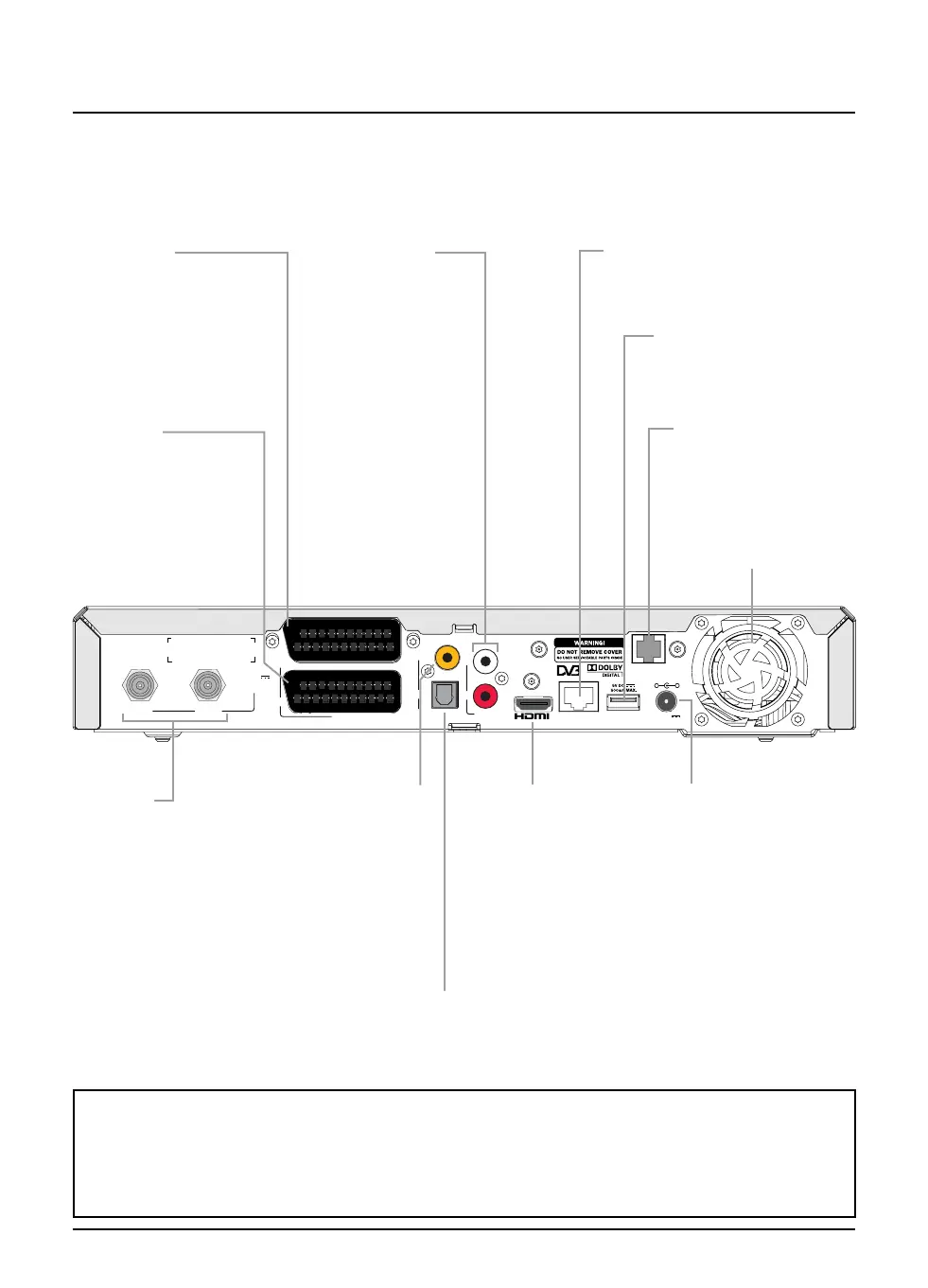
v Rear view
An example of how the FOXTEL iQ may be connected up is shown on page 80.
R
AUDIO
OUT
DIGITAL AUDIO OUT
(FIXED AUDIO)
INPUT 1INPUT 2
TELEPHONE
LINE
USBETHERNET
COAXIAL
OPTICAL
L
TV
12V DC
3.5A MAX.
-
+
13/18V DC
500mA MAX.
COMBINED
VCR
(FIXED
AUDIO)
SCART
DIGITAL AUDIO OUT
To connect to a
digital co-axial audio
(electrical S/PDIF)
input on your home
cinema, TV, video
recorder or stereo
sound equipment
TV SCART
To connect to your TV
(usually via a FOXTEL
supplied lead, for
example SCART to
SCART or SCART to
phono)
VCR SCART
To connect to your video
recorder (usually via a
FOXTEL supplied lead, for
example SCART to SCART
or SCART to phono)
USB
For future use
INPUT(S)
To connect the cable
signal input or satellite
signal inputs*
POWER INPUT
To connect to the
power supply
Always disconnect
the external power
supply adapter from
the power point
before
you remove
the power connector
from the FOXTEL iQ
TELEPHONE LINE
To connect the
telephone lead
* Cable and satellite inputs
The number of signal inputs on the FOXTEL iQ depends on whether it is for cable or satellite signals.
The satellite FOXTEL iQ (shown on this page) has two signal inputs. You must connect a signal cable
to each of these. However the cable FOXTEL iQ (shown in the connection diagram on page 80) has
only one signal input as it requires one connection only.
ETHERNET
For future use
OPTICAL AUDIO OUT
To connect an optical
digital-audio lead (not
supplied) to a home
cinema system
HDMI™ connector
To connect to the
HDMI™ connector
on a high-definition
(HD) TV.
Note: the video
output from this
connector is
standard-definition
(requires HDCP)
AUDIO L + R
To connect to
the left and right
audio phono (RCA)
connectors on your
TV, video recorder,
home cinema
or stereo sound
equipment
VENTILATION SLOTS
Do not block!



 To Next Page