SETUP
63
Setup
v Changing your FOXTEL settings
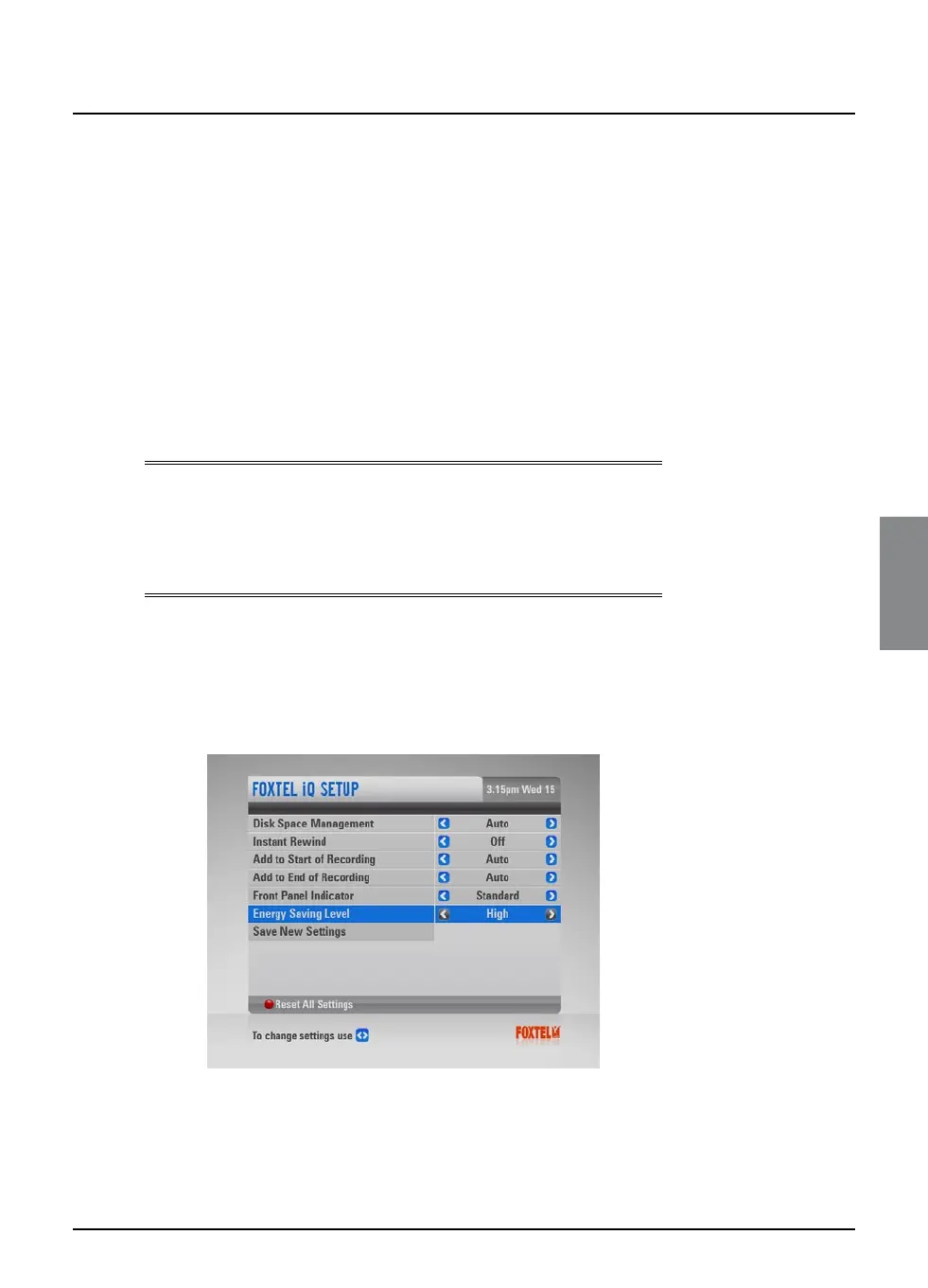
You use this screen to change various settings relating to how the
FOXTEL iQ records programmes, to:
u change the way in which the FOXTEL iQ manages your
recordings, when disk space is running low;
u change the length of time of the Instant Rewind recording;
u add extra time to the start and end of recordings;
u choose the way in which the playback indicator works.
The items in the screen are explained in more detail in the
following sections, starting from ‘Disk Space Management’ on page
64.
Note
There is one other FOXTEL setting, which you use to choose
whether or not you need to enter your PIN to delete ‘Kept’
programmes. This setting is described in the Parental Control
section, on page 60.
You can change your FOXTEL settings as follows:
1. Press active on the remote control.
2. On the Active screen, highlight ‘Setup’ and then press select.
3. On the Setup screen, highlight ‘FOXTEL iQ Setup’ and then
press select.
4. Use U or D to highlight the item you want to change.
5. Use L or R to select the setting you want.



 To Next Page