Recording clashes
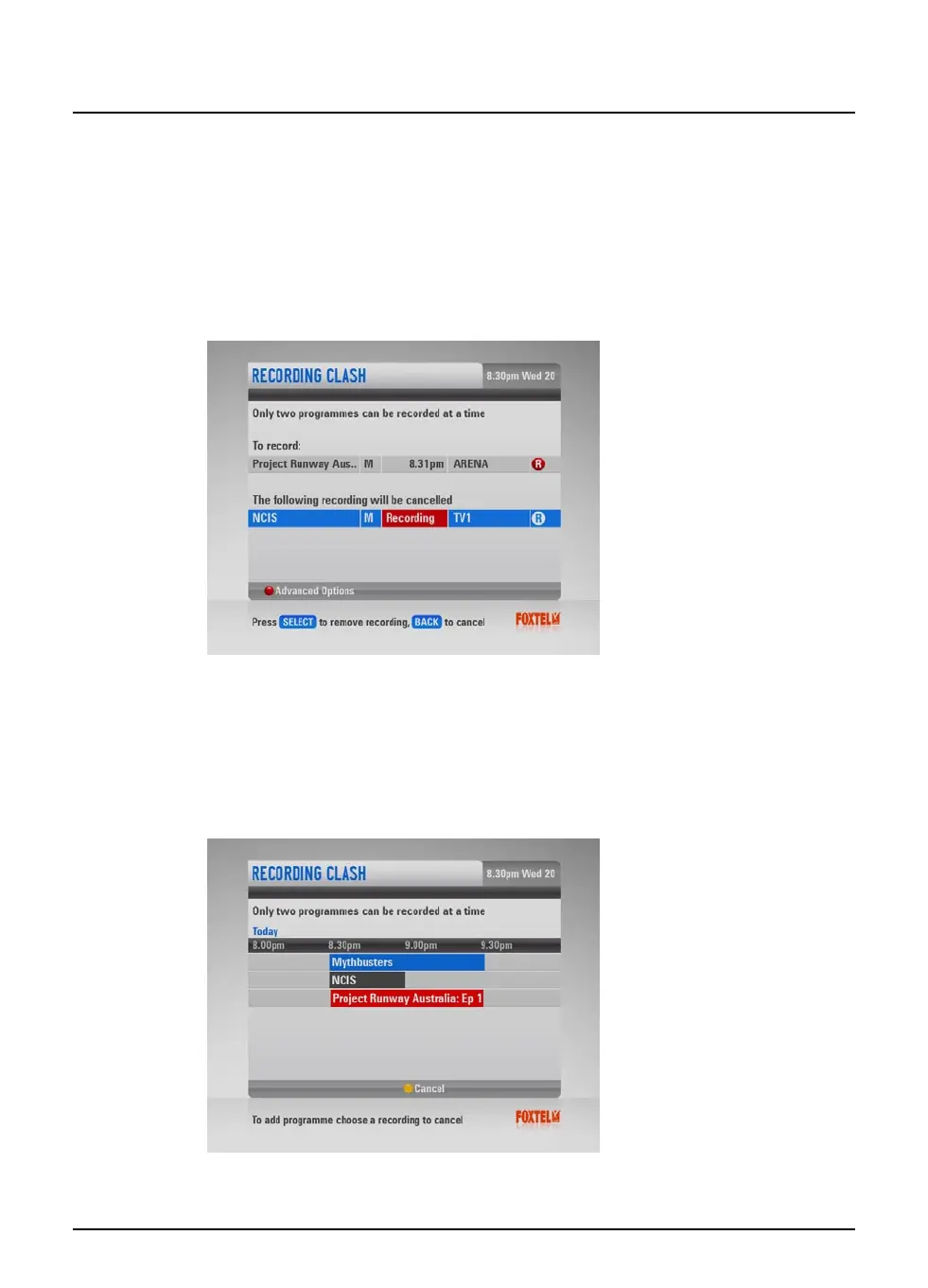
When you select a programme to record, the FOXTEL iQ checks
whether it is on at the same time as any other programmes you
have previously selected for recording. If more than two selected
programmes are on at the same time, this creates a clash. The
FOXTEL iQ lets you know about the clash and suggests which
previous selections you should cancel in order to record your new
selection.
u If you want to cancel the suggested recordings, so that you
can record your new selection, press select.
u If you would prefer to keep your previous selections, and
cancel the new selection, press back.
u If you would prefer to choose which recordings to cancel,
press the red ‘Advanced Options’ button. The Advanced
Options Recording Clash screen displays.
Your new selection is shown at the bottom of the list, in a red box
which shows the time slot it requires. The clashing programmes
40
Using the FOXTEL iQ
Recording programmes



 To Next Page