The remote control is in synchronizing
mode.
i
If you press the Ü button again on the
remote control after starting synchroniza-
tion, you will only synchronize this remote
control unit with the receiver. Any other
remote control units that were synchron-
ized will be cleared. Indicator lamp :
flashes alternately red and green (very
slowly).
X
Press the b button on the remote con-
trol.
During data transmission, indicator
lamp : lights up red.
When remote control indicator lamp :
emits two long green flashes, the selected
operating time is synchronized. The indica-
tor lamp in the y auxiliary heating but-
ton goes out.
Operation with the timer
Important safety notes
This is only for vehicles with a hot-water aux-
iliary heater.
G
DANGER
If a switch-on time has been selected, the
auxiliary heating switches on automatically.
R
If the ventilation is insufficient, poisonous
exhaust gases can collect, in particular car-
bon monoxide. This is the case in enclosed
spaces, for example. There is a risk of fatal
injuries.
R
If highly flammable substances or flamma-
ble materials are nearby, there is a risk of a
risk of fire and explosion.
Always deactivate the preselected switch-on
times if you stop the vehicle in such or similar
situations.
Use the timer to:
R
activate/deactivate immediate heating
mode
R
set up to three switch-on times
R
set the operating duration from 10to
120 minutes or to continuous operation
R
set the heating level (preselected temper-
ature) to a range between 10 and 30
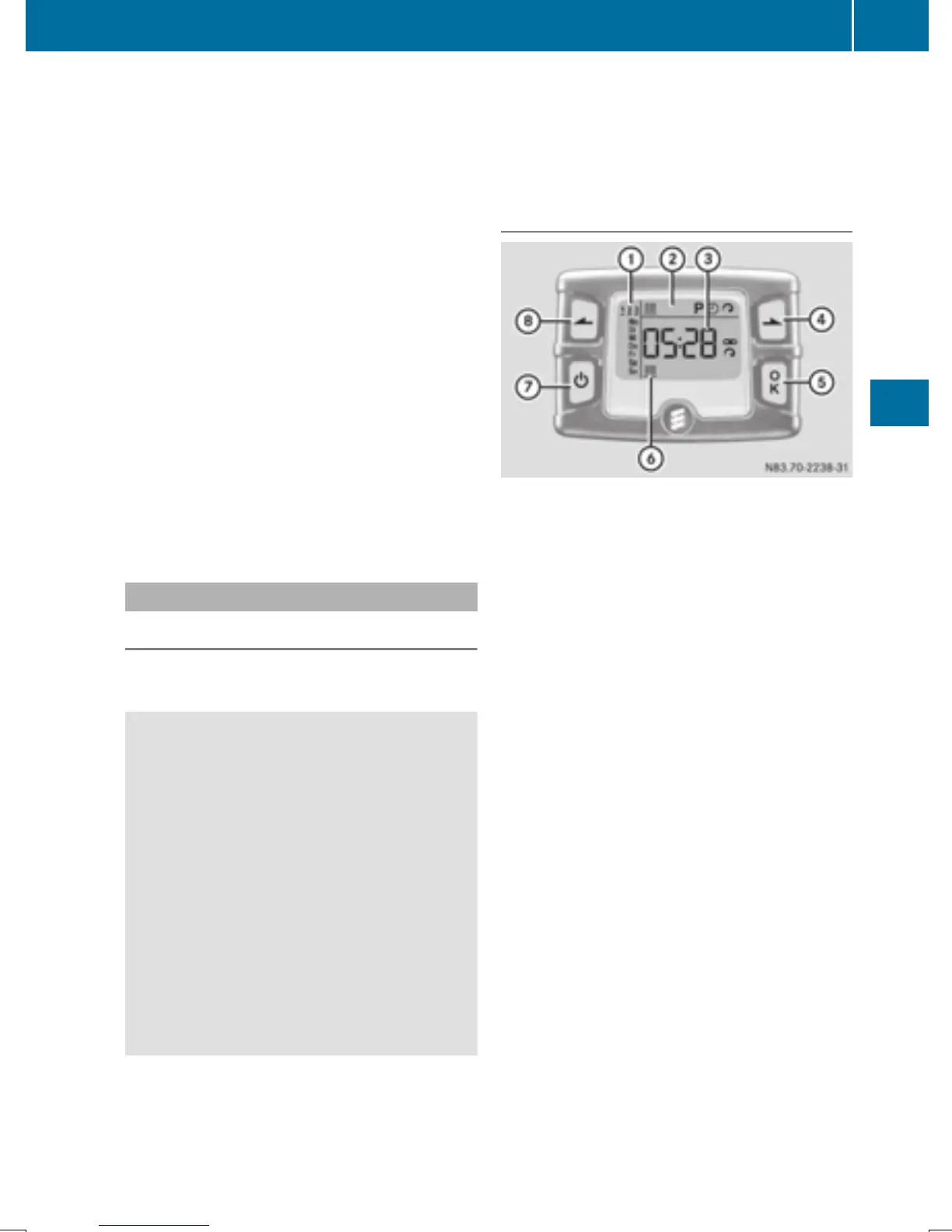
Timer overview
Timer above the overhead control panel
:
Program column
G Sets preselection memory 1 – 3
(Y page 129)
Sets weekday (Mon. – Sun.)
(Y page 128)
;
Menu bar
y Activates/deactivates immediate
heating mode (Y page 128)
B Sets the program times
(Y page 129)
Ñ Sets the day, time and the operating
duration (Y page 128)
ß Sets the heating level
(Y page 129)
=
Display panel for: time, heating level
and operating duration
à Continuous operation mode active
ß Heating level set
?
Selects options in program column : or
menu bar ; (forwards)
Increases values
A
Confirms a selection or setting
B
Status bar
y Heating mode activated
C
Activates the timer
Cancels or ends settings in a menu
Operating the auxiliary heating system
127
Climate control
Z



 To Next Page