=
Fuel filler flap location indicator t: the
fuel filler flap is on the left-hand side. Fuel
filler flap location indicator u: the fuel
filler flap is on the right-hand side
?
Reserve fuel warning lamp (Y page 224)
DEF gauge
Vehicles without steering wheel but-
tons
If the supply of DEF is less than 1.5 US gal
(5.5 l), the å indicator lamp lights up and
the ¯ dEF ChkdEF Chk display message appears.
If the supply of DEF falls below the reserve
range of 0.8 US gal (3.0 l), the å indicator
lamp lights up and the ¯ StArtS RExxStArtS RExx
display message appears. In the display, xxxx
corresponds to the number of possible
remaining engine starts (1616 to 00 ).
When the number of remaining engine starts
is 00 the engine management prevents the
vehicle being driven at a speed exceeding
5 mph (8 km/h). The multifunction display
shows the StArtS IdLEStArtS IdLE message and you
hear a warning tone sequence.
Further information on DEF consumption can
be found in the "Service products and filling
capacity" section (Y page 320).
Vehicles with steering wheel buttons
If the supply of DEF is less than 1.5 US gal
(5.5 l), the Check Diesel Exhaust FluidCheck Diesel Exhaust Fluid
SeeSee Operator'sOperator's ManualManual message is shown
in the display.
If the DEF supply falls below the reserve range
of 0.8 US gal (3.0 l), the å XX startsXX starts
remainingremaining message is displayed. In the dis-
play, XXXX corresponds to the number of possi-
ble remaining engine starts (1616 to 00 ).
When the number of remaining engine starts
is 00 the engine management prevents the
vehicle from being driven at a speed exceed-
ing 5 mph (8 km/h). The multifunction display
shows the Idle ModeIdle Mode message and you hear
a warning tone sequence.
Further information on DEF consumption can
be found in the "Service products and filling
capacity" section (Y page 320).
On-board computer (vehicles without
steering wheel buttons)
Operating the on-board computer
General notes
The on-board computer is activated as soon
as you turn the key to position 1 in the ignition
lock.
The on-board computer shows vehicle infor-
mation and settings in the display.
You can control the display and the settings in
the on-board computer using the adjustment
buttons on the instrument cluster.
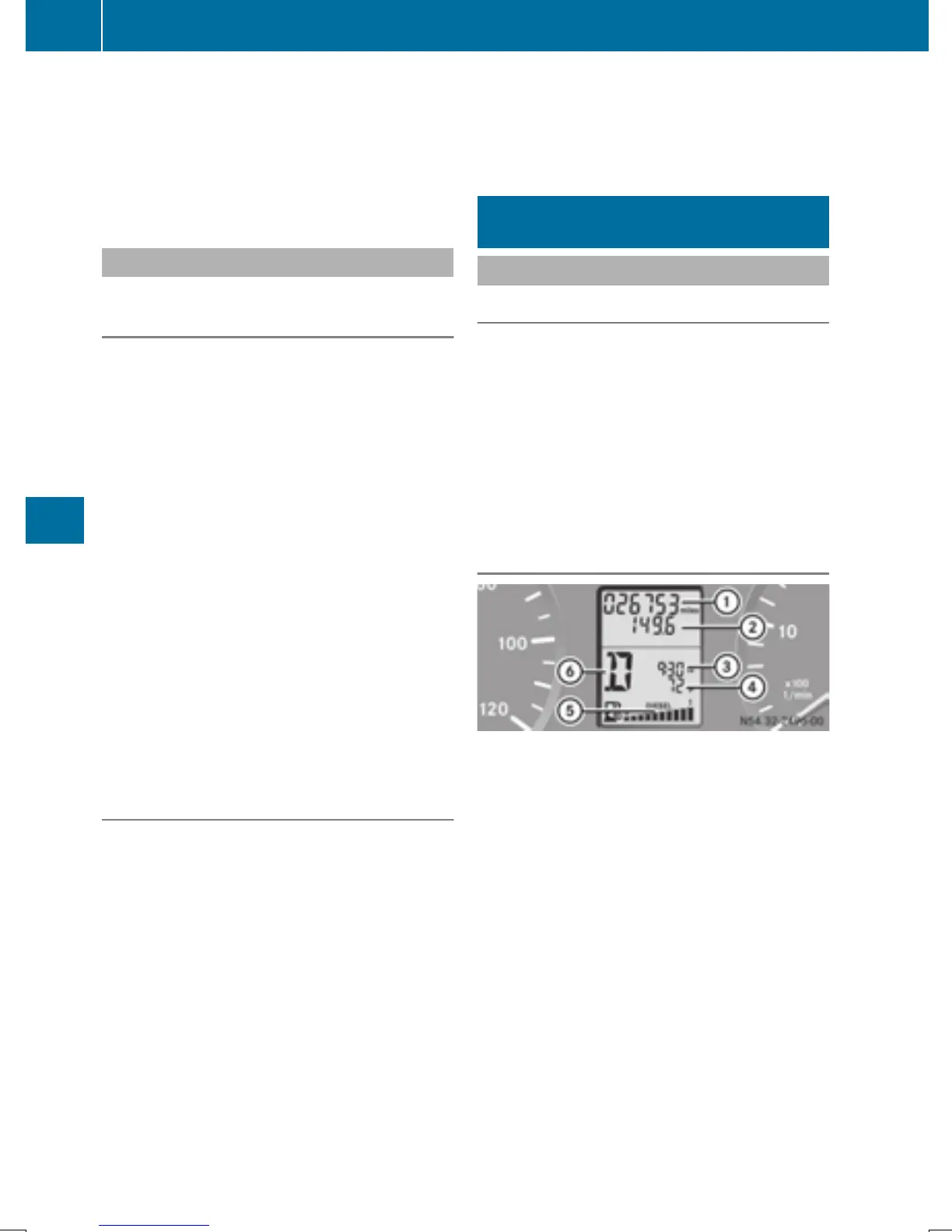
Standard display
:
Odometer
;
Trip odometer
=
Clock
?
Outside temperature or digital speedom-
eter
A
Fuel gage (Y page 181)
B
Selector lever position or current shift
range with automatic transmission
(Y page 142)
X
To call up the standard display: turn the
key to position 2 in the ignition lock.
X
Press the 4 menu button for longer than
1 second.
The information shown in the display
changes from the outside temperature to
the digital speedometer.
182
On-board computer (vehicles without steering wheel buttons)
On-board computer and displays



 To Next Page