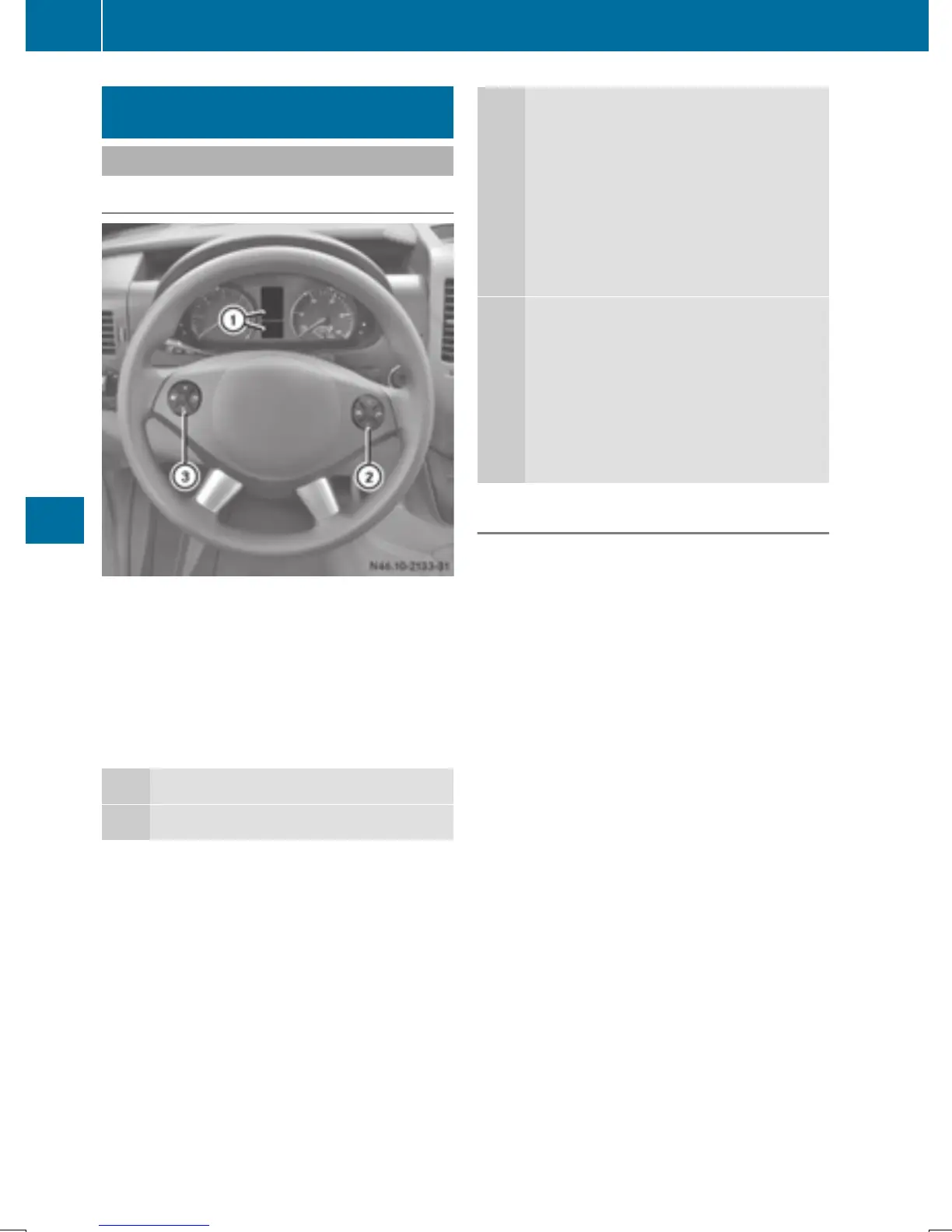
On-board computer (vehicles with
steering wheel buttons)
Operating the on-board computer
Overview
X
To activate the on-board computer: turn
the key to position 1 in the ignition lock.
The on-board computer shows vehicle infor-
mation and settings in the display.
You can control the display and the settings in
the on-board computer with the buttons on
the steering wheel.
:
Display
On-board computer operation
;
W and X
R
Selects submenus
R
Changes values
R
Adjusts the volume
Using the telephone
6
Accepts a call
~
Ends a call
=
Scrolls from one menu to another
V
Forwards
U
Back
Scrolls within a menu
9
Forwards
:
Back
Controls
You can think of the order of the menus and of
the functions within a menu as a circle:
X
Press the V or U button repeatedly.
The menus are displayed one after the
other.
X
Press the : or 9 button repeatedly.
The functions in the menu/submenu are
displayed one after the other.
Several functions are combined thematically
in the menus.
The display changes when you press one of
the buttons on the steering wheel. You can
use a function to call up information or to
change the settings for the vehicle.
For example, the AUDIO menu has functions
for controlling the radio or CD player.
Unlike in other menus, you will find submenus
in the SettingsSettings menu. For information on
how to use these submenus, see the "Set-
tings menu" section (Y page 188) .
The number of menus depends on your vehi-
cle's equipment.
i
Operation of the audio equipment using
the steering wheel buttons and making set-
tings using the AUDIO menu only function
184
On-board computer (vehicles with steering wheel buttons)
On-board computer and displays



 To Next Page