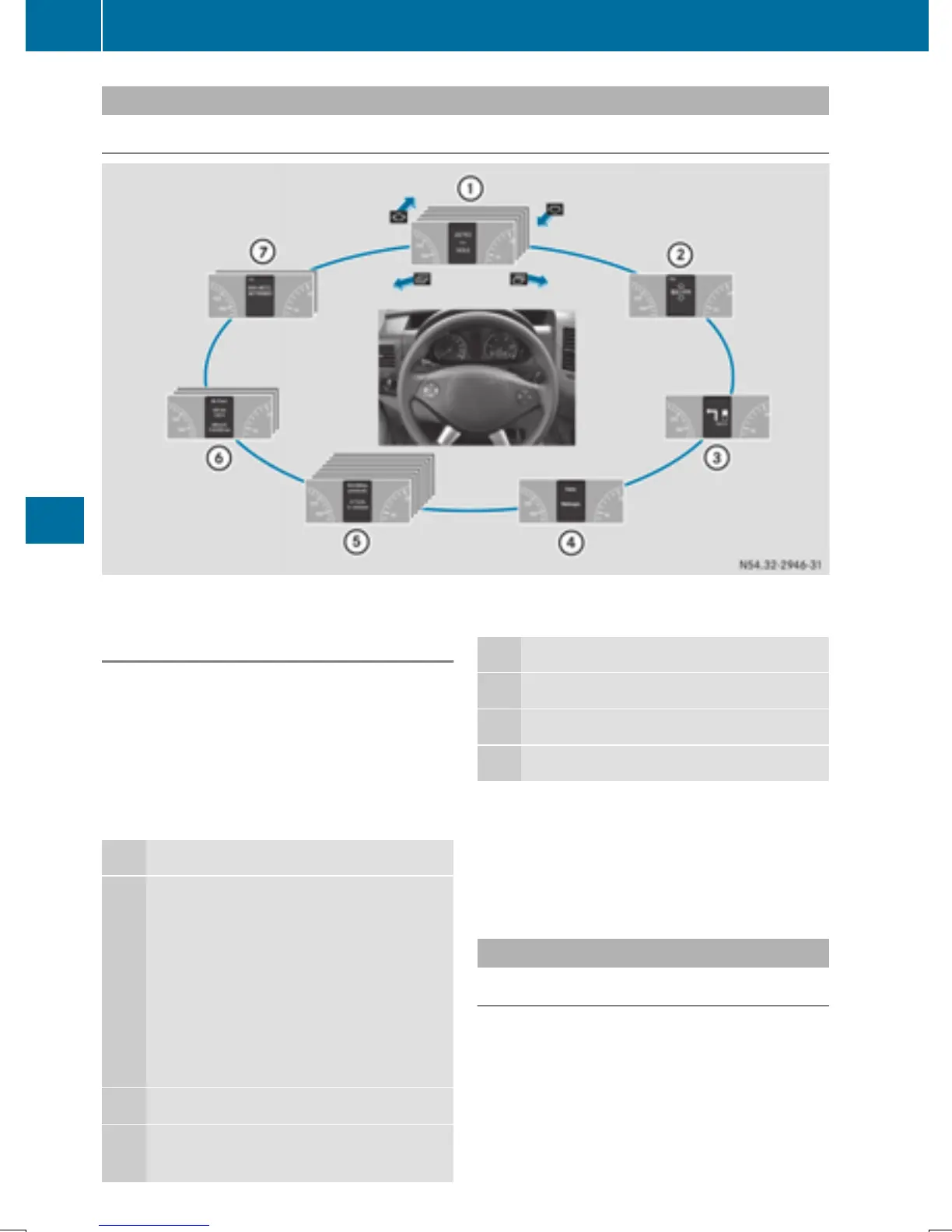
Menu overview
Diagrams
This is what the displays look like when you scroll through the menus.
Generic terms
The illustration shows the menus on a vehicle
with Audio 15.
On Sound 5/Audio 20, the on-board com-
puter always shows the AUDIO and TEL (tele-
phone) menus in English. This is the case even
if a different language is selected for the dis-
play.
Operation
:
Operation menu (Y page 186)
R
Standard display
R
Calling up the service due date
(Y page 258)
R
Tire pressure monitor
(Y page 291)
R
Checking the engine oil level
(Y page 250)
;
Audio menu (Y page 187)
=
Message memory menu
(Y page 198)
Operation
?
Settings menu (Y page 188)
A
Trip computer menu (Y page 195)
B
Telephone menu (Y page 196)
i
The generic terms in the tabular overview
should make orientation easier for you.
However, they are not always shown on the
display.
Operation menu
Overview
You can select the following functions in the
Operation menu by pressing the 9
or : button on the steering wheel:
186
On-board computer (vehicles with steering wheel buttons)
On-board computer and displays



 To Next Page