This function pertains to the Inst. clusterInst. cluster
(instrument cluster) menu, the LightingLighting
menu and the VehicleVehicle menu.
Using the steering wheel buttons
X
Press the V or U button repeatedly
until the SettingsSettings menu appears in the
display.
X
Press the 9 button to switch to the sub-
menu selection.
X
Press the W or X button to select the
ConvenienceConvenience submenu.
X
Press the 9 button to select the KeyKey
function.
The selection marker is on the current set-
ting.
X
Press the W or X button to activate
or deactivate key dependency.
Trip computer menu
General notes
You can call up or reset statistical data for the
vehicle in the Trip computer menu.
i
When you call up the trip computer again,
it displays the last function called up.
The units of the statistical information dis-
played are set permanently for each spe-
cific country, and are therefore independ-
ent of the units selected in the SettingsSettings
menu.
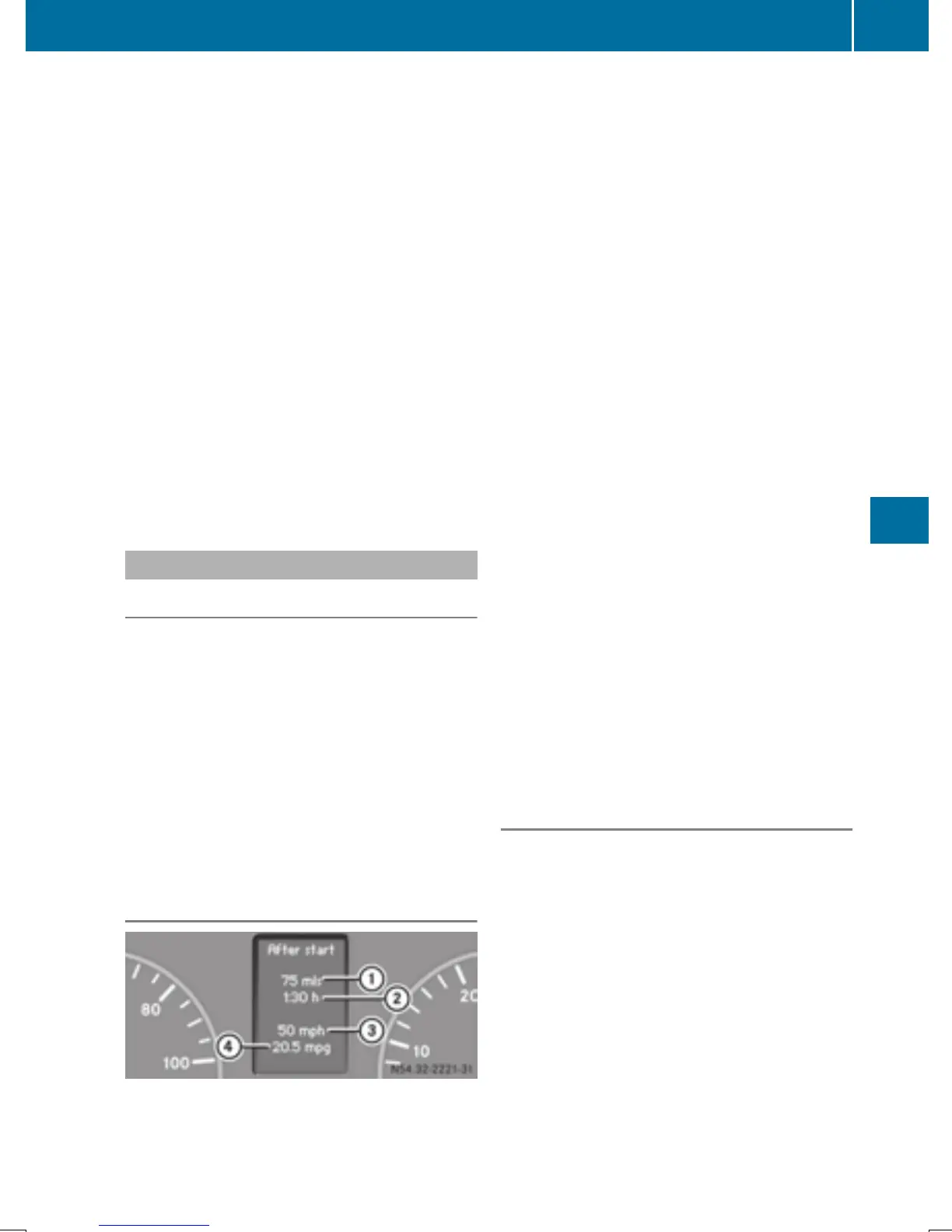
Trip computer "After start" or "After
reset"
Example: "After start" trip computer
:
Distance
;
Time
=
Average speed
?
Average fuel consumption
Using the steering wheel buttons
X
Press the V or U button to select
After startAfter start.
or
X
Press the 9 or : button to select
After resetAfter reset.
The values in the After startAfter start submenu
refer to the start of the journey. The values in
the After resetAfter reset submenu are calculated
from the last time the trip computer was
reset.
The After startAfter start trip computer function is
automatically reset if:
R
the ignition has been switched off for more
than 4 hours.
R
999 hours have been exceeded.
R
9,999 miles have been exceeded.
The After resetAfter reset trip computer is automati-
cally reset if the value exceeds 9,999 hours or
99,999 miles.
i
If you turn the key to position 0 in the
ignition lock or remove it, all the values are
reset after approximately four hours.
The values will not be reset if you turn the
key back to position 1 or 2 during this time.
Calling up the range
Using the steering wheel buttons
X
Press the V or U button to select
After startAfter start.
X
Press the 9 or : button to select
RangeRange.
The approximate distance which can be
covered with the tank's current contents
and your current style of driving is shown.
i
If there is only a small amount of fuel left
in the fuel tank, the 7 Please refuelPlease refuel
message is shown instead of the range.
On-board computer (vehicles with steering wheel buttons)
195
On-board computer and displays
Z



 To Next Page