R
Displaying the trip odometer and odometer
(standard display) (Y page 187)
R
Displaying the coolant temperature
(Y page 187)
R
Calling up the service due date
(Y page 258)
R
Tire pressure monitor (Y page 291)
R
Checking the oil level (Y page 250)
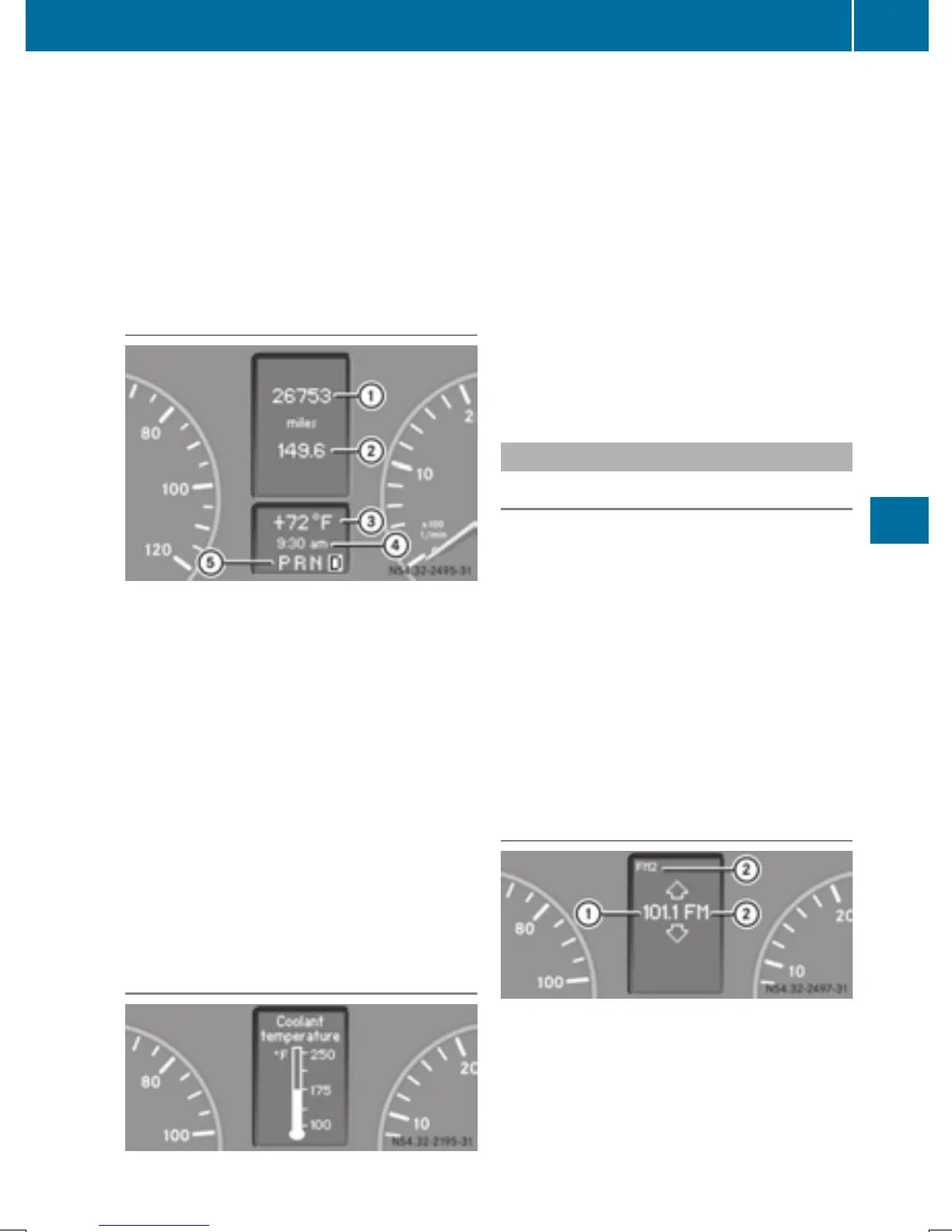
Standard display
:
Odometer
;
Trip odometer
=
Outside temperature or digital speedom-
eter
?
Clock
A
Selector lever position or current shift
range (Y page 142)
In the basic setting, the odometer and the trip
odometer are shown in the upper part of the
display. This is referred to as the standard
display.
Using the steering wheel buttons
X
Press the V or U button repeatedly
until the standard display is shown.
Displaying the coolant temperature
Using the steering wheel buttons
X
Press the V or U button repeatedly
until the standard display is shown.
X
Press the 9 or : button to select the
coolant temperature.
The temperature displayed may climb to
250 ‡ (120 †) when the vehicle is being
driven in normal conditions and if the coolant
contains the correct concentration of corro-
sion inhibitor and antifreeze. At high outside
temperatures and when driving in mountain-
ous terrain, the coolant temperature may rise
to the end of the scale.
Audio menu
General notes
Use the functions in the Audio menu to oper-
ate the audio equipment when switched on.
i
Operation of the audio equipment using
the steering wheel buttons and making set-
tings using the AUDIO menu only function
with Sprinter audio equipment. If you are
using audio equipment from another man-
ufacturer, the described functions may be
restricted or not available at all.
If no audio equipment is switched on, you will
see the message AUDIO offAUDIO off.
Selecting a radio station
:
Reception frequency
;
Waveband or waveband with memory pre-
set number
On-board computer (vehicles with steering wheel buttons)
187
On-board computer and displays
Z



 To Next Page