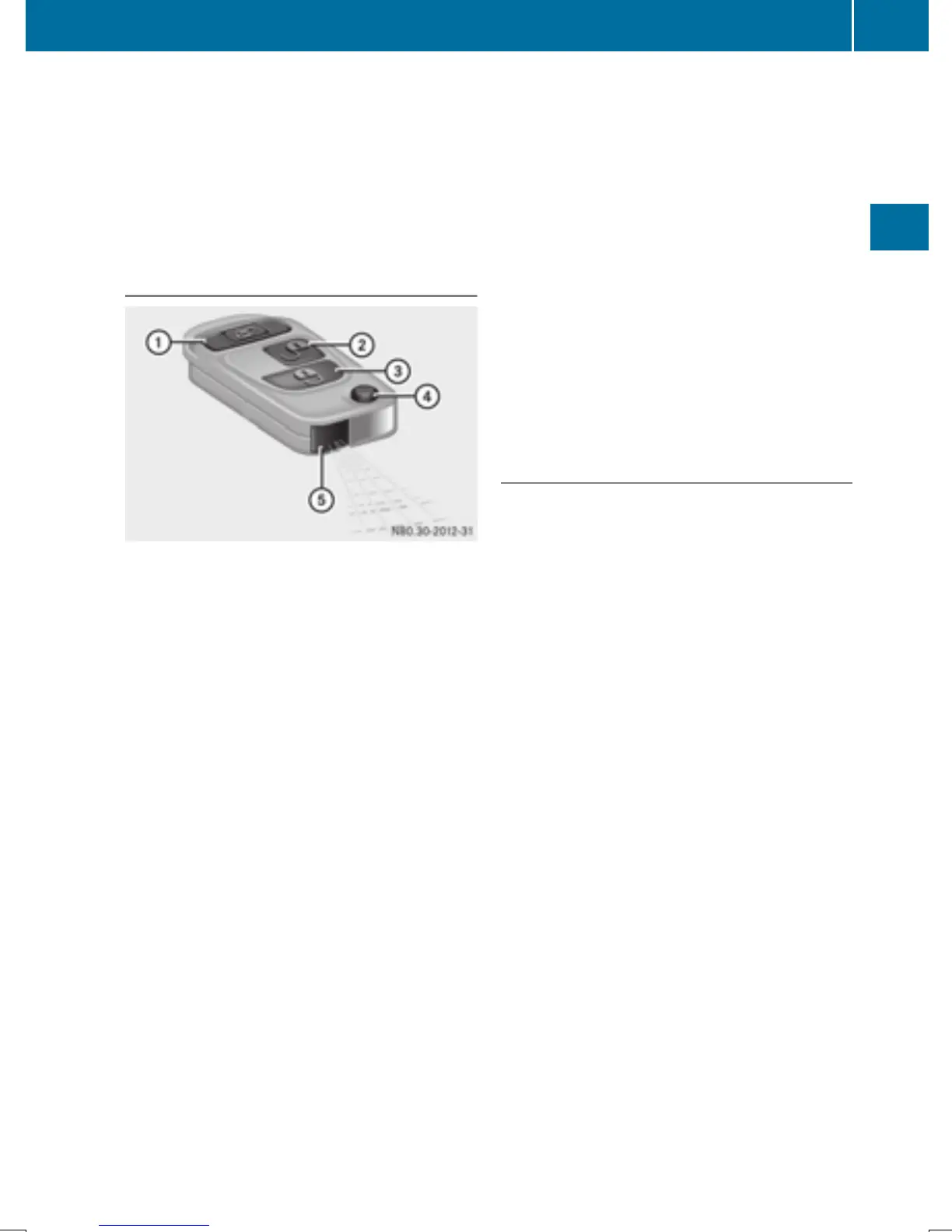
If there is a key is in the ignition lock, the
remote control is inoperative. When locking
or unlocking the vehicle with the remote con-
trol, always pay attention to the indicator
lamp signaling. Also check the locking knobs
of the doors.
Unlocking/locking the vehicle with the
remote control
Remote control with an integrated folding key
:
5 To unlock the sliding doors and the
rear door
;
% To unlock the driver's door only or
unlock the vehicle centrally
=
& To lock the vehicle centrally
?
Key release button
A
Battery check lamp
X
To unlock the driver's door: press the
% button.
The turn signals flash once. The theft deter-
rent locking system is deactivated.
X
To unlock the sliding doors and the rear
door: press the 5 button.
The turn signals flash once.
X
To unlock centrally: unlock the driver's
door.
X
Press the % button again within 2 sec-
onds.
The turn signals flash once.
i
If the surround lighting has been switched
on using the on-board computer
(Y page 193), it goes on when the vehicle is
unlocked.
If you do not open a Cargo Van or
Passenger Van within approximately
40 seconds of unlocking:
R
the vehicle is locked again.
R
the theft deterrent locking system is
armed again.
X
To lock centrally: press the & button.
The indicator lamps flash three times when
the theft deterrent locking system has been
armed and all doors have been closed.
X
Check the locking knobs on all the doors.
The locking knobs must all be in the low-
ered position.
Unlocking/locking the vehicle with the
mechanical key or the folding key
The anti-theft alarm system (ATA) is triggered
if you unlock and open the driver's door or the
rear door with the mechanical key or the fold-
ing key.
The alarm can be disabled in the following two
ways:
X
Press the % or & button on the
remote control.
Or
X
Insert the key into the ignition lock.
Key
67
Opening and closing
Z



 To Next Page