VYPER
™
VARIABLE SPEED DRIVE
OPERATION
100-210 IOM (JUL 09)
Page 37
QUANTUM
™
LX PANEL SETUP
The Quantum
™
LX software provides the necessary controls
to operate Vyper
™
Drive and optional Harmonic Filter on Frick
screw compressors. This is accomplished through the recep-
tion of a Speed Command value (in rotations per minute),
Run Command signal from the Quantum
™
LX control panel
to the compressor motor.
The Quantum
™
LX control panel software will monitor motor
current values, system operating parameters, and fault flags
received from the Vyper
™
Drive to determine whether the
drive is operating safely. Any faults detected by the software
will result in an immediate shutdown of the compressor.
The specific fault information will then be displayed on the
control panel.
Additionally, the Quantum
™
LX control panel will control the
Vyper
™
Drive and compressor to the user-defined parameters
programmed at the control panel interface.
ACCESSING THE VYPER
™
SETUP
Specific options and setpoints must be configured at the
Quantum
™
LX control panel. These settings will provide the
Quantum
™
LX with the necessary information to safely control
the Vyper
™
Drive, and to shut the drive down in the event the
drive exceeds setpoint parameters.
The panel stores programmed setpoints into the panel
memory, however when first applying power to the panel,
all setpoints will be at default levels. The setpoints require
programming in order to operate the system properly.
The following paragraphs provide a step by step procedure to
properly set up the Quantum
™
LX control panel for operation.
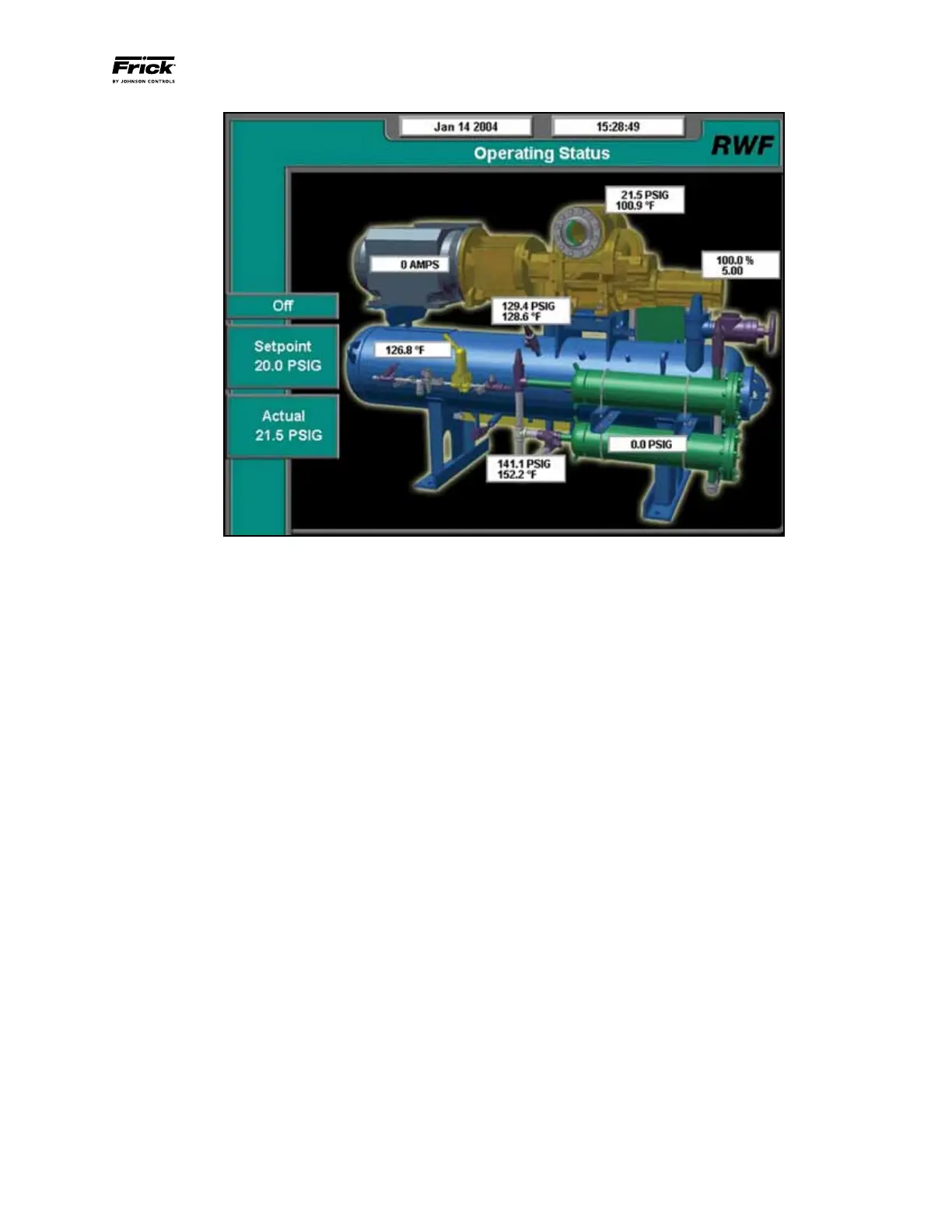
Figure 35 shows the Operating Status Screen, which is dis-
played when power is applied to the Quantum
™
LX panel.
Figure 35 - Quantum
™
LX Operating Status Screen


 To Next Page