VYPER
™
VARIABLE SPEED DRIVE
OPERATION
100-210 IOM (JUL 09)
Page 42
THE VYPER
™
AND HARMONIC FILTER SCREENS
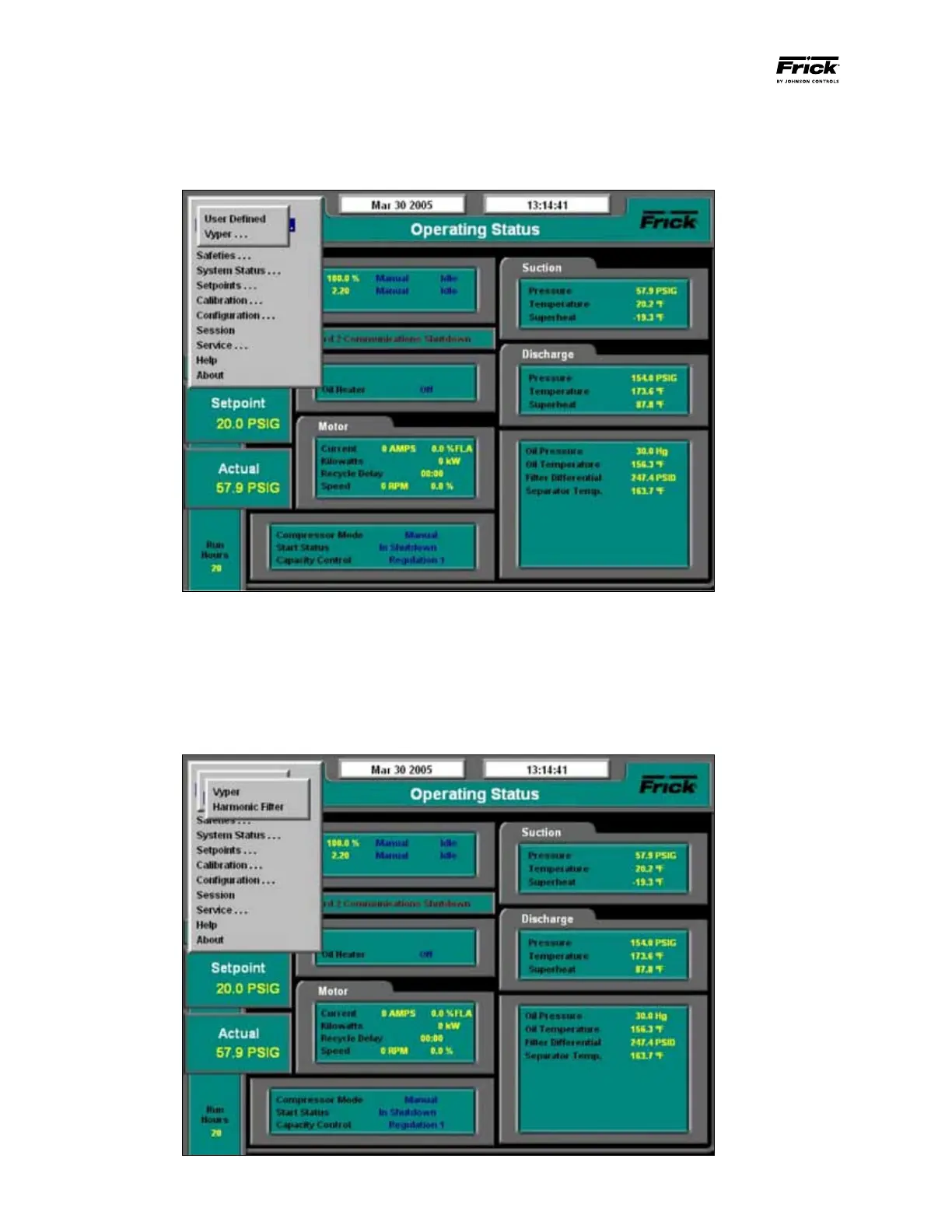
Step 1: (See Figure 41) Advance to the Vyper
™
Screen by
pressing the [MENU] key and then selecting “Setpoints” and
“Operating Values” using the down cursor arrow key.
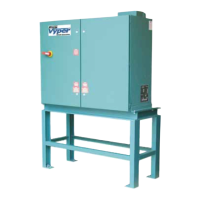
Step 2: (See Figure 42) The “Operating Values” menu al-
lows the operator to select the “Vyper” or “Harmonic Filter”
Screen. Select “Vyper” or “Harmonic Filter” and press the
[Enter] key. The display will show values accessible under
User Level 2.
Figure 41 - Operating Values Menu
Figure 42 - Pulldown for Vyper Screen


 To Next Page