VYPER
™
VARIABLE SPEED DRIVE
OPERATION
100-210 IOM (JUL 09)
Page 38
SETTING USER LEVEL
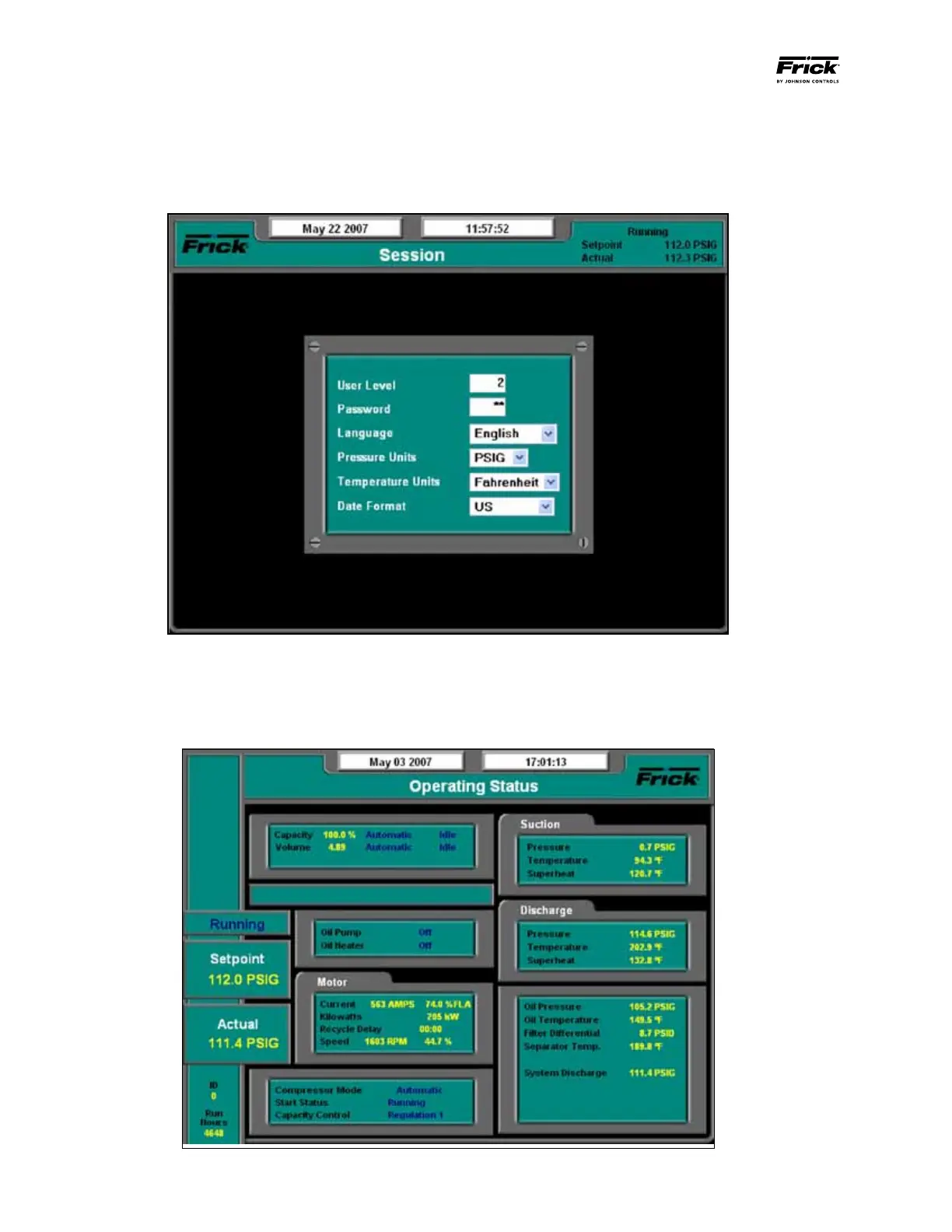
Step 1: (See Figure 36) Set the User Level. Advance to the
Session Screen by pressing the panel [Menu] key and then
using the cursor arrow keys to select “Session” under the
Figure 36 - Quantum
™
LX Session Screen
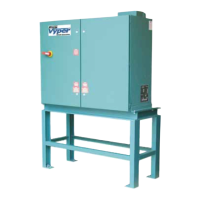
Step 2: (See Figure 37) Once the User Level is programmed,
press the panel [Enter] and [Submit] keys to return to the
Operating Status Screen. As shown in Figure 36, the Operat-
ing Status Screen now shows additional information.
Figure 37 - Quantum
™
LX Operating Status Screen
pull-down menu. Use the keypad to enter Service Level 2
under the “User Level” Parameter on the Session Screen.
Use the keypad to enter the password for User Level 2.


 To Next Page