59
Software Installation
5
1
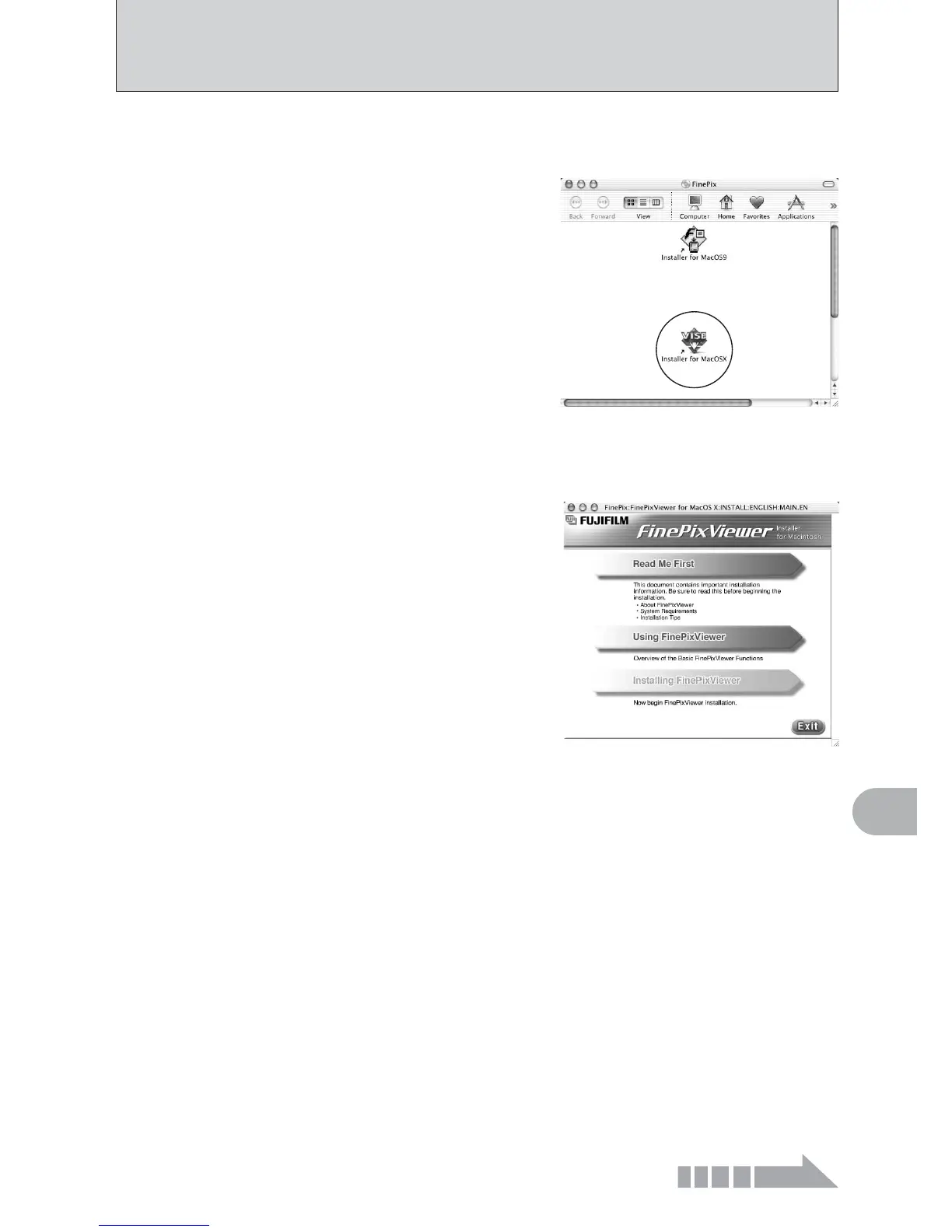
Turn your Macintosh on and start up Mac OS X. Do not launch any other applications.
2
When the bundled CD-ROM is loaded into the CD-
ROM drive, the [FinePix] icon appears. Double-click
the [FinePix] icon to open the [FinePix] volume
window.
3
Double-click “Installer for MacOS X”.
5
The “Authenticate” dialog appears.
Enter the name and password for the administrator account and then click the [OK] button.
✽
✽The administrator account is the user account used for Mac OS X installation and you can
confirm the user account in the Accounts dialog in the System Preferences.
4
The Installer setup dialog appears. Click the
[Installing FinePixViewer] button.
●
!
For more information on what is installed, click the [Read Me
First] button and [Using FinePixViewer] button.
The “License” dialog appears. Read the agreement carefully and then, if you agree to the terms
of the Agreement, click the [Accept] button.
7
The “Read me” dialog appears. Click the [Continue] button.
6
Continued













 To Next Page