60
5.3 INSTALLATION ON A Mac OS X
10
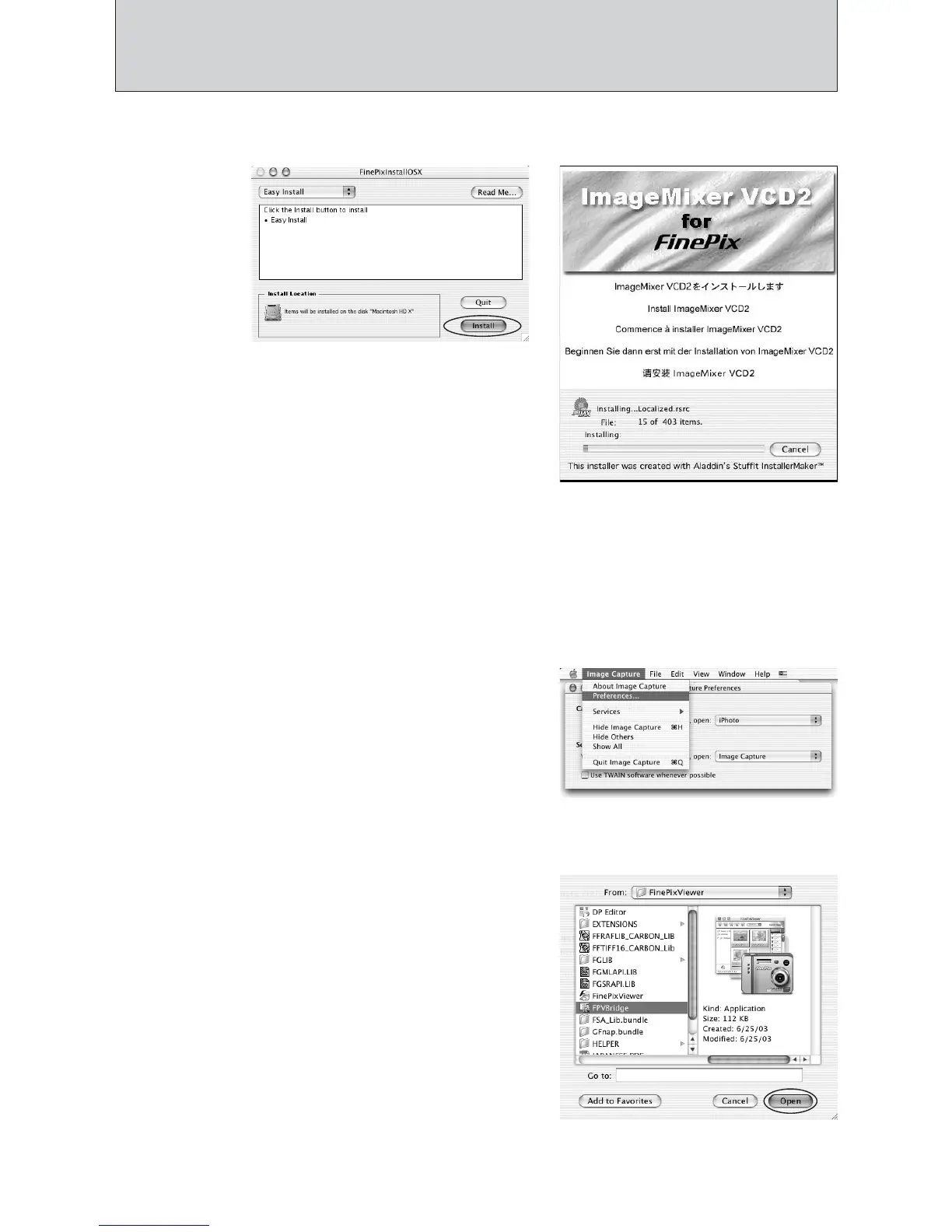
The “FinePixViewer installation completed” message dialog appears then click exit button and
close it.
11
Launch “Image Capture” from the “Applications” folder.
12
Change the Image Capture settings.
Select “Preferenes...” from the “Image Capture”
menu.
14
Select “FPVBridge” from “FinePixViewer” folder in
the “Applications” folder and click the “Open” button.
15
Select “Quit Image Capture” menu in the “Image Capture” menu.
8
The “FinePixInstallOSX” window appears.
Click the “Install” button to install FinePixViewer and RAW FILE CONVERTER LE.
9
The ImageMixer VCD2 installer automatically starts up and a window showing the installation
progress appears. (Installation may take several minutes.)
13
Select “Other...” from “When a camera is connected, open”.













 To Next Page