Problem so lut ions and tips
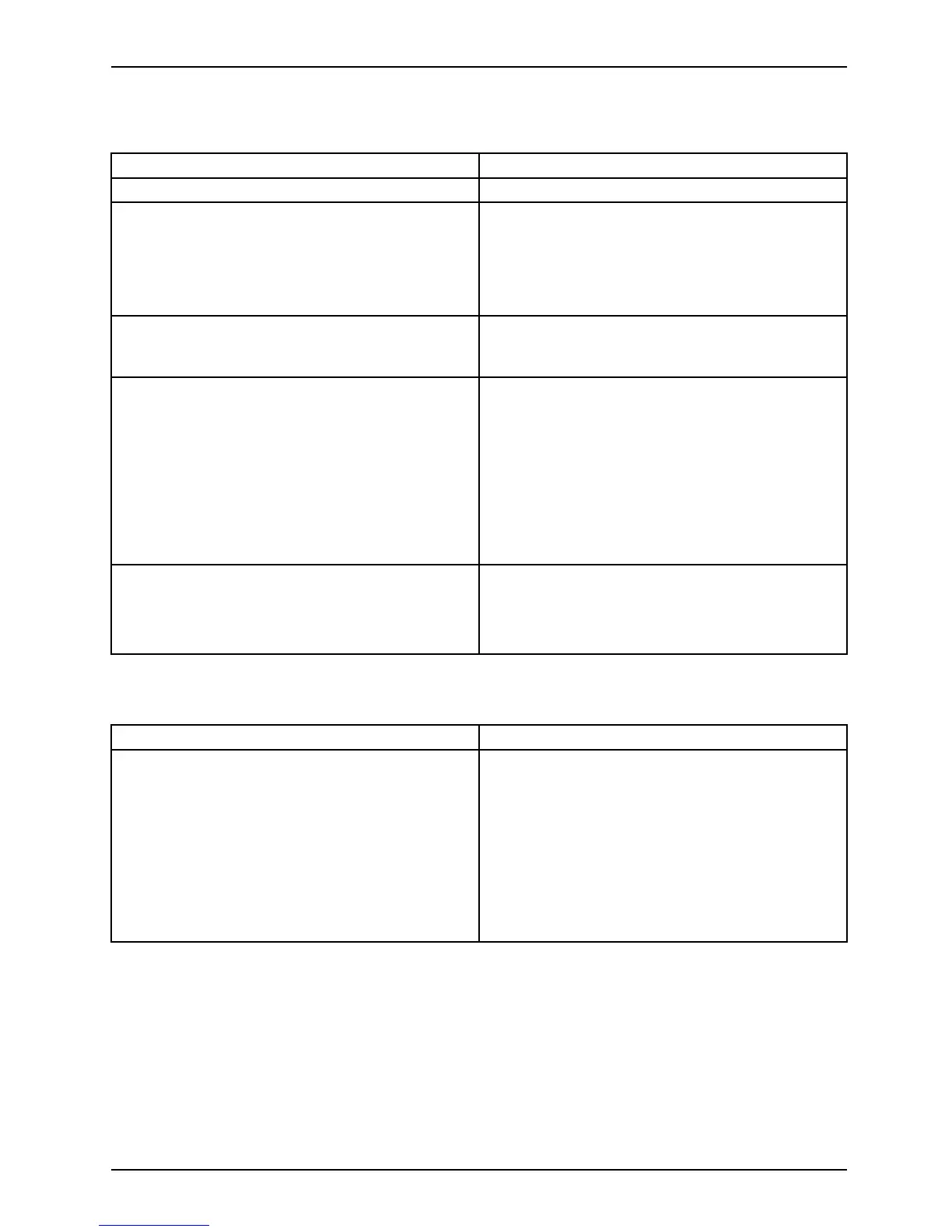
Monitor remains blank
Cause
Remedy
Monitor is switched off. ► Switch your monitor on.
Power saving has been activated (screen is
blank)
► Press any key on the keyboard.
or
► Deac tiv a te the screen saver. If
necessary, enter the appropriate
pass word.
Brightness c ontrol is set to dark ► Adjust the brightness control. F or detailed
information, please refer to the operat ing
manual supplied with yo ur monitor.
Power cable not connected
► Switch off the monitor and the device.
► Check that t he monitor power cable is
properly connected to the monitor and to
a grounded mains o utlet or to the monitor
socket of the device.
► Check that the device power cable is
properly plugged into the device and a
grounded mains outlet.
► Switch on the monitor and the device.
Monitor cable not conn ected
► Switch off the monitor and th
e device.
► Check that the m onitor cable is properly
connected to the device and monitor.
► Switch on the monitor and the
device.
No mouse pointer displaye
d on the screen
Cause
Troubleshooting
The mouse is not correctly co nnected.
► Shut down the operating system p roperly.
► Switch the device off.
► Check that the mouse cable is properly
connected to the system unit. If you use an
adapter or extension lead with the mouse
cable, check the connections.
► Make sure that only one mou
se is
connected.
► Switch the device on.
AMILO Desktop Operating Manual, edition 3 29






 To Next Page