System expansio ns
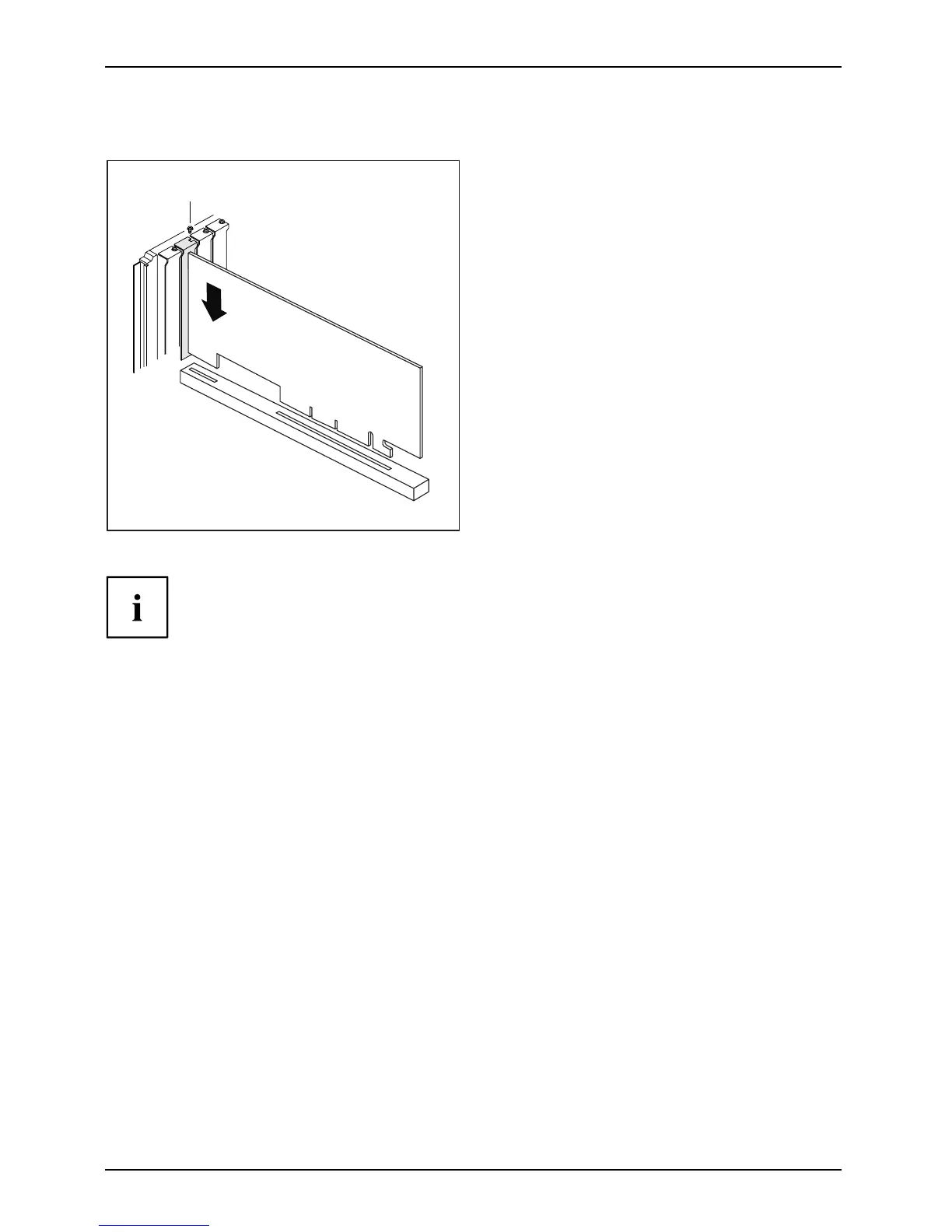
Installing a b oard
2
1
► Push the board into the slot (1)
until it engage s.
► Fasten the screw (2) when present.
► If necessary, connect the cables to the board.
If you have installed or removed a board, please check the relevant PCI
slot settings in the BIOS Setup. If necessary, change the settings. Furth er
information is provided in the PCI board documentation.
42 AMILO Desktop Operating Manual, edition 3







 To Next Page