System expansio ns
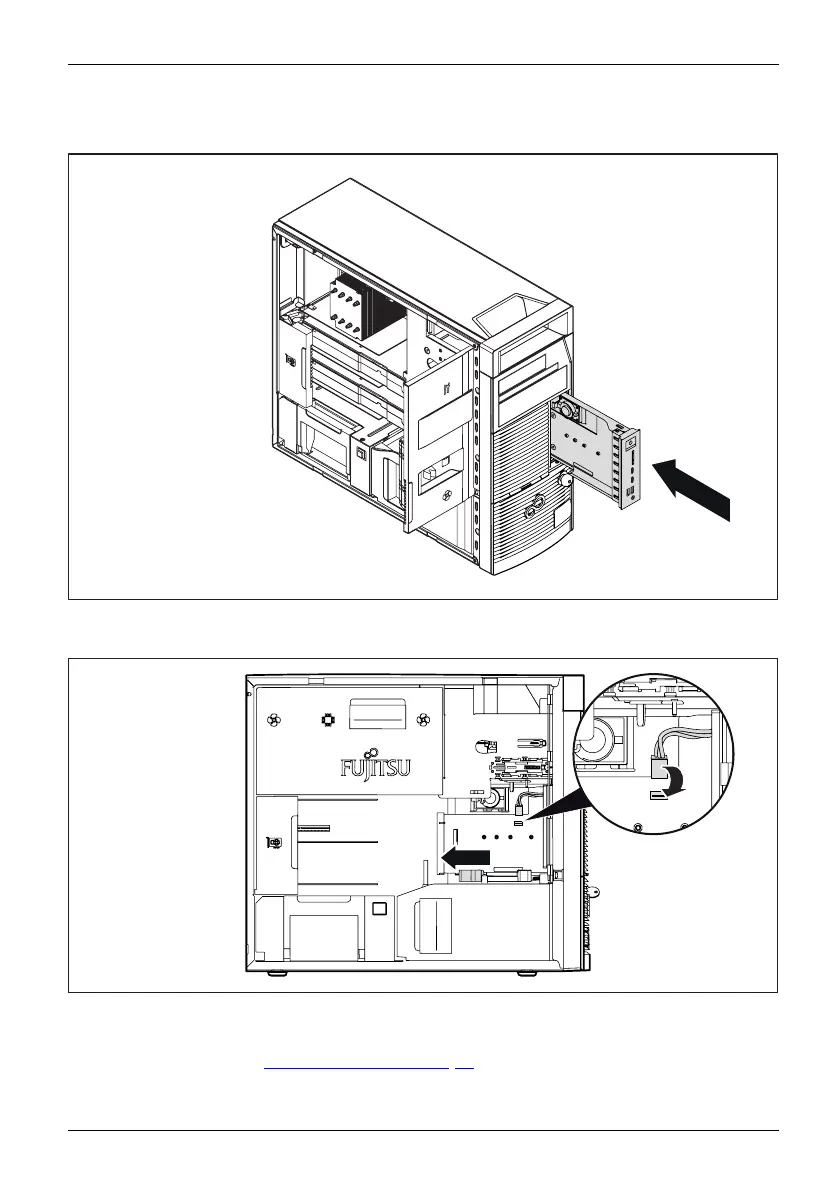
Installing the front panel module
► Slide the fron
t panel module in the direction of the arrow fully into the casing,
until th e lock
ing m echanism engages.
1
2
► Con
nect the front fan cable to the front panel module. Make absolutely certain that the
pol
arity of the cable is correct. The connector and the socket are co ded.
► Close the casing (see "
Close the casing", Pag e 44).
Fujitsu 53














 To Next Page