System expansions
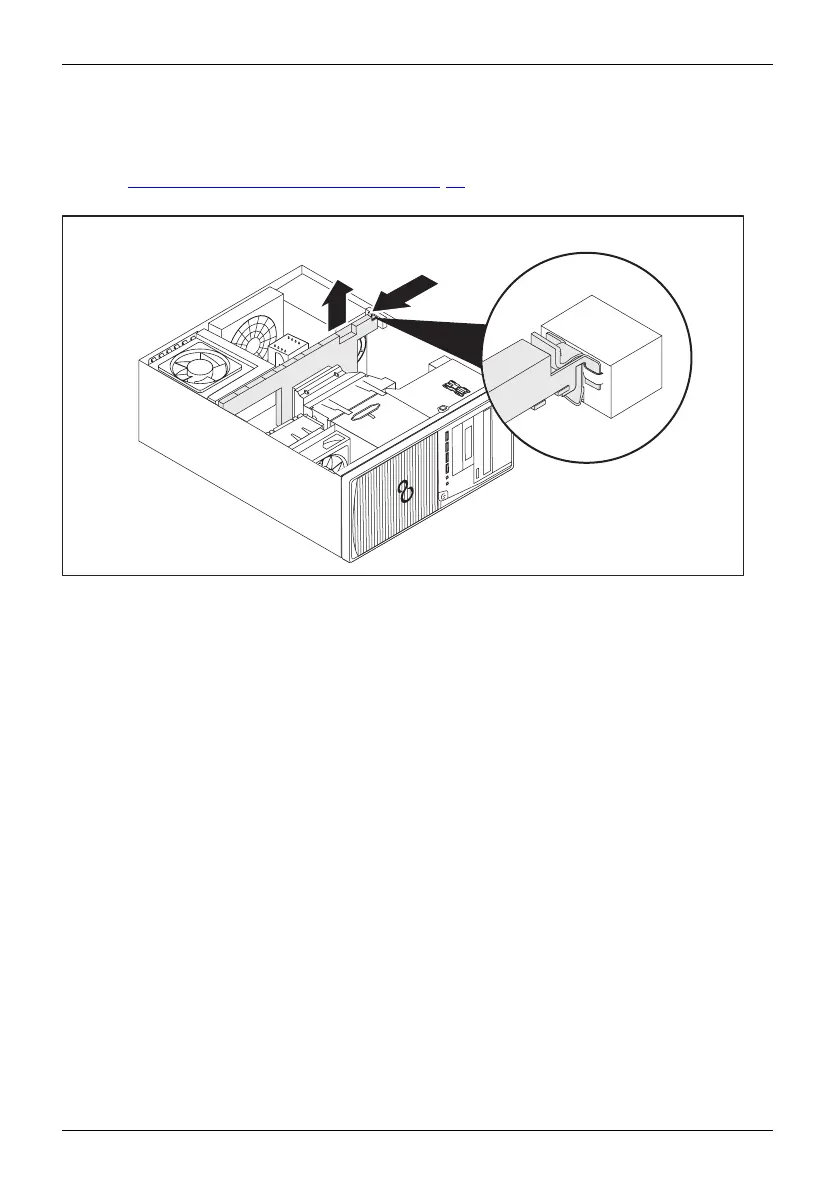
Remove the cross -p iece
► If a type 2 board is installed and it is secured to the cross-piece, remove the latter
(see "
Remove and install type 2 boards", Page 73).
► Disconnect any cables which interfere and prevent the cross-piece f rom being raised.
2
1
► Press on the lever (1) so that the catch o f the cross p iece releases.
► Carefully fold the cross piece upwards (2) so that no fan cables are torn away.
► Disconnect the fan c able and remove the cross piece (device-dependent).
64 Fujitsu














 To Next Page