TX150 S6 Operating Manual 107
CSS components Non-hot-plug components
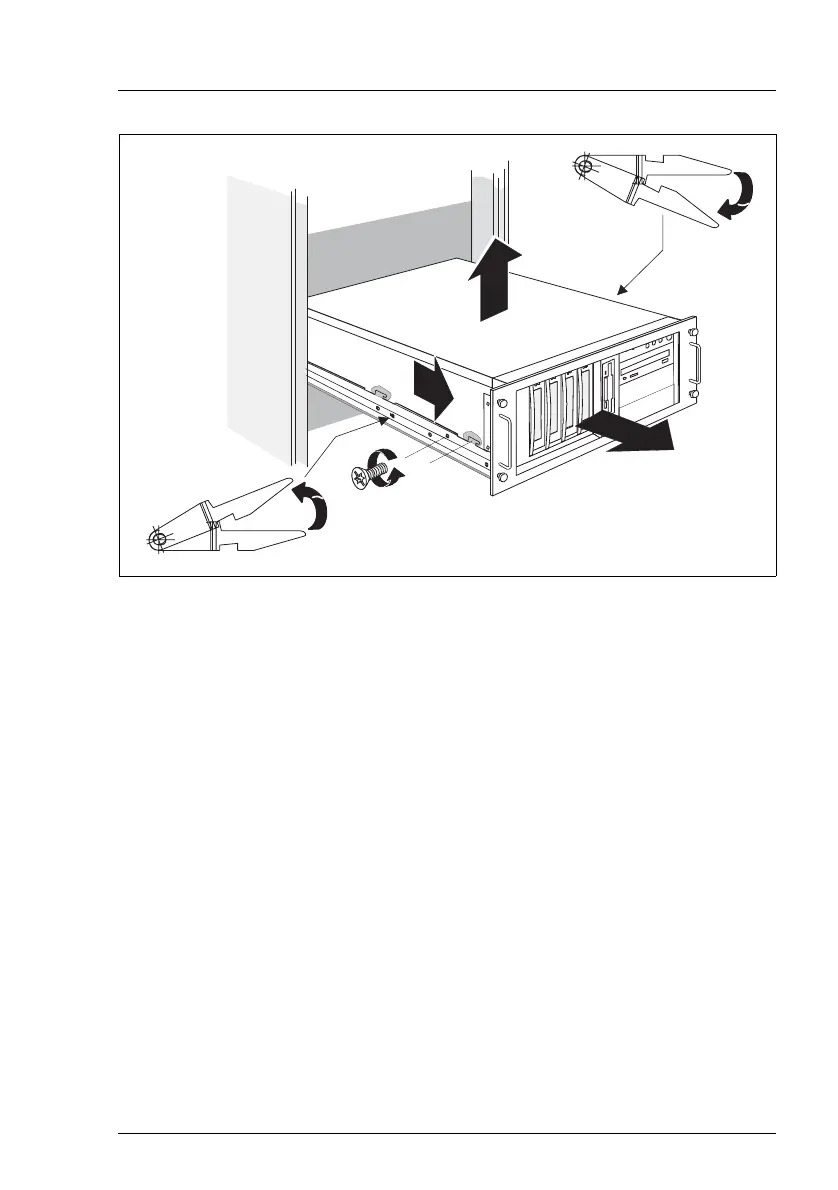
Figure 41: Removing the server from the rack cabinet
Ê Disconnect all cables on the rear of the server.
Ê On the telescopic rails remove one screw on either side of the server (1).
Ê Release the locking mechanism (2a + 2b) of both rails and carefully pull the
server out of the rack (3) as far as it will go.
Ê Pull the server a little in the direction marked (4a) until the noses (4b) disen-
ngage.
V CAUTION!
At least two people are needed to lift the server out of the rack cabinet.
Ê Lift the server out of the rails (5) and place it on a flat area.
1
2a
2b
4b
4a
3
5



 To Next Page
 Loading...