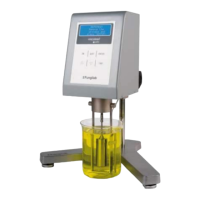
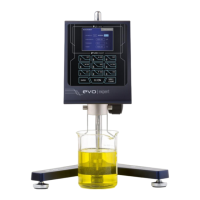
In addition to visualize the obtained measurements of the sample-on-test, the user can perform other
actions in parallel from this screen.
Using the ‘’ and ‘’ keys, you can increase or reduce the speed of the spindle’s rotation (RPM). When
pressing one of these two keys, the rotation speed increases or decreases, respectively, from the previous
speed.
This way, we can comfortably modify the turning speed without having to leave the measurement screen.
When making a speed change, the field will start blinking again until the motor speed stabilizes.
To make a unit change, whether it’s in viscosity or in temperature, the equipment will have to take into
account the stabilized rotation (speed field (RPM) not blinking). With the ‘TAB' key, the viscosity field will
blink for five seconds. If you then use the ‘’ and ‘’ keys, you can vary the units.
To save the changes, press ‘ENTER’. If you do not do this within five seconds, the changes will go unsaved.
The units in the temperature field can be modified using the same process but you will need to use the ‘TAB'
key again when you’ve selected the viscosity field (it will be blinking).
IMPORTANT: When the certain percentage of the base scale is lower than 15% or is as
high as 100%, the measurement cannot be considered valid and the equipment will
emit a warning beep with every rotation made under these circumstances.
If you are using coaxial spindles (TL or TR) or the low-viscosity spindle (LCP/SP) you can access the other
measurement information screen.
By pressing ‘ENTER’ in the main measurement screen, the following screen will appear:
This screen shows the same values of Spindle, Revolutions per Minute, Percentage and Temperature of the
sample that were shown on the previous screen. But in addition this screen shows:
SR: Share Rate.
SS: Share Stress.
Using the ‘ENTER’ key again you can return to the original Measuring screen. You can also, if a Time to Stop
is defined (see section 10.7 for more information) press the ‘TAB’ key to show the countdown as the
following screen represents:
In the other hand, if you are not using coaxial spindles (TL or TR) or the low-viscosity spindle (LCP/SP) but
there is a Time to Stop programmed, the ‘ENTER’ key will lead you to the countdown screen.


 To Next Page
 Loading...