3. TARGET TRACKING (TT)
3-2
3.2 TT Controls
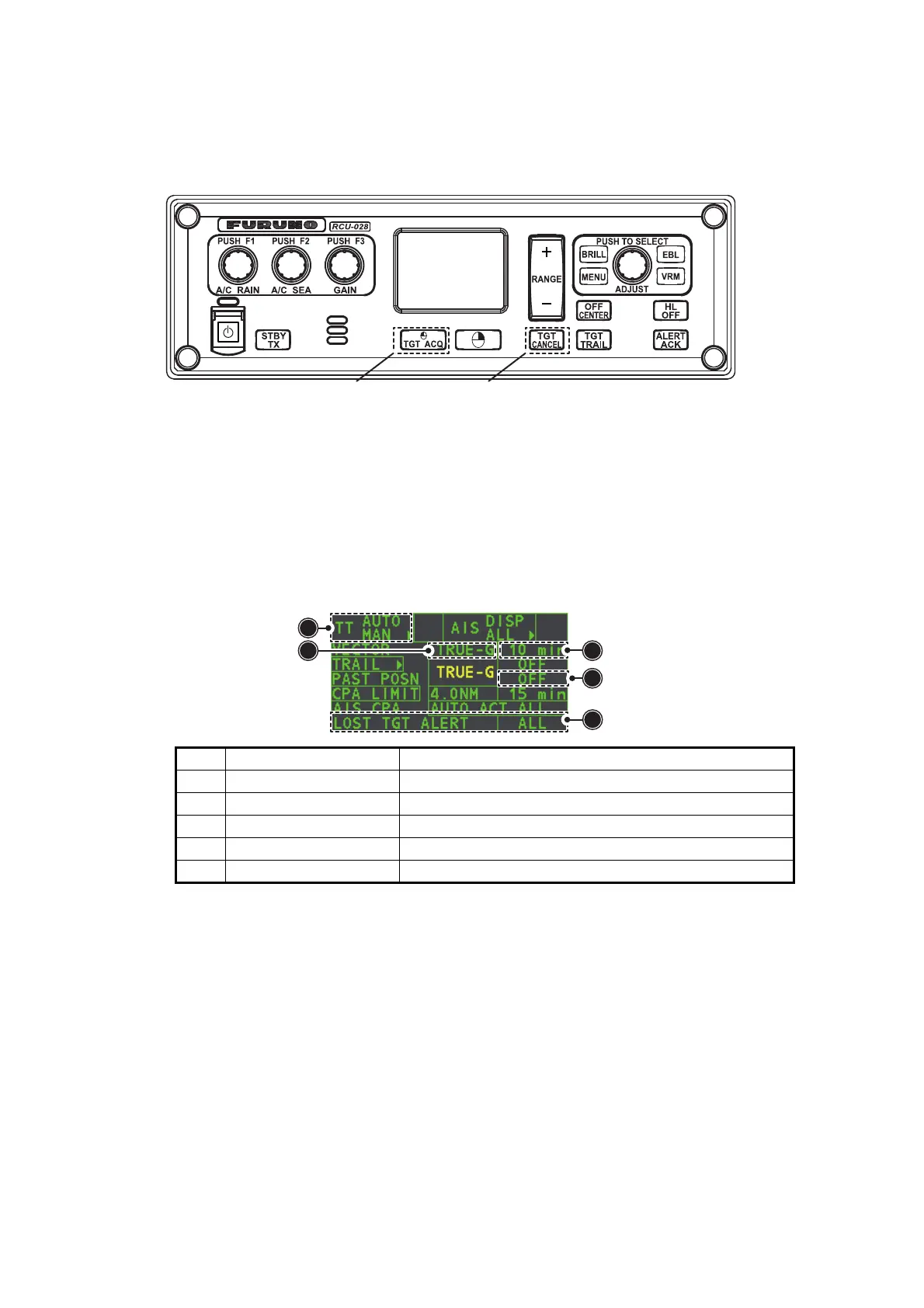
The control unit has two keys that are used in the target tracking mode. The keys are
indicated in the figure below.
• TGT ACQ: Acquires the selected echo as a target.
• TGT CANCEL: Deactivates tracking for the cursor-selected target.
These functions, along with other TT functions, can also be accessed from the [CUR-
SOR] menu (See section 1.7).
3.3 TT Box Overview
3.4 How to Select the TT mode
Target tracking is available in three modes: [MANUAL 50] (up to 50 targets, selected
manually), [MANUAL 25•AUTO 25] (up to 50 targets, 25 selected automatically, 25 se-
lected manually) and [AUTO 50] (up to 50 targets, selected automatically). To select
a target tracking mode, do the following:
1. Select the [TT] box, then press the right button.
The [TT TARGET MENU] appears.
2. Select [TT SELECT], then push the ADJUST knob.
3. Select the appropriate mode, then push the ADJUST knob.
4. Close the menu.
No. Indication name Description/remarks
1 TT acquisition mode Shows current TT mode (AUTO, AUTO/MAN, MAN).
2 Vector time Adjusts the vector time for the selected target.
3 Vector reference True, Relative referencing for this target’s vector.
4 Past position time Sets the interval for the target’s trail.
5 Lost TGT Alert Displays/hides the alert when a target is lost.
Manual target acquisition Cancel target
1
5
4
3
2










 To Next Page