4. AIS OPERATION
4-12
4.10 Lost Target
A target is declared a lost target when it fails to produce data for six minutes or five
reporting intervals, whichever is the shorter. When this occurs, the target is marked
with the (flashing) lost target symbol and the message "LOST" appears in the Alert
Box. To acknowledge a lost target, press the ALERT ACK key, or use the Touchpad
to select the [ALERT] box then press the left button.
4.10.1 How to set the lost target filter
If there are a lot of AIS targets in your area, the lost target alert can sound frequently.
In this case you may wish to have the alert ignore lost targets whose range, speed,
class or length are below the threshold value you specify.
1. Open the [MAIN MENU].
2. Select [TT•AIS], then push the ADJUST knob.
3. Select [AIS LOST FILTER], then push the ADJUST knob.
4. Referring to the table below, select the appropriate filtering type, then push the
ADJUST knob.
5. Select [ON], then push the ADJUST knob. The settings can now be adjusted.
6. Rotate the ADJUST knob to adjust the setting as required, then push the ADJUST
knob to apply the setting.
7. Close the menu.
4.10.2 How to enable/disable the lost target alert
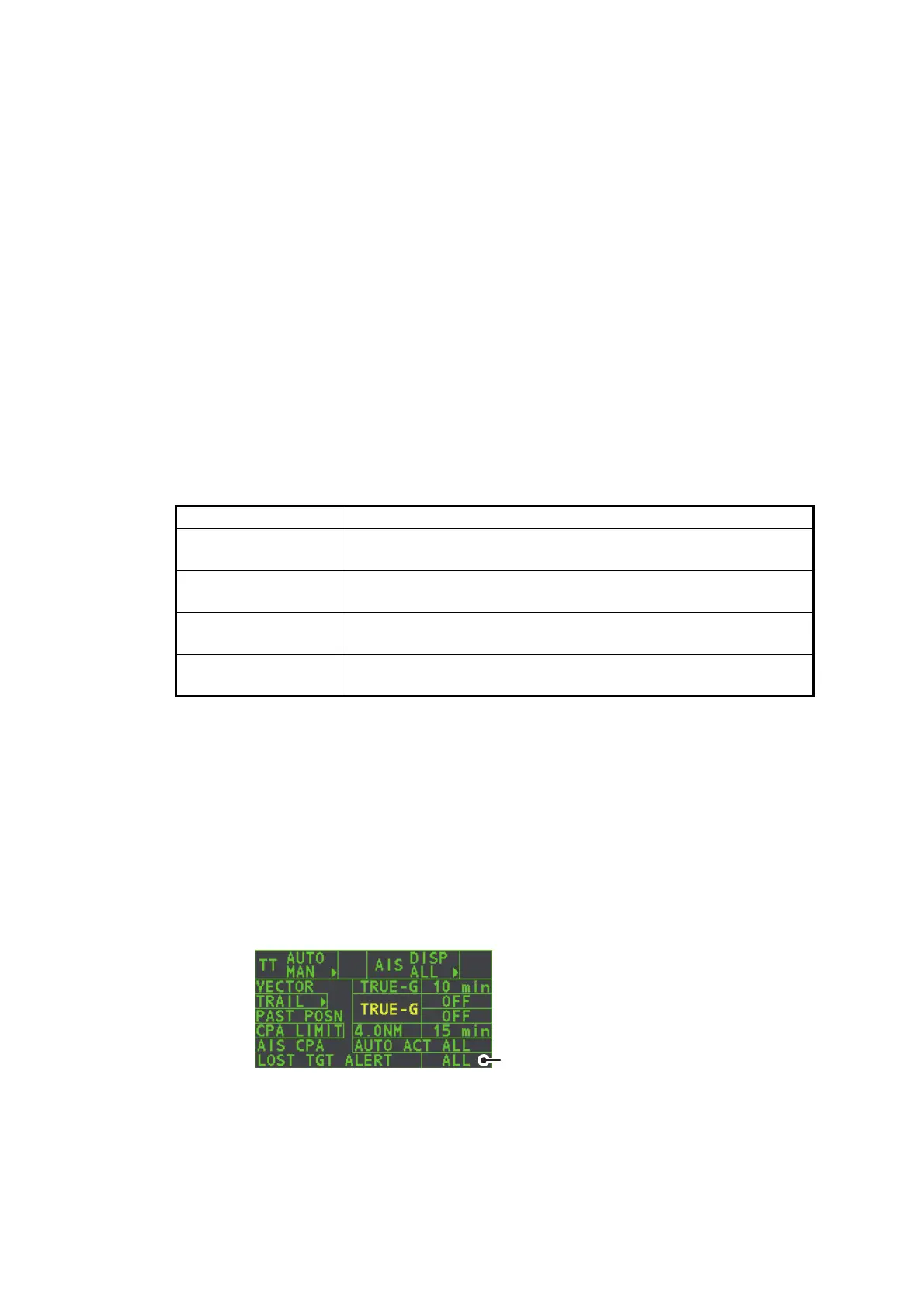
The [LOST TARGET ALERT] box at the bottom right corner enables and disables the
lost target alert. Select the box with the cursor, then press the left button to select
[OFF], [ALL] or [FILT] as appropriate.
• [OFF]: Disables the alert.
• [ALL]: Enables the alert for all lost targets, including filtered targets.
• [FILT]: Enables the alert for all lost targets, excluding filtered targets.
Filter type Definition
[MAX RANGE] Any AIS targets beyond the range set here will not trigger the
lost target alert.
[MIN SHIP SPEED] Any AIS targets slower than this setting will not trigger the lost
target alert.
[EXCEPT CLASS B] Select ON to prevent AIS targets class B triggering the lost tar-
get alert.
[MIN SHIP LENGTH] Any AIS targets whose length is shorter than this setting will not
be automatically activated.










 To Next Page